
 By M. Zaid
Hostinger and WP Engine sit at different ends of the WordPress hosting market.
Hostinger is designed around affordability and ease of use. It is particularly attractive to beginners, bloggers, freelancers, small businesses, and website owners who want to launch a WordPress website without spending a large amount on hosting.
WP Engine, on the other hand, is a managed WordPress platform aimed at users who need a more specialized WordPress environment. Its platform emphasizes performance, security, backups, staging, migration tools, and professional support.
That means there isn’t one universal winner.
For a small website where keeping hosting costs low is important, Hostinger is usually the more practical choice.
For a business or high-value WordPress website where managed infrastructure and advanced WordPress-focused services matter more than the lowest price, WP Engine can justify its higher cost.
| Feature | Hostinger | WP Engine |
|---|---|---|
| Best For | Beginners, bloggers, small businesses | Businesses, agencies, developers, high-value WordPress sites |
| Price | Lower | Higher |
| WordPress Focus | Strong | Very strong |
| Ease of Use | Excellent | Excellent |
| Performance | Very good | Excellent |
| Security | Strong | Excellent |
| Backups | Available depending on plan | Automated managed backups |
| Migration | Available | Dedicated migration tools and support |
| Support | 24/7 support | 24/7 expert support |
| Scalability | Good to excellent depending on plan | Excellent |
| Overall Value | Excellent for budget users | Strong for businesses needing managed WordPress |
If price is the most important factor, Hostinger has a major advantage.
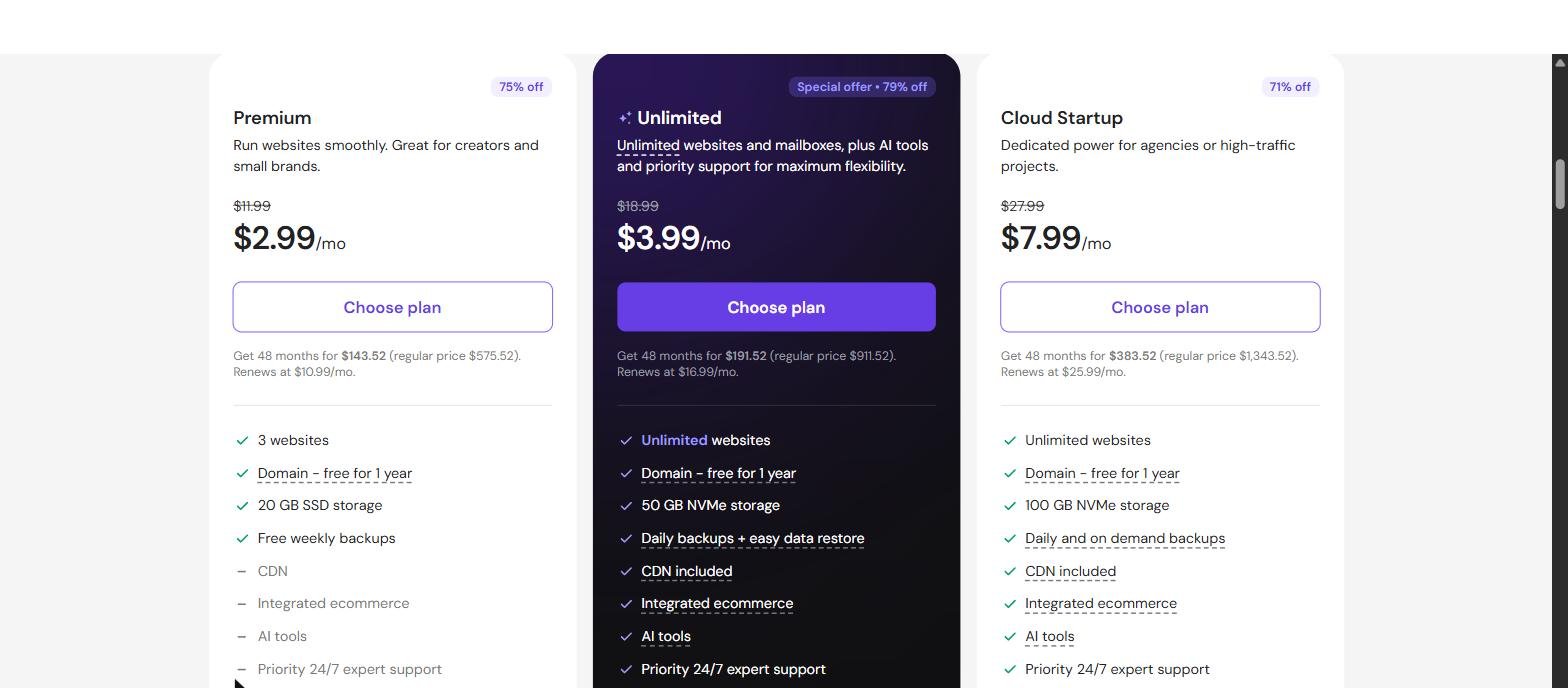
Hostinger currently offers several hosting tiers, with promotional pricing starting at a relatively low monthly rate when customers choose longer-term plans. Its plans can include features such as SSL, backups, CDN, email, and WordPress support depending on the selected plan.
The important point is that the advertised introductory price is not necessarily the same as the renewal price.
For example, Hostinger’s current pricing page lists its entry-level Premium plan at a promotional $2.99/month on a 48-month term, with renewal at $10.99/month. Higher plans provide more websites, storage, backups, and other resources.
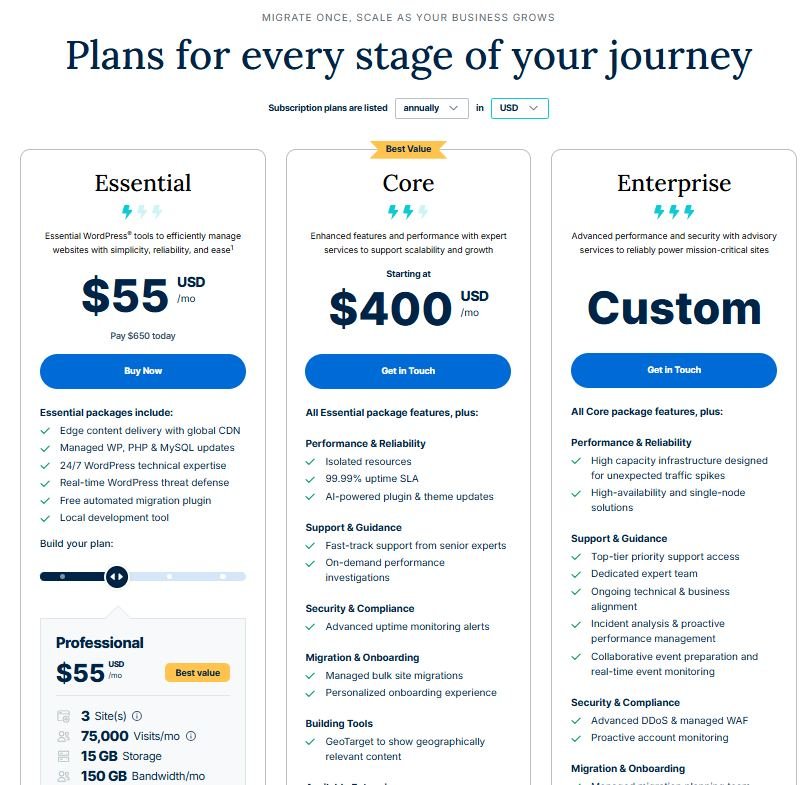
WP Engine follows a very different pricing model.
Rather than competing directly with low-cost shared hosting, WP Engine sells managed WordPress infrastructure. Its platform is designed around WordPress-specific performance, security, backups, updates, and support.
Hostinger wins clearly on price.
If you are launching your first blog, portfolio, affiliate website, or small business website, paying significantly more for managed hosting may not make financial sense.
WP Engine becomes more compelling when the cost of downtime, technical problems, performance issues, or developer time becomes more important than the hosting bill itself.
For budget-conscious website owners, Hostinger offers substantially more accessible entry-level pricing.
Both companies support WordPress, but their approach is different.
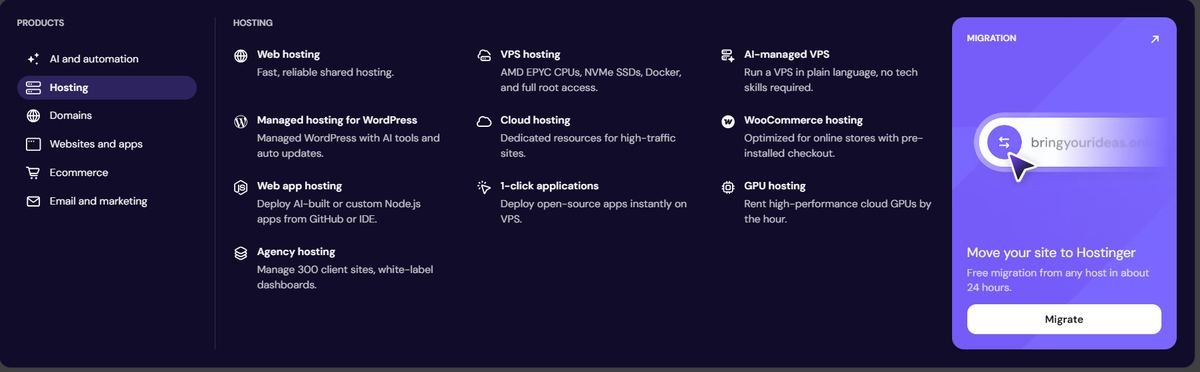
Hostinger provides a relatively broad hosting environment where users can build WordPress websites while also having access to other tools and services. Its current plans include features such as WordPress, CDN, backups, AI tools, ecommerce capabilities, and email depending on the plan.
This makes Hostinger useful for users who want flexibility.
WP Engine is much more focused on WordPress itself.
Its managed platform is built specifically around WordPress and includes infrastructure and services intended to simplify the technical side of running WordPress websites. WP Engine describes its managed hosting as handling areas such as security, backups, updates, performance optimization, and support.

For general website owners who want a broad collection of tools at a lower cost, Hostinger offers excellent value.
For users who want a hosting environment specifically optimized around managed WordPress, WP Engine has the stronger specialized offering.
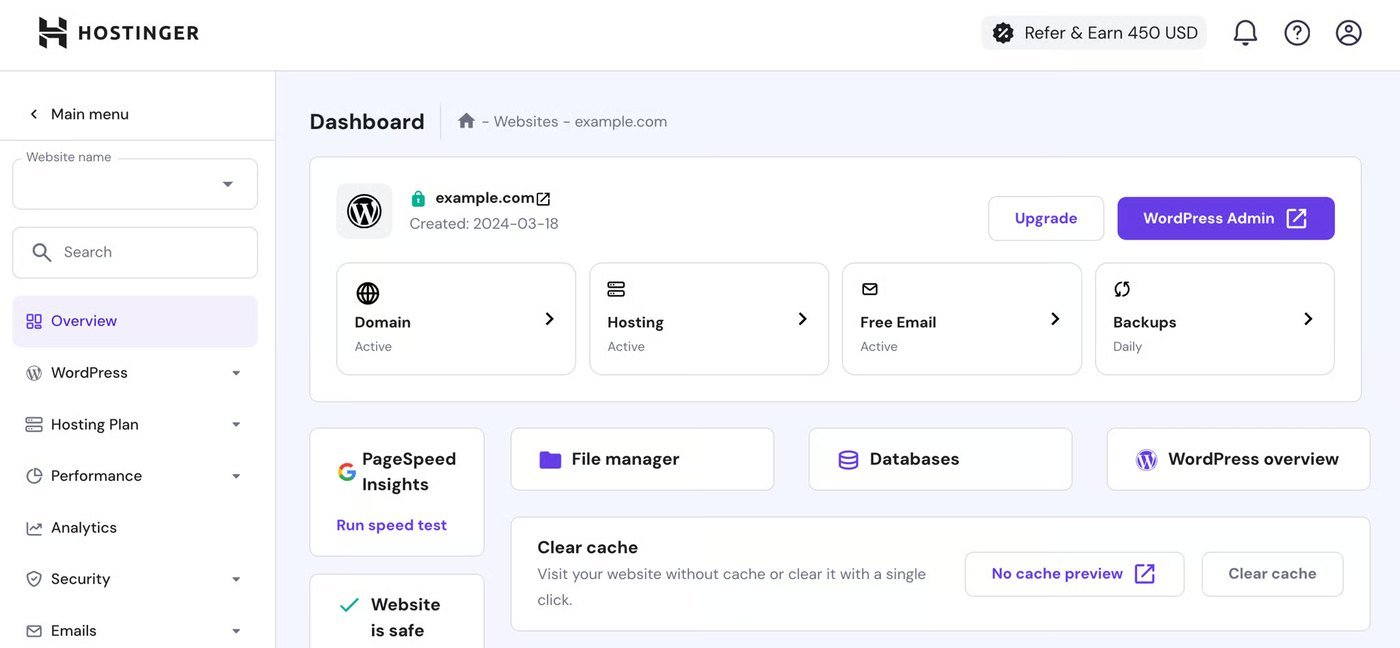
Hostinger is designed to make website management approachable for beginners.
The setup process is straightforward, and users can manage hosting, domains, WordPress installations, email, backups, and other services from Hostinger’s control environment.
This is particularly useful if you don’t have much technical experience.
WP Engine also aims to simplify WordPress management, but its strength is less about being the cheapest beginner host and more about taking technical infrastructure off the user’s hands.
For experienced WordPress users, agencies, and businesses, this can be a major advantage.
For a first-time website owner: Hostinger wins.
For a WordPress professional who wants managed infrastructure: WP Engine is arguably the better fit.
Performance is one of the areas where the comparison becomes more complicated.
Website speed depends on more than the hosting company.
Your WordPress theme, plugins, images, caching configuration, database, traffic levels, geographic location, and website architecture can all affect performance.
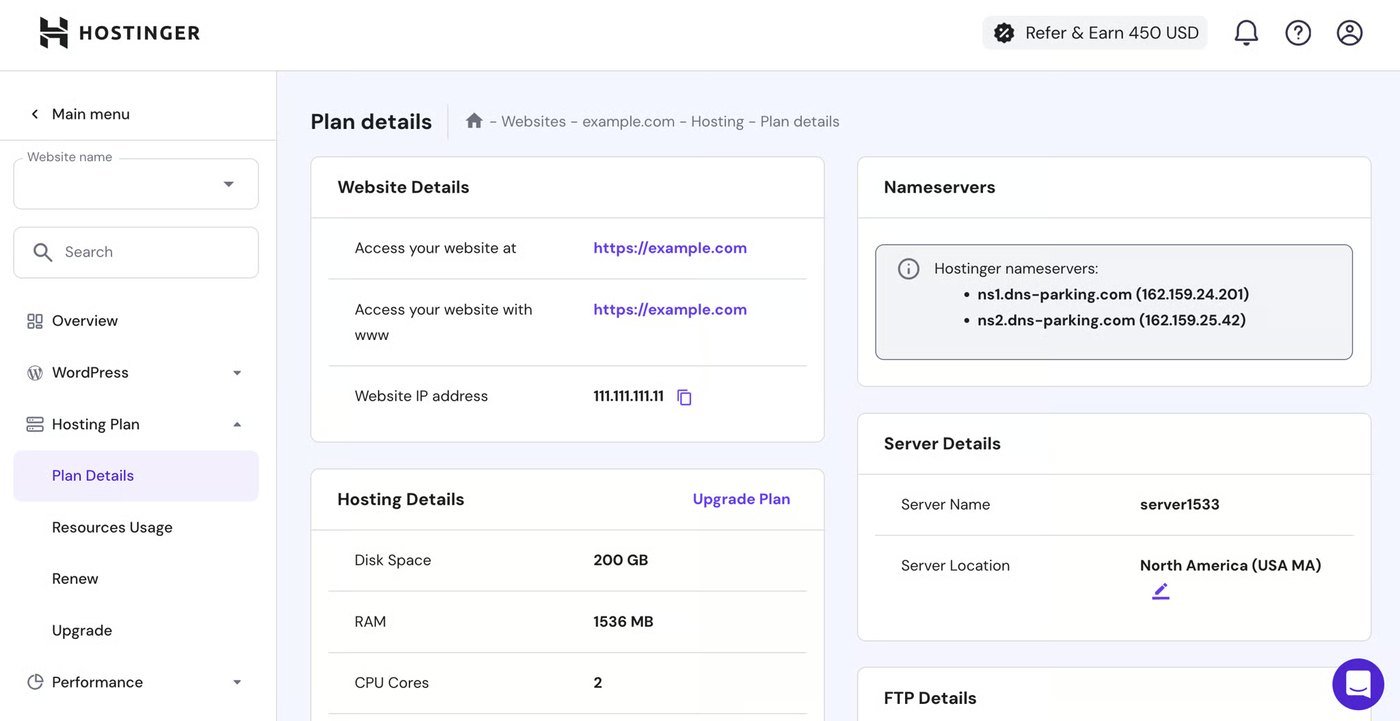
Hostinger provides performance-oriented features including CDN options and higher-resource plans for websites that need additional capacity. Its higher hosting tiers provide additional resources as websites grow.
WP Engine takes a more specialized approach.
Its platform uses WordPress-focused infrastructure, caching, CDN technology, monitoring, and managed services. WP Engine currently advertises a 99.99% uptime figure for its platform and emphasizes performance and scalability as core parts of its infrastructure.
There is no honest answer that says one host will automatically make every WordPress website faster.
A well-optimized Hostinger website can perform extremely well.
However, for demanding WordPress websites where managed performance infrastructure is important, WP Engine has the stronger overall platform.
Security should not be treated as an optional feature for a WordPress website.
Both hosting providers offer security-related features, but WP Engine places a particularly strong emphasis on managed WordPress security.
WP Engine says its managed hosting includes firewalls, malware scanning, automatic patches, backups, and ongoing monitoring.
Hostinger also includes security and backup features across its hosting plans, although the exact features vary according to the plan you choose.
The important distinction is that WordPress security is still partly the website owner’s responsibility.
You should keep WordPress, themes, and plugins updated, use strong passwords, limit unnecessary plugins, and maintain reliable backups regardless of your host.
For a normal small website, Hostinger provides a solid security foundation.
For businesses that want more managed WordPress security infrastructure, WP Engine has the advantage.
Backups are one of the most important hosting features because even a well-maintained website can experience problems.
Hostinger provides backups according to the hosting plan. For example, its current plans advertise weekly backups on some lower tiers and daily backups with easy restoration on higher tiers.
WP Engine takes backups much more centrally as part of its managed WordPress platform.
WP Engine provides automated and manual backup capabilities, with backup restore options available through its platform. Its support documentation states that backups are stored offsite using Amazon S3.
If you’re running a basic website, Hostinger’s backup options may be more than enough.
If your website generates significant revenue or you regularly make major changes, WP Engine’s managed backup environment becomes more valuable.
Moving a WordPress website between hosting providers can be stressful.
A migration involves more than copying files.
You may need to move:
Hostinger supports website migration and provides migration options as part of its hosting services.
WP Engine has built migration tools specifically for WordPress.
Its current migration service supports automated migration tools as well as expert-led migration services. WP Engine also emphasizes staging, backup, DNS assistance, and safeguards intended to reduce migration problems.
For a straightforward website, both can work well.
For a complicated WordPress website where migration risk is high, WP Engine’s specialized migration ecosystem gives it an advantage.
Support becomes especially important when your website is experiencing an outage or technical problem.
Hostinger currently advertises 24/7 support across its hosting offering.
WP Engine also emphasizes 24/7 expert support as part of its managed hosting approach.
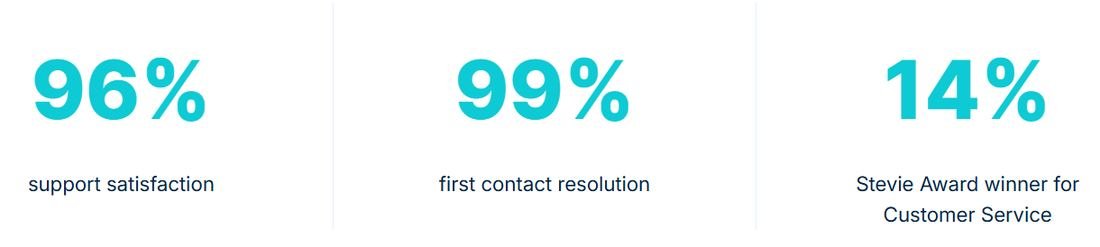
The bigger difference is the type of service each company is selling.
Hostinger is designed to provide affordable hosting support to a broad customer base.
WP Engine is selling managed WordPress infrastructure, meaning the hosting environment itself is more deeply focused on WordPress.
For basic hosting questions, Hostinger is perfectly suitable for many users.
For businesses that rely heavily on WordPress and need specialized assistance, WP Engine has the stronger positioning.
A website that starts small may eventually receive much more traffic.
This is where choosing the right hosting architecture becomes important.
Hostinger offers multiple levels of hosting, including higher-resource cloud options designed for growing websites and high-traffic projects. Its current Cloud Startup plan, for example, provides significantly more resources than its entry-level hosting plans.
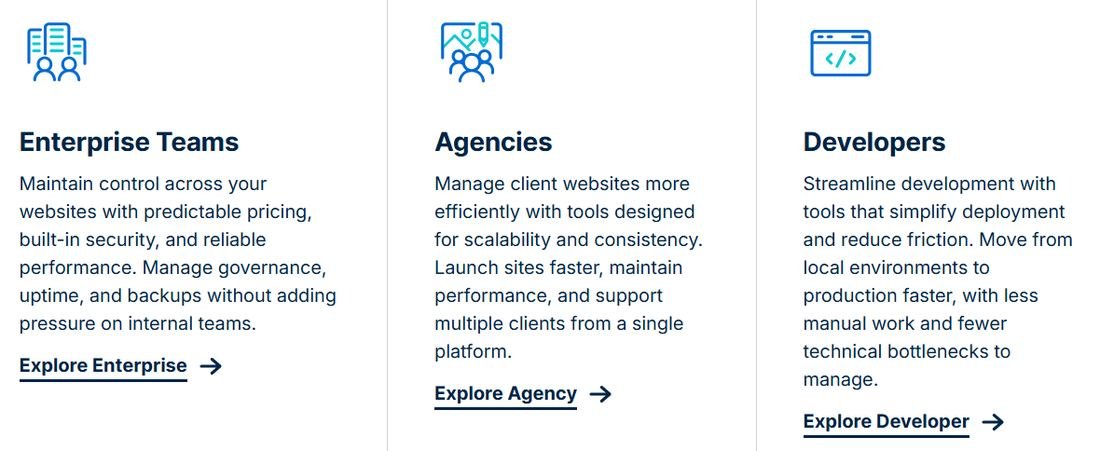
WP Engine is built around managed WordPress infrastructure and positions its platform for complex sites, businesses, agencies, and larger traffic requirements. Its current platform documentation highlights containerized infrastructure and scalability.
For a small website that is gradually growing, Hostinger provides a reasonable upgrade path.
For a business where WordPress is mission-critical and infrastructure management needs to become more sophisticated, WP Engine is the stronger choice.
The answer depends on what kind of website you are building.
For most beginners and small website owners, Hostinger offers a very strong balance between price and features.
WP Engine makes more sense when the website’s business value justifies paying for specialized managed hosting.
For most beginners, bloggers, freelancers, and small businesses, Hostinger is the better choice.
Its biggest advantage is value.
You get a broad range of hosting features without having to spend the kind of money associated with premium managed WordPress platforms. Current Hostinger plans include options for WordPress, backups, CDN, email, AI tools, and additional resources as you move up the hosting tiers.
WP Engine is the better choice for businesses and serious WordPress projects where managed infrastructure matters more than the lowest price.
Its platform focuses heavily on WordPress performance, security, automated backups, migration, support, and scalability.
So our final recommendation is:
The key is not simply choosing the “better” host.
Choose the host that matches the value and requirements of your website.
If you are spending $30 a month on hosting for a small blog that earns $15, premium infrastructure probably isn’t the best investment.
But if your WordPress website generates thousands of dollars in revenue every month, paying more for managed infrastructure can be a rational business expense.
For most beginners and budget-conscious website owners, Hostinger offers better value. WP Engine is more suitable for users who need specialized managed WordPress infrastructure, performance, security, and support.
It can be, especially for businesses, agencies, and high-value WordPress websites where performance, managed security, backups, support, and reduced technical workload are important.
Hostinger is substantially more affordable at the entry level. Its current promotional pricing starts much lower than premium managed WordPress hosting, although renewal pricing and plan features should always be checked before purchasing.
Yes. Hostinger offers WordPress hosting and a range of WordPress-related features, including backups, CDN, AI tools, and different resource levels depending on the plan.
WP Engine is specifically positioned toward performance-focused and more demanding WordPress workloads, with managed infrastructure designed for scalability and reliability.
Yes. WP Engine provides automated and manual backup functionality, along with restore options. Its support documentation says backups are stored offsite on Amazon S3.
Yes. WP Engine provides migration tools and migration support, including automated migration options and expert-led services.
For most beginners, Hostinger is the easier recommendation because of its lower entry cost and broad all-in-one hosting features.
WP Engine is generally the stronger choice for agencies managing important WordPress websites because its platform is built around managed WordPress workflows, performance, security, migration, and support.
Yes. A WordPress website can be migrated between hosting providers. WP Engine provides migration tools and services specifically for moving WordPress websites to its platform.
They are not direct alternatives. WordPress (WordPress.org) is free, open-source software for building websites, while Hostinger is a hosting company whose servers run that software for you. WordPress.com is a separate hosted service run by Automattic. So the real decision is usually which host to run WordPress on, such as Hostinger or WP Engine.
Hostinger is the better choice if you want affordable WordPress hosting with plenty of features.
WP Engine is the better choice if you are willing to pay more for specialized managed WordPress infrastructure.
For a new blog, affiliate site, portfolio, or small business website, start with Hostinger.
For a high-value business website, agency project, or demanding WordPress installation where managed performance and support are priorities, consider WP Engine.
Your hosting choice should match your website’s current needs—not just its future ambitions.
Compare the best hosting providers and choose the perfect one for your website.
Compare Top Hosting →This Hostinger vs WP Engine comparison is built from primary sources rather than impressions. Every figure above comes from each provider’s own published pricing pages, plan documentation, terms of service and support articles, checked on the date shown at the top of this page.
Where a claim could not be verified from a provider’s own documentation, it is either attributed to them as a claim or left out. We have not run private benchmarks, and no performance number here is presented as something we measured ourselves.
Hosting prices and plan limits change often, and promotional rates differ by country and by billing term. Before you buy, open the current pricing page for whichever option you are leaning towards and confirm both the introductory price and the renewal price for the term you intend to use. Your own site’s requirements should be checked against the official WordPress hosting requirements as well.
Our full method, including how shortlists are built and how commercial relationships are kept out of the conclusion, is set out on the How We Review page. If anything in this Hostinger vs WP Engine comparison is out of date or looks wrong, tell us through the contact page and it will be checked and corrected.
 Web HostingHostinger Review 2026: Pricing, Renewals, Plans and Who It Suits
 Tech & SoftwareWix vs Squarespace (2026): Pricing, Fees and Which to Choose
 SEO & MarketingWhat Is Email Marketing? Complete Beginner Guide 2026
 SEO & MarketingWhat Is SEO? A Simple Beginner’s Guide for 2026
 Web HostingBest Cheap Web Hosting in 2026: 5 Proven Picks
 DomainsNamecheap Review: Honest 2026 Pricing & Features