
Best Password Managers in 2026:
10 Options Compared
 By M. Zaid
- Updated October 13, 2026
- 28 min read
Some links on this page are affiliate links. If you buy through them, Etemora may earn a commission at no extra cost to you. Read our affiliate disclosure
- The 10 Best Password Managers at a Glance
- 1. Bitwarden — Best Overall
- 2. 1Password — Best Premium
- 3. NordPass — Best for Simplicity
- 4. Keeper — Best Advanced Security
- 5. Dashlane — Best Security Extras
- 6. Proton Pass — Best for Privacy
- 7. RoboForm — Best for Autofill
- 8. Enpass — Best for Storage Control
- 9. Bitdefender — Best Security Suite
- 10. Apple Passwords — Best Built-In
- Password Manager Comparison
- What to Look For Before You Choose
- Free vs Paid Password Managers
- Are Password Managers Safe?
- Are Free Password Managers Safe?
- Password Manager vs Browser
- Which One Is Best for You?
- Our Overall Verdict
- How We Compared the Best Password Managers
- Frequently Asked Questions
Using a different, strong password for every online account is one of the simplest ways to improve your digital security. The problem is remembering dozens — or even hundreds — of them.
That is where password managers come in. A password manager stores your login credentials in an encrypted vault and can generate, save and autofill strong passwords when you need them. Many also support passkeys, two-factor authentication, secure sharing, breach monitoring and encrypted storage for other sensitive information.
But choosing one is not as simple as picking the first service you see. Some password managers have excellent free plans. Others focus on families, privacy, business security or advanced features. Pricing also varies considerably, especially once you compare individual and family plans.
We compared 10 of the best password managers on security, pricing, free-plan availability, device support, passkeys, sharing, privacy features and overall value.
Editor’s note
This is a research-based comparison. Etemora does not claim hands-on testing where we have not personally performed it. Product features and pricing change frequently, so check the provider’s current information before purchasing. Full detail in how we review.
Quick picks
- Best overall: Bitwarden
- Best premium: 1Password
- Best for simplicity: NordPass
- Best advanced security: Keeper
- Best security extras: Dashlane
- Best for privacy: Proton Pass
- Best for autofill: RoboForm
- Best for storage control: Enpass
- Best security-suite option: Bitdefender Password Manager
- Best built-in Apple option: Apple Passwords
The 10 Best Password Managers at a Glance
Every plan detail below reflects what each provider listed in September 2026. Introductory rates usually require an annual prepaid term and renew higher, so always confirm on the provider’s own checkout page before you buy.
| Password manager | Best for | Free plan | Standout feature |
|---|---|---|---|
| Bitwarden | Best overall value | Yes | Open source with a genuinely usable free plan |
| 1Password | Best premium option | Trial | Polished features and family sharing |
| NordPass | Best for simplicity | Limited | Easy cross-platform password management |
| Keeper | Best advanced security | Trial | Security controls and business features |
| Dashlane | Best security extras | Limited | Security monitoring and password health |
| Proton Pass | Best privacy-focused option | Yes | End-to-end encryption plus email aliases |
| RoboForm | Best for form filling | Yes | Strong autofill for forms and identities |
| Enpass | Best for local control | Yes | Flexible, self-directed storage |
| Bitdefender Password Manager | Best security-suite option | Trial | Fits inside an existing security suite |
| Apple Passwords | Best built-in Apple option | Yes | Native Apple ecosystem integration |
1. Bitwarden — Best Password Manager Overall
Best for: most people, and especially anyone who wants serious password management without a large subscription.
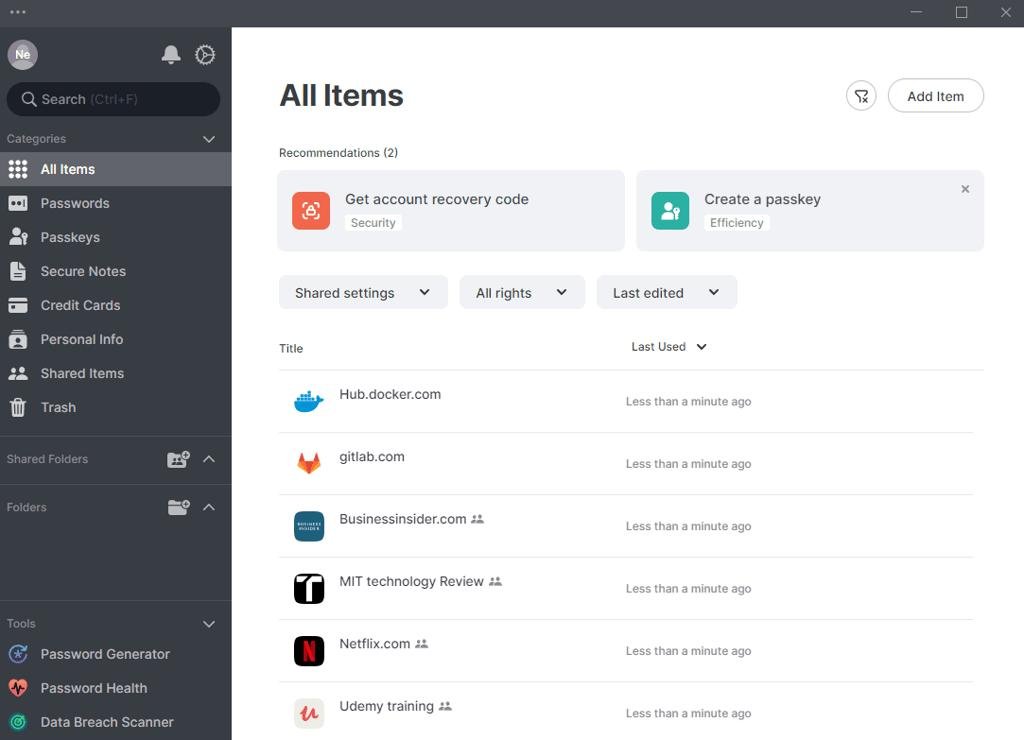
Bitwarden is the easiest recommendation if you want a capable password manager without paying much — or anything at all. Its advantage is the combination of a real free plan, an open-source codebase, cross-device availability, passkey support and a clearly documented security architecture.
Bitwarden says vault data is encrypted locally before it is sent to its servers and describes its model as zero knowledge, meaning the company cannot read what is inside your vault. That approach is documented publicly in its encryption documentation, which is more transparency than most competitors offer.
Why Bitwarden stands out
The free version includes unlimited passwords and unlimited devices. That single detail rules out the most common frustration with free password managers, which is being pushed to a paid plan the moment you add a phone to your laptop. For a large number of people, the free tier is genuinely enough.
When you do pay, the price stays low. Bitwarden’s personal pricing page lists Premium at $1.65 per month billed annually, and Families at $3.99 per month for up to six users. Premium adds vault health reports, encrypted file attachments and additional two-factor options.
| Free plan | Yes — unlimited passwords and devices |
| Premium | $1.65/mo billed annually |
| Families | $3.99/mo for up to 6 users |
| Passkeys | Supported |
| Open source | Yes |
Pros
- Strong free plan with unlimited passwords and devices
- Open source and publicly documented encryption
- Zero-knowledge architecture
- Passkey support
- Very affordable Premium tier
- Family plan available
- Self-hosting is an option
Cons
- Interface feels less polished than premium rivals
- Vault health reports require Premium
- Slightly more technical for complete beginners
2. 1Password — Best Premium Password Manager
Best for: people who want a polished premium experience and strong family sharing, and who do not mind paying for it.
1Password is one of the most established premium password managers and remains a leading name in 2026 comparisons. Independent roundups such as WIRED’s password manager guide continue to place it among the strongest choices for features and day-to-day usability.
What you get for the money
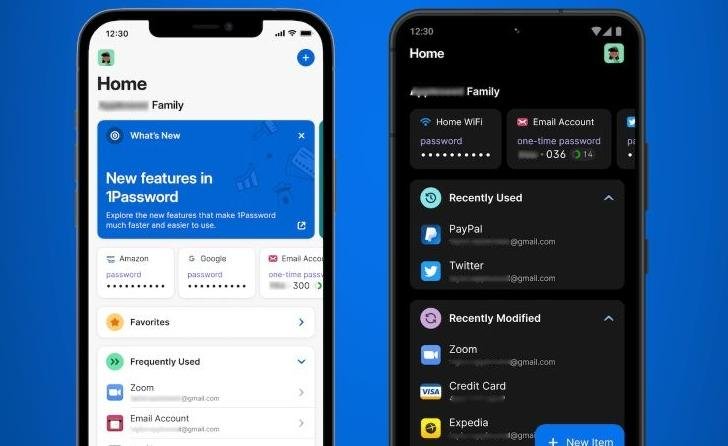
The feature set covers password generation, autofill, secure sharing, multi-device access and alerts for weak or compromised credentials. Where 1Password consistently earns its price is polish: onboarding, recovery, and the family setup are noticeably smoother than most competitors, which matters when you are moving relatives onto a password manager for the first time.
According to 1Password’s personal pricing page, the Individual plan starts at $2.99 per month paid annually, and Families starts at $4.49 per month and covers up to five people in total. There is no permanent free individual tier — you get a trial instead.
| Free plan | Free trial only |
| Individual | $2.99/mo billed annually |
| Families | $4.49/mo, up to 5 people |
| Passkeys | Supported |
| Secure sharing | Yes |
Pros
- Excellent, well-rounded feature set
- Strong family sharing and recovery
- Cross-platform support across all major systems
- Manages passwords and passkeys
- Alerts for weak and compromised credentials
- Consistently polished experience
Cons
- No permanent free individual plan
- Costs more than Bitwarden for similar core functions
- More capability than casual users need
3. NordPass — Best for Simplicity
Best for: beginners and anyone who wants password management to stay out of the way.
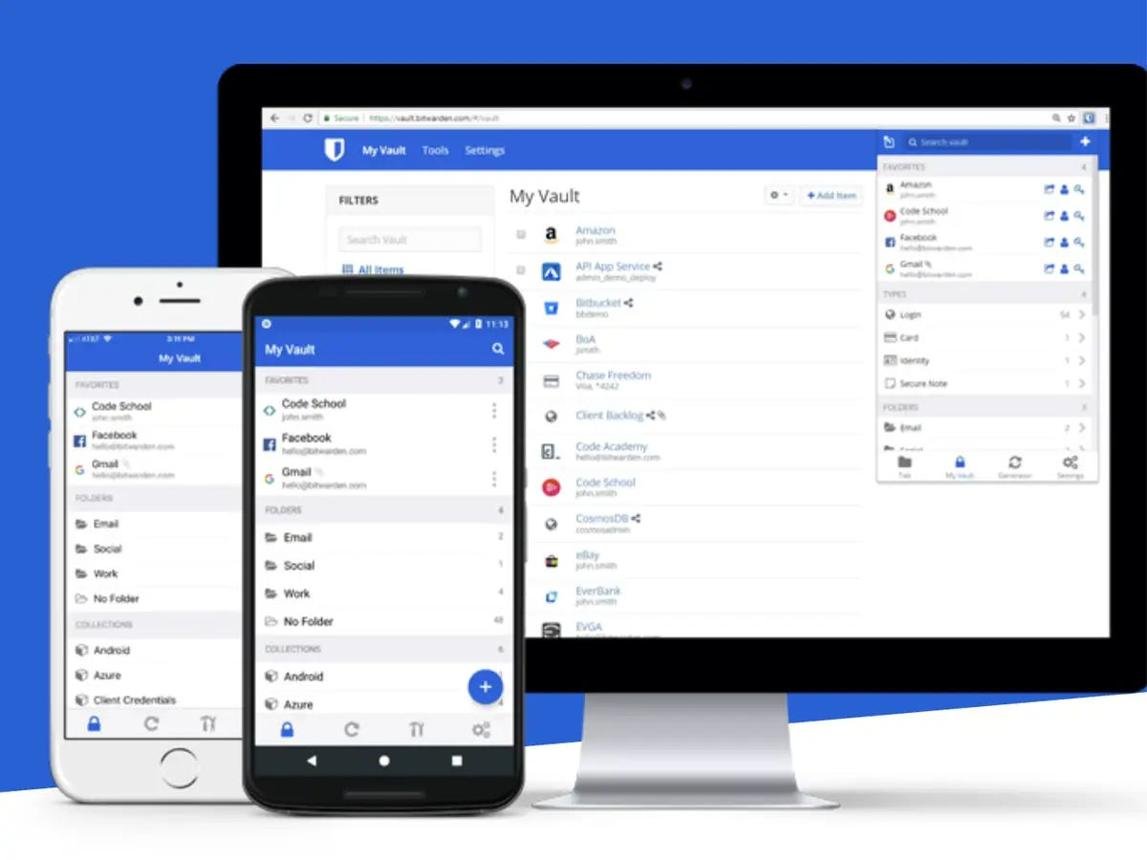
NordPass comes from the company behind NordVPN and focuses on making password management straightforward rather than exhaustive. Its purpose is narrow in a good way: store credentials securely, generate stronger passwords, autofill logins and keep everything in sync across the devices you use.
Current expert comparisons, including TechRadar’s password manager rankings, continue to list NordPass among their leading recommendations, particularly for users who value simplicity and broad device support over long feature lists.
| Free plan | Yes, with limitations |
| Passkeys | Supported |
| Family plan | Available |
| Platforms | Windows, macOS, Linux, iOS, Android, browsers |
| Pricing | Check current plans on nordpass.com |
Pros
- Beginner friendly from the first screen
- Clean, uncluttered interface
- Cross-platform support
- Password generation and autofill
- Passkey support
- Part of a broader privacy and security ecosystem
Cons
- Free plan limitations make it weaker for multi-device users
- Several useful features sit behind a paid plan
- Advanced users may want more configurability
4. Keeper — Best for Advanced Security Features
Best for: security-conscious users, larger families and small businesses that need real control over credentials.
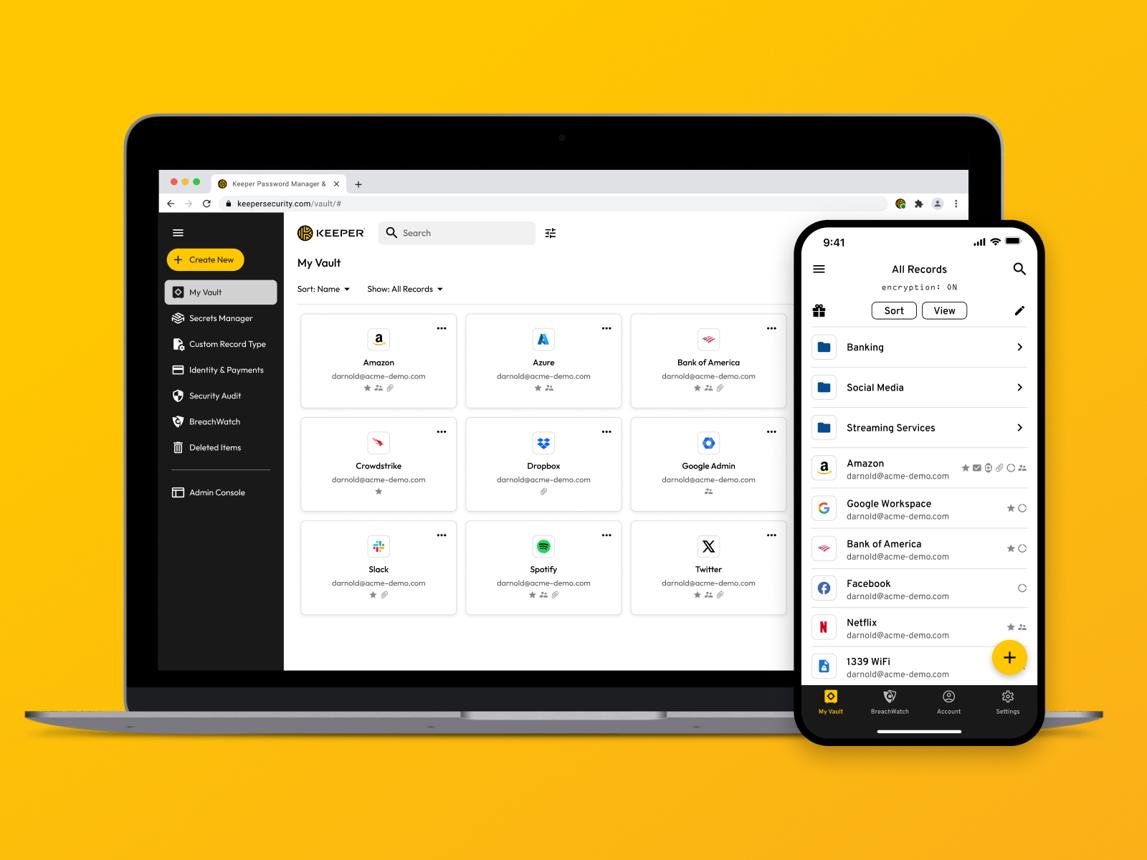
Keeper is aimed at people who want password management with a strong emphasis on security controls and administration. It covers the basics well — storage, generation, autofill, multi-device access — but its differentiator is the layer above that: granular sharing, enforcement policies and organisational features that matter once more than one person is involved.
Expert comparisons frequently position Keeper among their leading choices across several categories at once, including families and business use, which is unusual for a single product.
| Free plan | Free trial |
| Passkeys | Supported |
| Family plan | Available |
| Business plans | Yes, with admin controls |
| Pricing | Check current plans on keepersecurity.com |
Pros
- Strong security focus throughout
- Good family and business capabilities
- Controlled secure sharing
- Advanced administrative features
- Broad device and browser support
Cons
- Overkill for someone who only needs personal password storage
- Many advanced capabilities require a paid plan or add-on
- Pricing structure is harder to compare than simpler rivals
5. Dashlane — Best for Security Extras
Best for: people who want password management plus monitoring, and are willing to pay for the extras.
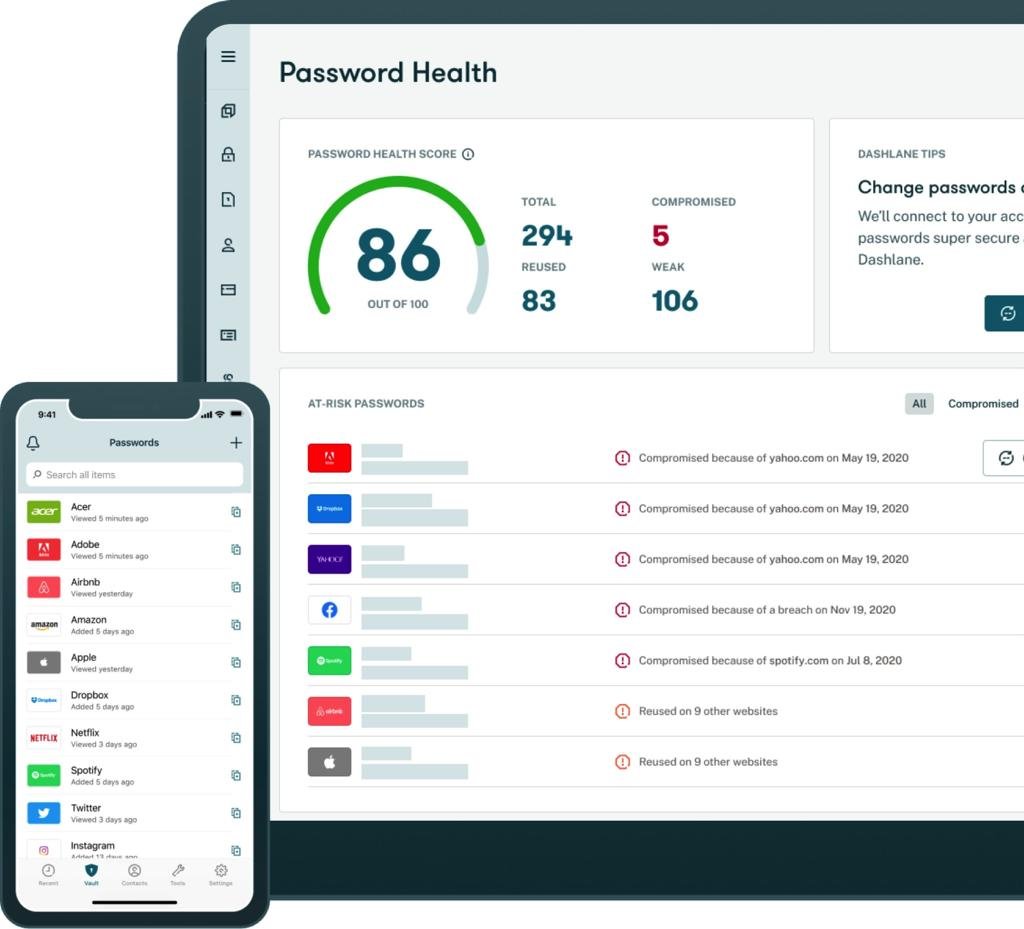
Dashlane has been a major name in password management for years, and its appeal goes beyond storing credentials. Depending on plan and region, it layers in tools designed to help you monitor the health of your logins and spot accounts that need attention — weak passwords, reused passwords and credentials exposed in known breaches.
Current 2026 expert comparisons continue to include Dashlane among the leading full-featured password managers, and its password health scoring remains one of the clearest implementations of the idea.
| Free plan | Yes, with limitations |
| Passkeys | Supported |
| Family plan | Available |
| Standout | Password health and monitoring tools |
| Pricing | Check current plans on dashlane.com |
Pros
- Strong overall feature set
- Security monitoring and breach alerts
- Clear password health scoring
- Reliable autofill and password generation
- Cross-platform support
- Long-established provider
Cons
- More expensive than basic alternatives
- Free plan is restrictive
- Some users will never touch the extra features they are paying for
6. Proton Pass — Best Privacy-Focused Password Manager
Best for: privacy-conscious users, and anyone who wants the most generous free plan on this list.
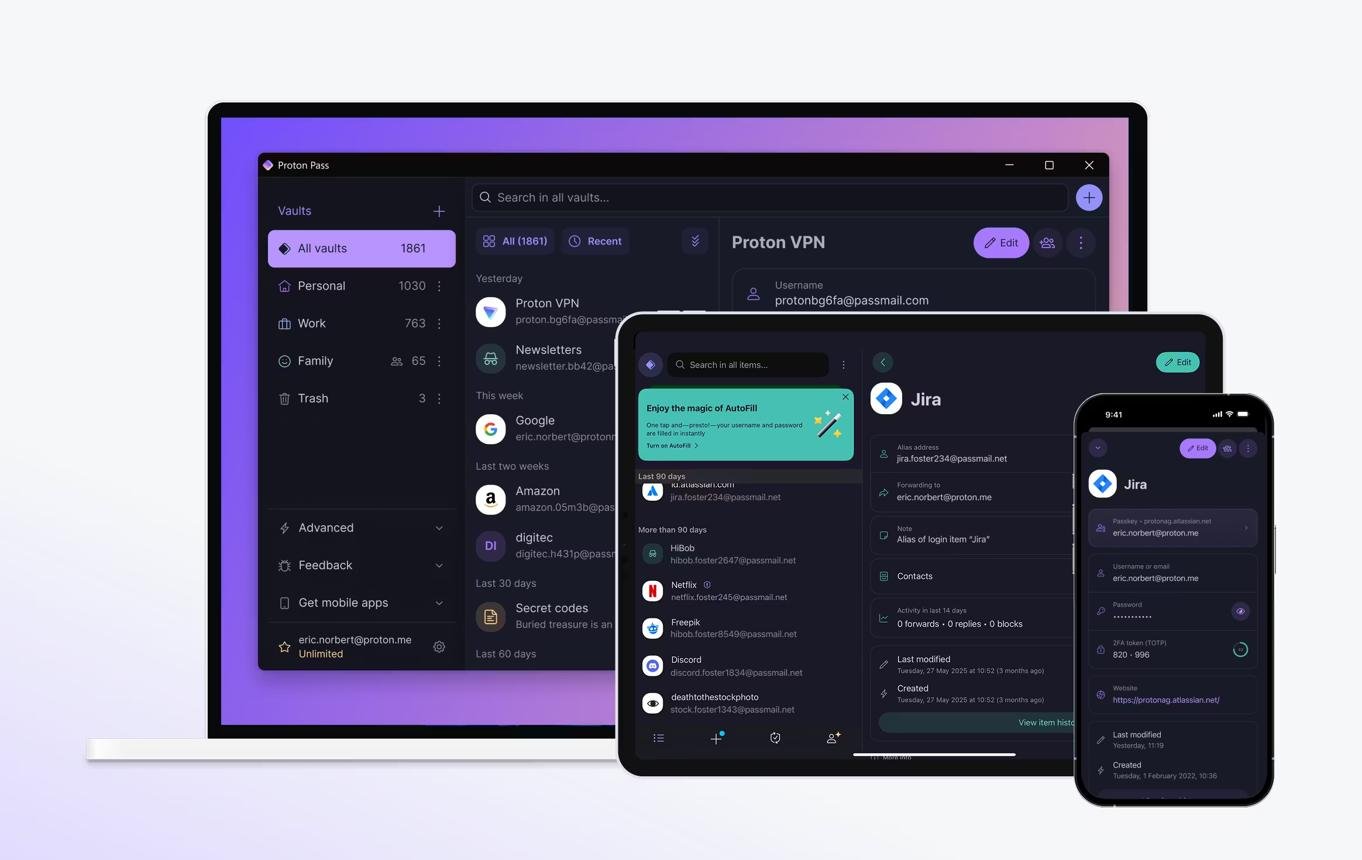
Proton Pass has become one of the most interesting entries in this category, particularly for people already using Proton’s privacy-focused ecosystem. Proton says Pass uses end-to-end encryption, that its apps are open source and independently audited, and that it stores passwords, passkeys, secure notes, card details and hide-my-email aliases. Those claims are documented on its security page.
The free plan is the story
Proton’s Pass pricing page lists a free tier with unlimited logins, notes and credit cards, unlimited devices, browser, mobile and desktop apps, password generation, 10 hide-my-email aliases, weak and reused password alerts, and passkey support. Very few free password managers include alias generation and breach-style alerts at no cost.
It is also genuinely cross-platform. Proton’s download page lists Windows, macOS, Linux, iOS, Android, browser extensions and the web app, which removes the usual worry that a privacy-first product will only work well on one system.
| Free plan | Yes — unlimited logins and devices |
| Free aliases | 10 hide-my-email aliases |
| Passkeys | Supported |
| Encryption | End-to-end, open source, audited |
| Paid plans | Check current pricing on proton.me |
Pros
- Genuinely generous free plan
- Unlimited devices at no cost
- End-to-end encryption
- Open-source apps
- Independently audited
- Hide-my-email aliases included
- Passkey support across platforms
Cons
- Newer than several established competitors
- Some advanced features require a paid plan
- Bundled Proton services are wasted if you do not want them
7. RoboForm — Best for Autofill and Form Filling
Best for: people who fill out the same online forms over and over.
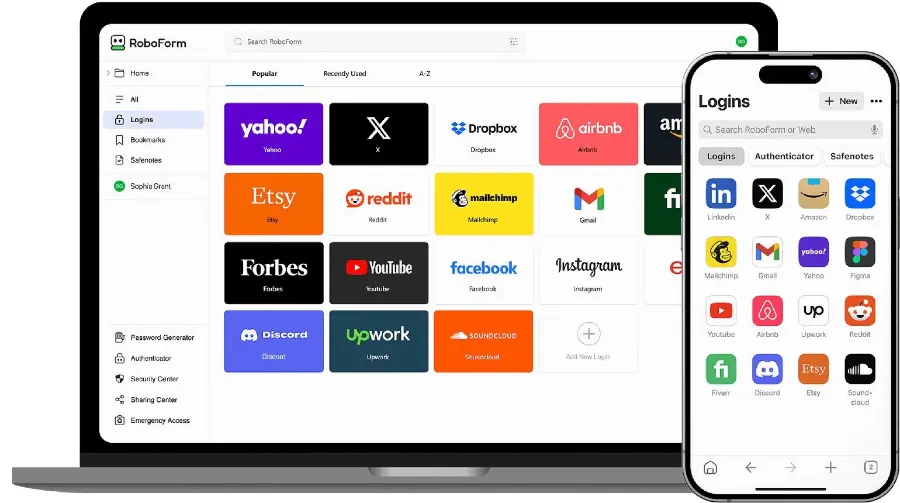
RoboForm has been around far longer than most of this list and has always differentiated itself on autofill. Beyond passwords, it stores identities and reusable information, which turns repetitive checkout, application and registration forms into a single click rather than five minutes of typing.
| Free plan | Yes |
| Passkeys | Supported |
| Family plan | Available |
| Standout | Form and identity autofill |
| Pricing | Check current plans on roboform.com |
Pros
- Best-in-class form filling
- Stores identities as well as logins
- Reliable password generation and autofill
- Cross-platform availability
- Long-established, stable product
Cons
- Interface feels dated next to newer rivals
- Sync and sharing need a paid plan
- Less compelling if you only need basic password storage
8. Enpass — Best for Users Who Want Storage Control
Best for: technically comfortable users who want to decide where their encrypted vault actually lives.
Enpass takes a different approach from cloud-first password managers. Rather than requiring you to store your vault on the provider’s own infrastructure, it can work with supported third-party cloud storage or stay entirely local. For people who are uneasy about handing their vault to one more company, that distinction matters more than any feature list.
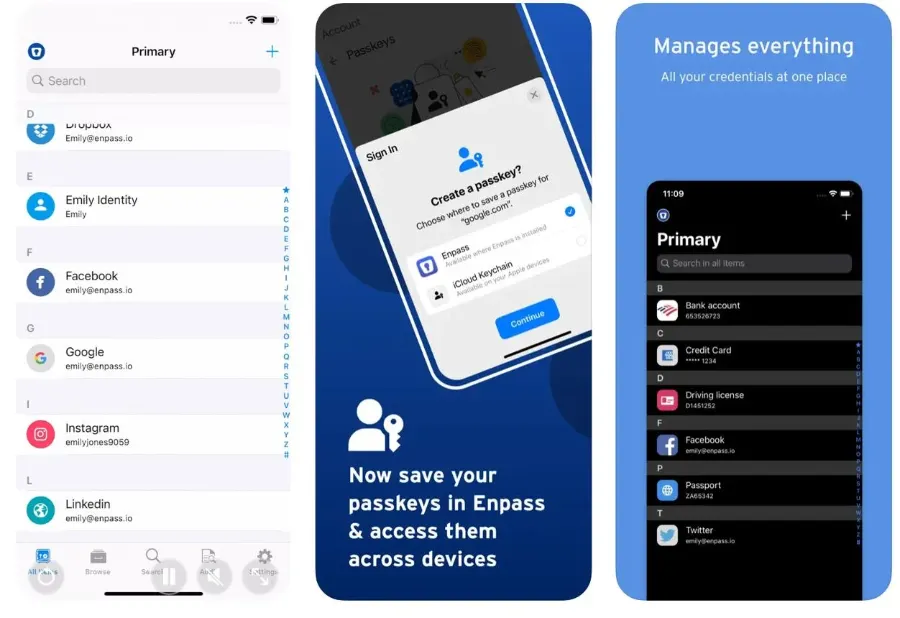
| Free plan | Yes |
| Passkeys | Supported |
| Storage | Your own cloud account or fully local |
| Family plan | Available |
| Pricing | Check current plans on enpass.io |
Pros
- You choose where the vault is stored
- Works without depending on the vendor’s cloud
- Cross-platform support
- Password generation and autofill
- Good fit for technically inclined users
Cons
- Less mainstream than Bitwarden or 1Password
- Setup requires more understanding
- Sync reliability depends on the storage service you pick
9. Bitdefender Password Manager — Best for Security-Suite Users
Best for: people who already pay for Bitdefender’s wider security products.
Bitdefender Password Manager makes the most sense as part of an existing setup rather than as a standalone purchase. If your antivirus, VPN and device protection already come from one vendor, adding password management to the same account and the same billing cycle is a reasonable convenience — one login, one renewal, one support channel.
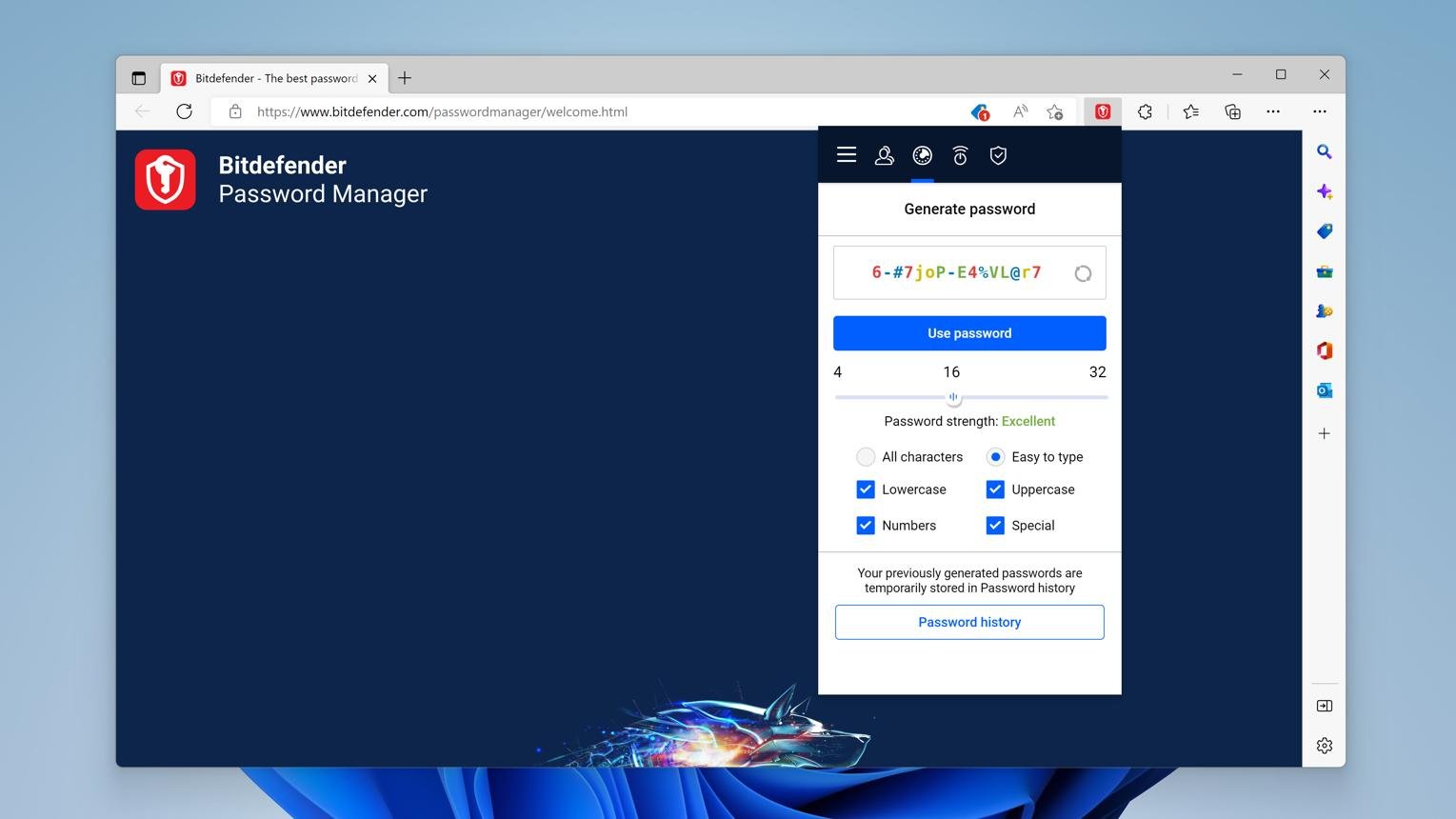
| Free plan | Free trial |
| Passkeys | Supported |
| Best paired with | Bitdefender security suite |
| Standalone value | Weaker than dedicated rivals |
| Pricing | Check current plans on bitdefender.com |
Pros
- Fits naturally into Bitdefender’s ecosystem
- One vendor, one account, one renewal
- Password generation and autofill
- Cross-device support
- Backed by an established security company
Cons
- Less compelling as a standalone choice
- Ties your passwords to one vendor’s ecosystem
- Fewer power-user features than dedicated rivals
10. Apple Passwords — Best Built-In Option for Apple Users
Best for: people who live almost entirely inside Apple’s ecosystem.
Apple Passwords is the outlier on this list because it is not a subscription product at all. It is built into Apple’s operating systems, syncs through iCloud, and handles passwords and passkeys without asking you to install or pay for anything extra. For someone whose devices are all Apple, that convenience is genuinely hard to argue against.
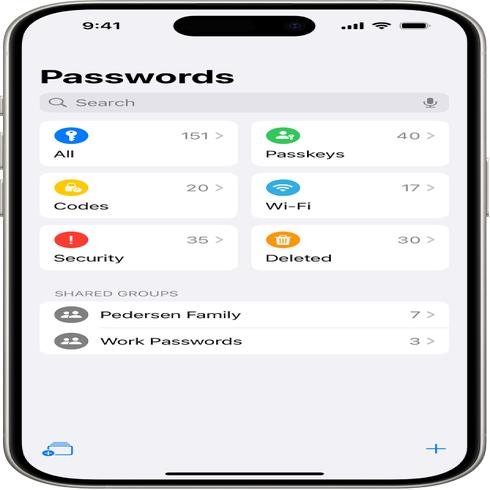
The trade-off is portability. If you regularly use Windows or Android, or you expect to switch platforms later, a dedicated cross-platform manager will cause you far less friction than trying to work around an ecosystem-first tool.
| Cost | Free, built into Apple devices |
| Passkeys | Supported |
| Sync | iCloud across Apple devices |
| Family sharing | Shared groups supported |
| Non-Apple support | Limited |
Pros
- Built in, with nothing extra to buy
- No separate subscription
- Very convenient autofill on Apple devices
- Deep integration with system-level sign-in
- Passkey support
Cons
- Best experience is Apple-only
- Awkward in mixed-device households
- Fewer features than dedicated premium managers
Password Manager Comparison
Here is how the ten options compare on the details that usually decide the choice.
| Password manager | Free option | Best for | Passkeys | Family use | Main advantage |
|---|---|---|---|---|---|
| Bitwarden | Yes | Overall value | Yes | Yes | Excellent free plan |
| 1Password | Trial | Premium users | Yes | Yes | Polished feature set |
| NordPass | Limited | Simplicity | Yes | Yes | Easy to use |
| Keeper | Trial | Security and business | Yes | Yes | Advanced controls |
| Dashlane | Limited | Security extras | Yes | Yes | Monitoring tools |
| Proton Pass | Yes | Privacy | Yes | Yes | Privacy plus generous free plan |
| RoboForm | Yes | Autofill | Yes | Yes | Form filling |
| Enpass | Yes | Storage flexibility | Yes | Yes | Control over storage |
| Bitdefender | Trial | Security-suite users | Yes | — | Security ecosystem |
| Apple Passwords | Yes | Apple users | Yes | Yes | Built into Apple devices |
Features and pricing change. Check the provider’s current plan information before purchasing.
What Should You Look for in a Password Manager?
Not every password manager needs every feature. The right choice depends on how you actually use your devices and what you are trying to protect.
1. Strong encryption
Your password manager becomes the vault for your entire digital life, so look for one that explains clearly how your data is protected and how encryption keys are handled. Bitwarden, for example, publishes documentation stating that vault data is encrypted before it is stored and describes its architecture as zero knowledge. Proton similarly says Pass uses end-to-end encryption and that only the user can decrypt their data.
2. Cross-device support
Most people use more than one device — a work laptop, a personal phone, maybe a tablet and two different browsers. A password manager that only works well in one place will quietly push you back into bad habits. Check that the free or paid tier you are considering actually covers every device you use, because device limits are the most common hidden restriction on free plans.
3. Passkey support
Passkeys are becoming steadily more important. Instead of a traditional password, a passkey uses a cryptographic credential to authenticate you, which removes the thing attackers usually steal. Modern password managers increasingly store and autofill passkeys alongside passwords — Bitwarden documents both passkey login and storage, and Proton documents passkey support across its platforms.
4. Password generator
A good manager makes it trivial to generate long, unique passwords, so you never have to invent another variation of the same password you have used since 2019. The generator should let you set length and character rules, because some sites still impose awkward restrictions.
5. Autofill
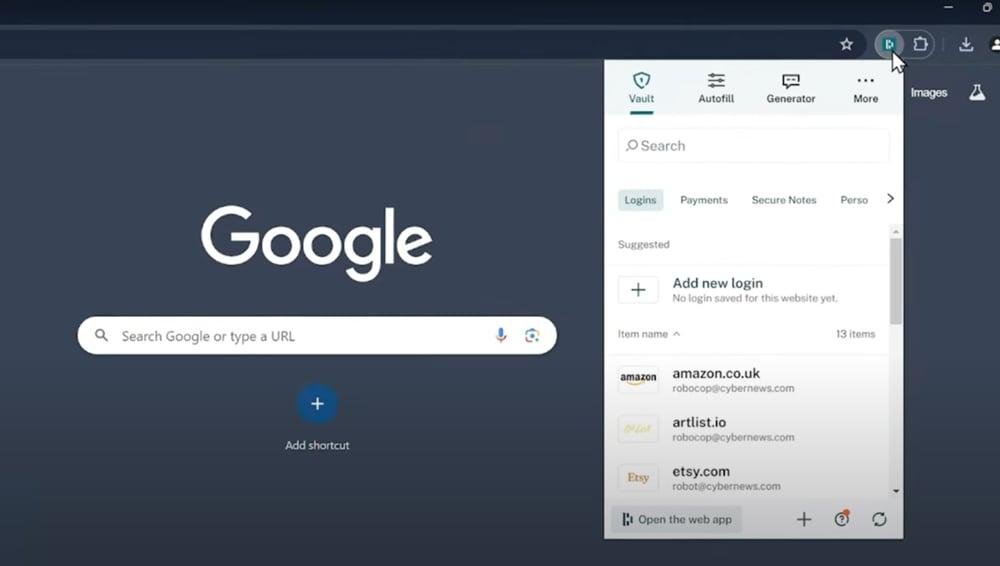
Autofill is the feature that decides whether you keep using a password manager. If filling a login means opening a vault, searching, copying and pasting, most people give up within a month. Good autofill recognises the login field, fills it, and gets out of the way.
6. Secure sharing
Families and small teams genuinely need to share some credentials: streaming accounts, shared email, household services, business tools and administrative logins. The point of built-in sharing is that it replaces the far worse habit of sending passwords over messaging apps and email, where they sit in plain text forever.
7. Security alerts
Some managers identify weak, reused or compromised passwords and tell you which accounts deserve attention first. Bitwarden includes vault health reports with its paid plans, and Proton Pass provides weak and reused password alerts on its free plan. This is the feature that turns a password manager from storage into an actual security improvement.
Free vs Paid Password Managers
A free password manager is completely adequate for a lot of people. Bitwarden’s free plan supports unlimited passwords and unlimited devices, and Proton Pass’s free plan also covers unlimited logins and devices — which removes the usual reason people upgrade.
Paid plans start to earn their money when you need family sharing, advanced authentication options, emergency access, security reports, encrypted file attachments, advanced privacy tools, business administration or priority support.
Are Password Managers Safe?
A reputable password manager is a safer way to handle credentials than reusing weak passwords or keeping them in a notes app. The important part is understanding what you are trusting.
A password manager concentrates your credentials into one encrypted vault, which means your master credential becomes extremely important. To keep that arrangement safe:
- Use a strong, unique master password you have never used anywhere else.
- Turn on two-factor authentication wherever it is offered.
- Store your recovery information somewhere secure and offline.
- Keep your devices and browser extensions updated.
- Stay alert to phishing pages that imitate your password manager’s login screen.
A password manager does not make you immune to every attack. It removes one very large category of risk — weak and reused passwords — and it is one part of a broader security approach.
Are Free Password Managers Safe?
A free password manager can be perfectly safe, but “free” on its own tells you nothing about whether a product is trustworthy. Before choosing one, look at its encryption architecture, published security documentation, whether the code is open source, whether it has been independently audited, its privacy policy, the authentication options it supports and the reputation of the company behind it.
Bitwarden and Proton Pass both score well here precisely because they publish that information rather than asking you to take it on trust. A free product with no security documentation and no audit history deserves considerably more scepticism.
Password Manager vs Browser Password Manager
Chrome, Safari and Edge can all save and autofill passwords, and for some people that is genuinely enough. A dedicated password manager becomes worth it when you need cross-platform support, family sharing, secure notes and identity storage, password health tools, passkey management, or the ability to move between browsers and devices without losing everything.
If you use one browser on one ecosystem and never expect that to change, the built-in option is a reasonable choice. If your life spans Windows at work and an iPhone at home, a dedicated manager will save you real friction.
Which Password Manager Is Best for You?
There is no single winner among the best password managers. Start from how you work, not from the longest feature list.
Pick by priority
- Choose Bitwarden if: you want the strongest combination of price, features and a generous free plan.
- Choose 1Password if: you want a premium, polished experience and do not mind paying for it.
- Choose NordPass if: simplicity and ease of use matter more than depth.
- Choose Keeper if: you need advanced security and sharing, particularly for business.
- Choose Dashlane if: you want password management combined with monitoring tools.
- Choose Proton Pass if: privacy and a strong free plan are your top priorities.
- Choose RoboForm if: you constantly fill out online forms and identities.
- Choose Enpass if: you want flexibility over where your data is stored.
- Choose Bitdefender if: you already use Bitdefender’s wider security products.
- Choose Apple Passwords if: you use Apple devices only and want something built in.
Our Overall Verdict
Of the best password managers we compared, Bitwarden is the strongest overall value for most people. A capable free plan, unlimited devices, open-source development, passkey support and transparent security documentation make it difficult to argue against, and its Premium tier is inexpensive next to most rivals.
1Password is our preferred alternative when you want a polished premium experience, especially for a family that needs sharing and recovery to be effortless.
Proton Pass deserves serious consideration from privacy-focused readers. Its free plan is unusually generous, it includes unlimited devices, and Proton documents end-to-end encryption, open-source apps and independent audits rather than simply asserting them.
Keeper, Dashlane and NordPass are all strong depending on which features you actually prioritise — controls, monitoring or simplicity respectively.
The most important thing is not choosing the password manager with the longest feature list. It is choosing a reputable service that fits your devices, budget and security needs, and then using it consistently.
Still deciding? Start with the free plan of Bitwarden or Proton Pass. If you find yourself hitting a limit that genuinely matters — family sharing, emergency access, security reports — upgrade then, not before.
Browse more tech guides →Frequently Asked Questions
What is the best password manager in 2026?
Among the best password managers we compared, Bitwarden is our overall value pick for most users because of its free plan, low-cost Premium tier and transparent security documentation. 1Password is the strongest premium alternative, and Proton Pass is particularly attractive for privacy-conscious users.
What is the best free password manager?
Bitwarden and Proton Pass are the two strongest free options. Bitwarden’s free plan includes unlimited passwords and unlimited devices, and Proton Pass’s free plan also covers unlimited logins and devices, along with 10 hide-my-email aliases and weak password alerts.
Is Bitwarden better than 1Password?
It depends on what you need. Bitwarden offers a much stronger free plan and cheaper paid tiers. 1Password focuses on a more polished premium experience, smoother onboarding and better family features. If cost matters most, Bitwarden wins. If experience matters most, 1Password does.
Is Proton Pass safe?
Proton says Pass uses end-to-end encryption and that its applications are open source and independently audited. Those claims are published on Proton’s own security documentation, which is more than many competitors provide.
Do password managers work on phones?
Yes. Every major password manager supports mobile devices, although the exact platform list varies. Proton Pass, for example, supports iOS and Android alongside Windows, macOS, Linux and browser extensions.
What is a passkey?
A passkey is a cryptographic credential used to sign in without a traditional password. Because there is no password to steal or reuse, passkeys remove a large category of attack. Most modern password managers can now store and autofill them.
Should I use a password manager for my family?
It is useful if you need to share selected credentials securely. Look for a family plan with controlled sharing and separate user accounts, rather than everyone signing into one shared master login — that defeats the purpose.
Can I switch from one password manager to another?
Usually yes. Most services support importing credentials from a competitor using an export and import process. Proton Pass, for example, provides import tools for moving from another password manager. Delete the exported file afterwards, because it is normally unencrypted.
Should I use a free or paid password manager?
Start free if the free plan covers your devices. Upgrade when you need family sharing, advanced security reports, emergency access, encrypted attachments or business administration — not simply because a paid plan exists.
Do password managers prevent hacking?
No security product can guarantee you will never be hacked. A password manager removes the risk created by weak and reused passwords and makes unique credentials practical for every account, which closes off one of the most commonly exploited routes into personal accounts.
How We Compared the Best Password Managers
To be clear about what this guide is: it is a research-based comparison, not a hands-on lab test. We have not run all ten products as daily drivers, and we are not going to claim we did.
What we did do was work from each provider’s own current documentation and pricing pages, capture what those pages showed in September 2026, and weigh the products against a consistent set of questions:
- Security architecture — how is the vault encrypted, and who can decrypt it?
- Transparency — is the code open source, and has it been independently audited?
- Passkeys — can it store and autofill them properly?
- Device support — does it cover the platforms and browsers people actually use?
- Free-plan limits — is the free tier usable, or a demo?
- Paid pricing — what does it cost, and what does the renewal look like?
- Family and sharing — can credentials be shared without being emailed around?
- Security alerts — does it flag weak, reused or exposed credentials?
- Ease of use — will a non-technical person still be using it in six months?
Where we cite a price or a feature, it comes from the provider’s own page or a reputable independent source, and it is a snapshot rather than a guarantee. You can read more about our process in how we review, and about the site itself on our about page.
Disclosure: some links on this page are affiliate links, and Etemora may earn a commission if you buy through them at no extra cost to you. Affiliate compensation does not determine which product receives the best recommendation. See our disclaimer and privacy policy, or contact us with a correction.
Final Recommendation at a Glance
Here are the best password managers of 2026, matched to the job you actually need one to do.
The short version
- Best overall: Bitwarden
- Best premium: 1Password
- Best for simplicity: NordPass
- Best advanced security: Keeper
- Best security extras: Dashlane
- Best for privacy: Proton Pass
- Best for autofill: RoboForm
- Best for storage flexibility: Enpass
- Best security-suite option: Bitdefender Password Manager
- Best built-in Apple option: Apple Passwords
Editor’s note
Password manager plans, free-tier limits and feature sets change frequently. Every figure here was captured in September 2026 from each vendor’s own pricing or documentation page and is a comparison snapshot, not a guarantee. Always confirm current terms with the provider before purchasing.
Related articles you may like
 SecurityBest Free Antivirus in 2026: 6 Free Picks Compared by Features and Lab Scores
 SecurityBest Antivirus for Mac in 2026: 6 Picks Compared by Price and Lab Scores
 SecurityIs Windows Defender Enough in 2026? Test Results, Gaps and Settings
 SecurityHow to Know If Your Phone Is Hacked: 8 Signs and What to Do
 SecurityWhat Is Antivirus Software? Complete Guide for 2026
 SecurityWhat Is Cybersecurity? Complete Beginner’s Guide 2026