
Best Freelancing Platforms in 2026:
10 Websites Compared
 By M. Zaid
- Updated October 15, 2026
- 28 min read
Some links on this page are affiliate links. If you buy through them, Etemora may earn a commission at no extra cost to you. Read our affiliate disclosure
Finding freelance work online is easier than it has ever been. Choosing the right freelancing platform is a different problem entirely.
Some platforms are built around traditional job proposals. Others sell packaged services, run curated premium talent networks, list vetted remote jobs, or match clients through portfolios. The platform that works beautifully for a backend developer can be close to useless for a copywriter, a brand designer, or someone taking on their first paid project.
For this comparison we looked at 10 major freelancing platforms across job availability, freelancer fees, competition, client quality, how hard it is to get started, skill coverage, payment and contract features, and the type of freelancer each one actually suits.
Editor’s note
This is a research-based comparison. Etemora has not personally worked on every platform in this list, and the scores below are our editorial assessment of publicly documented features, fees and positioning — not results from controlled testing. Freelancer fees, membership tiers, eligibility rules and regional availability change often. Every figure here was checked in September 2026 against the platform’s own documentation, and you should confirm the current terms before committing to any platform.
- All 10 Platforms at a Glance
- 1. Upwork — Best Overall
- 2. Fiverr — Best for Packaged Services
- 3. Toptal — Best for Experienced Professionals
- 4. Contra — Best Commission-Free Option
- 5. Freelancer.com — Best Alternative Marketplace
- 6. FlexJobs — Best for Vetted Remote Jobs
- 7. PeoplePerHour — Best for UK and EU Clients
- 8. Guru — Best for Long-Term Relationships
- 9. 99designs — Best for Designers
- 10. Malt — Best for European Professionals
- Full Comparison Table
- Best Platform by Use Case
- Upwork vs Fiverr vs Toptal vs Contra
- Which Is Best for Beginners?
- Which Has the Lowest Fees?
- Are Freelance Platforms Still Worth It?
- How to Choose the Right One
- How to Get Your First Client
- How Many Should You Join?
- Our Verdict
- FAQs
- How We Compared
Quick picks
- Best overall: Upwork
- Best for packaged services: Fiverr
- Best for experienced pros: Toptal
- Best commission-free: Contra
- Best alternative marketplace: Freelancer.com
- Best for remote jobs: FlexJobs
- Best for UK and EU clients: PeoplePerHour
- Best for repeat clients: Guru
- Best for designers: 99designs
- Best for Europe: Malt
The 10 Best Freelancing Platforms at a Glance
| Platform | Best for | Freelancer fee | Difficulty |
|---|---|---|---|
| Upwork | Best overall | 0–15% | Medium |
| Fiverr | Selling packaged services | 20% | Easy to medium |
| Toptal | Experienced professionals | Varies | Very high |
| Contra | Creatives and independents | 0% commission | Medium |
| Freelancer.com | Wide range of projects | 10% or $5 minimum | Medium |
| FlexJobs | Vetted remote and flexible jobs | Subscription | Medium |
| PeoplePerHour | UK and EU freelance work | Up to 20% | Medium |
| Guru | Long-term client relationships | 5–9% | Medium |
| 99designs | Designers | Platform fees vary | Medium to high |
| Malt | European professionals | Varies | Medium |
1. Upwork — Best Freelancing Platform Overall
Best for: most freelancers, and especially writers, developers, designers, marketers, virtual assistants and consultants.
If you want one platform that covers the widest variety of freelance work, Upwork is still the strongest all-round choice. It supports hourly and fixed-price contracts, written proposals, a Project Catalog for packaged services, payment protection and several payout methods — which means almost any freelance skill has somewhere to sit.
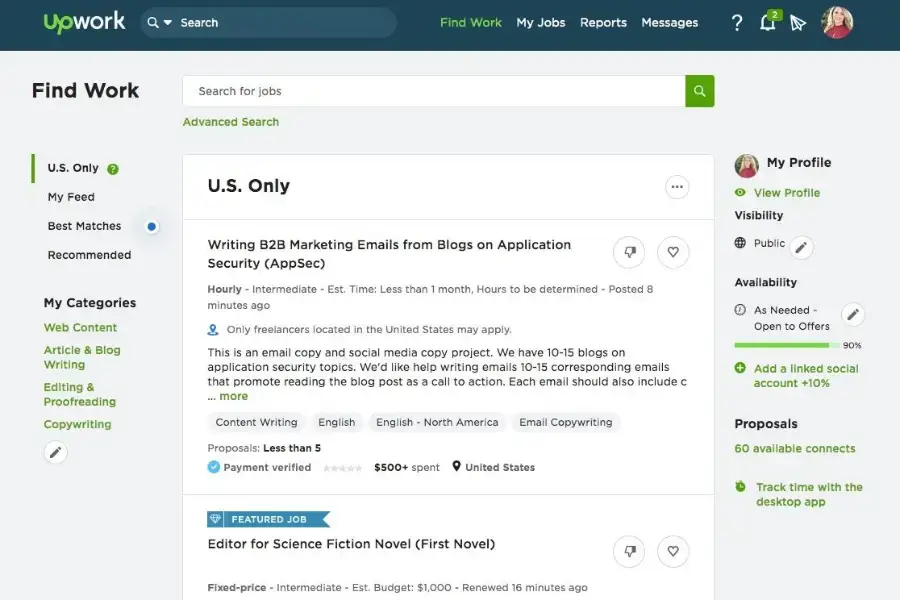
Upwork lists a variable freelancer service fee of 0% to 15%, depending on the contract and the conditions that apply to it. The Basic plan is free; Freelancer Plus is listed at $19.99/month and includes 100 Connects per month plus additional features, according to Upwork’s own pricing page.
| Model | Proposals, hourly and fixed-price contracts, Project Catalog |
| Freelancer fee | 0–15% service fee, varies by contract |
| Free plan | Yes (Basic); Freelancer Plus $19.99/month |
| Getting started | Medium — proposals cost Connects |
| Best feature | The widest range of categories and contract types anywhere |
Pros
- Huge variety of freelance categories
- Hourly and fixed-price work in one place
- Payment protection on both contract types
- Works for beginners and established professionals
- Large international client base
- Project Catalog lets you sell packaged services too
- Multiple payout options
Cons
- Competition is genuinely heavy
- Proposals cost Connects, so applying has a real cost
- Popular jobs attract very large numbers of applicants
- Your first few reviews take time to earn
Already comparing Upwork and Fiverr specifically? See our dedicated Upwork vs Fiverr breakdown for a full fee and workflow comparison.
2. Fiverr — Best for Selling Packaged Services
Best for: freelancers whose work can be turned into a clearly defined, repeatable package.
Fiverr works in the opposite direction to a proposal marketplace. Instead of applying to jobs, you publish Gigs describing exactly what you deliver, and clients find you and order. That suits repeatable services particularly well — logo design, video editing, voiceovers, article writing, WordPress builds, social media work and, increasingly, AI-related services.
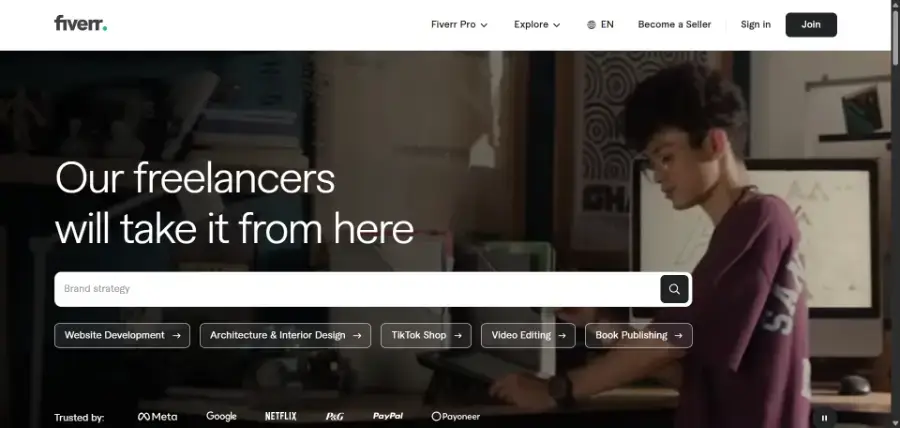
Fiverr states that freelancers earn 80% of the purchase amount, which means the standard platform deduction is 20% before applicable taxes and other charges, per the Fiverr Help Center.
| Model | Gigs — clients browse and order, you do not apply |
| Freelancer fee | Sellers receive 80% of the order value |
| Free to join | Yes |
| Getting started | Easy to set up, harder to get the first orders |
| Best feature | Clients can find you without you writing a single proposal |
Pros
- Simple to understand and quick to set up
- Strong marketplace for packaged, repeatable services
- Inbound orders instead of constant applications
- Large international buyer base
- Useful way to build a public portfolio early
Cons
- 20% platform cut on every order
- Popular categories are crowded
- Price competition can be brutal
- New sellers start with no credibility signals
- Some services get commoditised quickly
3. Toptal — Best for Experienced Professionals
Best for: experienced developers, designers, consultants, product managers and other senior specialists.
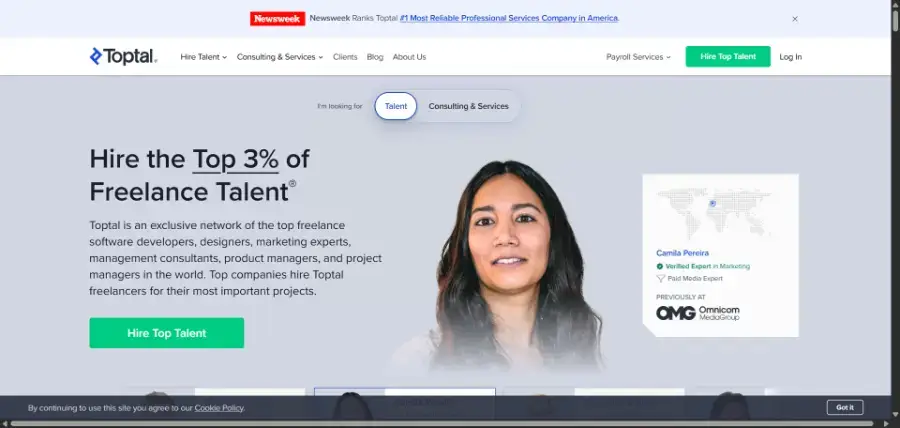
Toptal takes the opposite approach to an open marketplace. Rather than letting anyone start bidding immediately, it runs a curated talent network and screens applicants before they can take work.
Toptal says typically fewer than 3% of applicants are accepted, with screening that covers communication, subject-matter expertise, problem solving and professional ability, and a process that can run for several weeks, according to its own description of the process. That barrier is a real disadvantage if you are starting out — and a real advantage once you are not.
| Model | Curated network — Toptal matches you to clients |
| Entry | Screened; Toptal says fewer than 3% of applicants are accepted |
| Freelancer fee | Varies by engagement |
| Getting started | Very high barrier; screening takes weeks |
| Best feature | Premium clients without building hundreds of marketplace reviews |
Pros
- Selective network, so less race-to-the-bottom pricing
- Access to larger companies and funded startups
- Premium positioning works in your favour
- No need to farm reviews to be taken seriously
- Genuinely global engagements
Cons
- Very difficult to get into
- Not designed for beginners at all
- Screening can take several weeks
- Limited to specific professional categories
4. Contra — Best Commission-Free Platform
Best for: designers, developers, writers, marketers, creators and independent professionals who want to keep more of what they bill.
Contra has become a genuine alternative to the traditional marketplace model because it is built around portfolios, contracts, invoices, discovery and payments rather than around bidding wars.
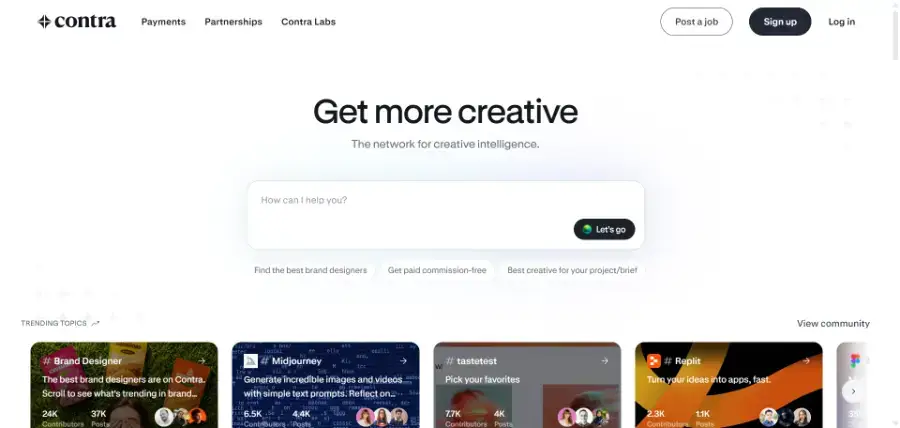
Contra says freelancers can be paid commission-free and keep 100% of what they earn from freelance work. Its free plan covers profiles, finding work, sending proposals and commission-free payments, with Contra Pro listed at $29/month for additional features, per Contra’s commission-free page.
| Model | Portfolio-first profiles, plus jobs and proposals |
| Freelancer fee | 0% commission on freelancer earnings |
| Free plan | Yes; Contra Pro $29/month |
| Includes | Contracts, invoices and global payments |
| Best feature | Keeping 100% of what you bill |
Pros
- 0% freelancer commission
- Strong portfolio and discovery focus
- Contracts and invoicing built in
- Modern, genuinely pleasant interface
- Global payments
- Works for individuals, studios and small agencies
Cons
- Smaller marketplace than Upwork
- Skews towards creative and product categories
- Some features sit behind Contra Pro
- Competition is increasing as it grows
5. Freelancer.com — Best Alternative General Marketplace
Best for: freelancers who want a second large, general-purpose marketplace alongside their main one.
Freelancer.com covers a broad range of project types using a proposal and bidding model, with fixed-price and hourly work plus design contests. It is the most obvious answer to “what do I use so I am not entirely dependent on Upwork?”
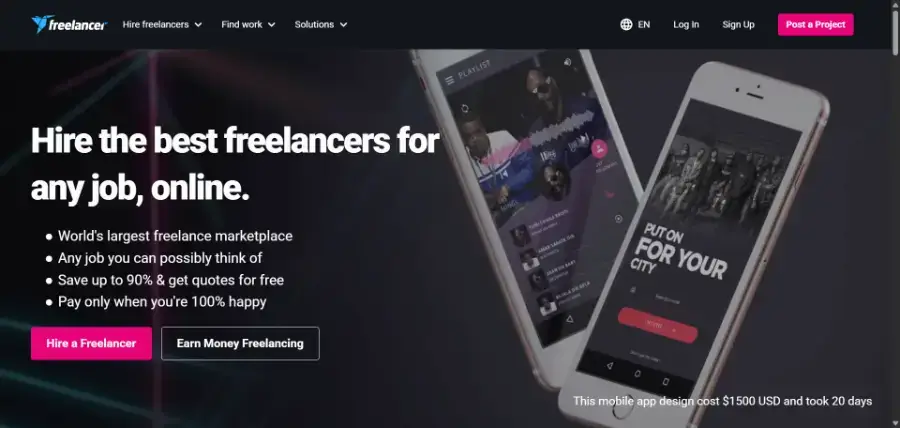
For freelancers, Freelancer.com lists 10% or $5, whichever is greater, on fixed-price projects, 10% on hourly payments, and the same 10% or $5 minimum on contests, on its fees and charges page.
| Model | Bidding on projects, plus contests |
| Freelancer fee | 10% or $5 minimum on fixed-price; 10% hourly |
| Free to join | Yes, with paid membership tiers |
| Payments | Milestone payment system |
| Best feature | Scale — a very large volume of listings across categories |
Pros
- Very large international marketplace
- Fixed-price and hourly work
- Contests give designers an extra route in
- Milestone payments protect both sides
- Good diversification away from a single platform
Cons
- Bidding is competitive and often price-driven
- A meaningful share of projects are low-budget
- Listing quality varies a lot
- The $5 minimum bites hard on small jobs
6. FlexJobs — Best for Vetted Remote Jobs
Best for: freelancers and professionals who want legitimate remote and flexible contract work rather than gigs.
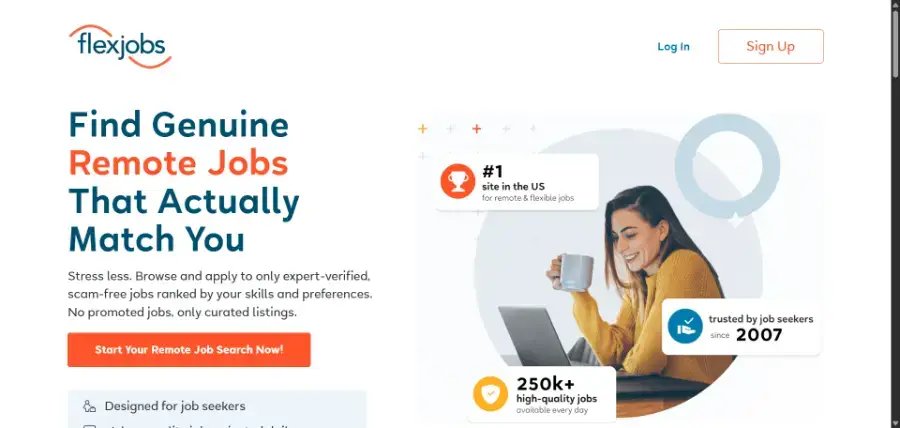
FlexJobs is a different animal to Upwork and Fiverr. It is a job board focused on remote, flexible, freelance and part-time roles, and its main selling point is filtering — FlexJobs says it verifies job postings and the companies behind them, in its job-seeker FAQ.
The trade-off is that full access requires a paid subscription. FlexJobs currently lists a 14-day trial at $2.95, a 3-month plan at $9.95/month, and an annual plan at $5.95/month billed annually.
| Model | Curated job board for remote and flexible work |
| Cost to freelancer | Subscription — 14-day trial $2.95, annual $5.95/month |
| Commission | None — you contract directly with the employer |
| Vetting | FlexJobs says postings and companies are verified |
| Best feature | Far less scam-filtering work than open job boards |
Pros
- Focused on legitimate remote work
- Freelance and contract roles alongside employment
- No commission on what you earn
- Broad range of industries, not just tech and creative
- Useful for experienced professionals wanting longer engagements
Cons
- You pay before you earn anything
- Not a gig marketplace, so no packaged services
- Less useful if you want many small projects
- Value depends entirely on how many roles fit your niche
7. PeoplePerHour — Best for UK and European Clients
Best for: freelancers who want to work with UK and European clients.
PeoplePerHour combines project listings with predefined service offers, a bit like a hybrid of Upwork and Fiverr aimed squarely at the UK and EU market.
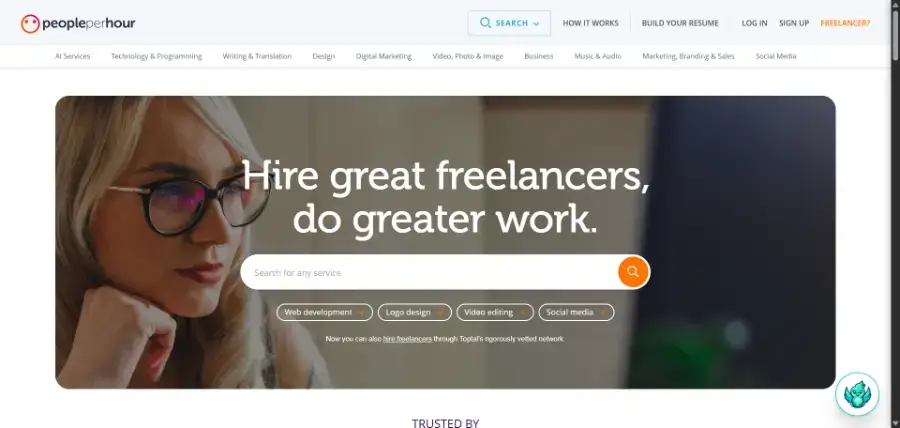
Its commission is tiered by the lifetime billing relationship with each buyer: 20% below £250, 7.5% between £250 and £5,000, and 3.5% above £5,000 (excluding VAT), per PeoplePerHour support. That first tier stings, but the economics improve a lot as a client relationship grows — which makes it a platform that rewards retention rather than churn.
| Model | Projects plus predefined service “Offers” |
| Freelancer fee | 20% under £250 lifetime billing, 7.5% to £5,000, then 3.5% |
| Market | Strong UK and European client base |
| Free to join | Yes |
| Best feature | Commission falls as a client relationship grows |
Pros
- Established marketplace with real UK and EU demand
- Both project bidding and packaged Offers
- Fee drops sharply once a client relationship builds
- Useful if US-centric platforms are not converting for you
Cons
- 20% on early work with every new client
- Smaller global reach than Upwork
- Less beginner-friendly than Fiverr
- Fee tiers reset per buyer, not per account
8. Guru — Best for Long-Term Freelance Relationships
Best for: established freelancers who want recurring work rather than a constant stream of one-off projects.
Guru covers programming, writing, design, admin, business and engineering work, with WorkRooms for managing ongoing projects with the same client.
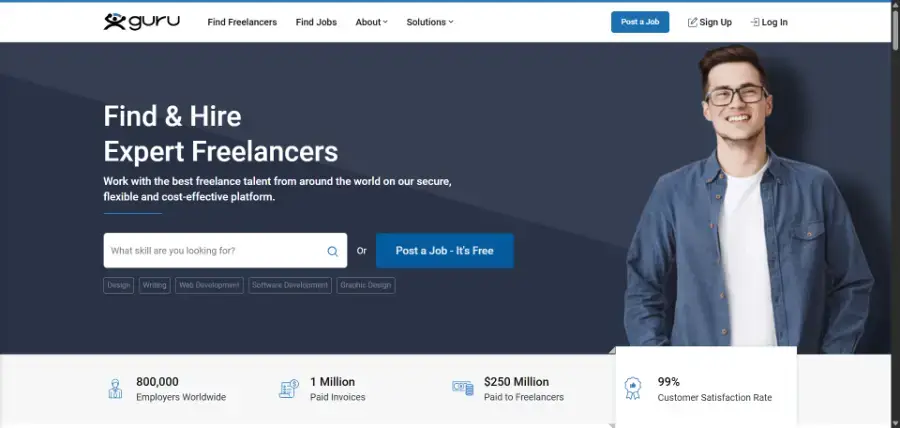
Its free Basic membership carries a 9% job fee, and paid memberships can bring that down to as low as 5% while increasing your bid allowance and unlocking extra features, according to Guru’s freelancer pricing.
| Model | Project bidding with WorkRooms for ongoing collaboration |
| Freelancer fee | 9% on free Basic membership, down to 5% on paid tiers |
| Free plan | Yes, with limited bids |
| Categories | Programming, writing, design, admin, business, engineering |
| Best feature | Fees drop when you commit to a paid membership |
Pros
- Long-running, stable marketplace
- Broad category coverage
- WorkRooms suit ongoing project work
- Lower fees available through paid membership
- Good fit for recurring client relationships
Cons
- Far smaller profile than Upwork or Fiverr
- Paid membership only pays off if you bid regularly
- Fewer listings in some niches
- Competition is still real despite the smaller size
9. 99designs — Best Platform for Designers
Best for: graphic designers, logo and brand designers, illustrators and other creative specialists.
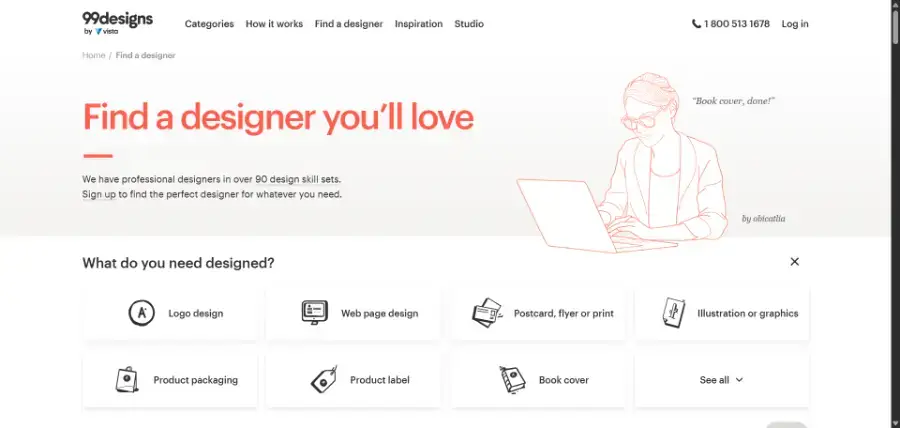
99designs is far more specialised than a general marketplace. It covers logo design, branding, web design, packaging, illustration, book covers and related creative categories — and that focus is the point. You are not competing for attention against developers, virtual assistants and data-entry freelancers on the same listing page.
It runs both direct client projects and design contests, which give newer designers a way to get in front of clients without an established review history.
| Model | Design contests and one-to-one client projects |
| Freelancer fee | Platform fees vary by designer level and project |
| Categories | Logo, branding, web, packaging, illustration, print |
| Free to join | Yes |
| Best feature | A client base that came specifically looking for design |
Pros
- Design-only marketplace, so no irrelevant competition
- Clients arrive with design intent already
- Contests offer exposure without an existing reputation
- Strong fit for portfolio-driven designers
Cons
- Useless if design is not your main skill
- Contest work means unpaid effort when you do not win
- Competition in popular categories is high
- Fees reduce what reaches you
10. Malt — Best for European Professionals
Best for: experienced consultants, developers, designers and marketers working with European companies.
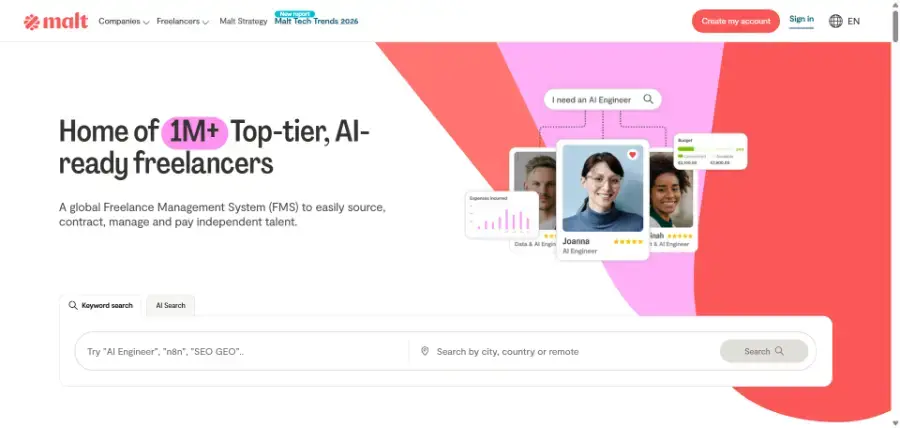
Malt is built around professional independent work and ongoing business relationships rather than one-off gigs, and it is particularly relevant if your target market is European companies. Profiles are detailed, matching is skills-based, and the clients tend to be businesses hiring specialists rather than individuals shopping for the cheapest bid.
| Model | Profile and skills-based matching with European companies |
| Freelancer fee | Varies by engagement |
| Market | Strong across France, Germany, Spain and wider Europe |
| Suits | Consultants, developers, designers, data and marketing specialists |
| Best feature | Professional positioning rather than lowest-bid competition |
Pros
- Strong European presence and business client base
- Professional rather than bargain-hunting positioning
- Good fit for consulting and specialist services
- Detailed, portfolio-driven profiles
Cons
- Much less useful if your market is primarily the US
- Smaller global reach than Upwork
- Better suited to experienced freelancers
- Availability differs by country
Best Freelancing Platforms Compared
| Platform | Best for | Freelancer fee | Entry difficulty | Main strength |
|---|---|---|---|---|
| Upwork | Overall | 0–15% | Medium | Range of work |
| Fiverr | Packaged services | 20% | Easy to medium | Inbound orders |
| Toptal | Senior specialists | Varies | Very high | Premium clients |
| Contra | Independents | 0% | Medium | Full margin |
| Freelancer.com | Volume of projects | 10% or $5 min | Medium | Scale |
| FlexJobs | Remote contracts | Subscription | Medium | Vetted listings |
| PeoplePerHour | UK and EU work | Up to 20% | Medium | Tiered fees |
| Guru | Repeat clients | 5–9% | Medium | Ongoing projects |
| 99designs | Design | Varies | Medium to high | Design-only clients |
| Malt | European business | Varies | Medium | Professional market |
Fees are current examples captured in September 2026 and vary by contract type, membership tier, region and client relationship.
Best Freelancing Platform by Use Case
The “best” platform changes entirely depending on what you sell and who you sell it to.
| If your goal is… | Start with |
|---|---|
| Best overall | Upwork |
| Getting started with no reviews | Upwork or Fiverr |
| Selling packaged services | Fiverr |
| Premium work as an experienced pro | Toptal |
| Keeping 100% of your rate | Contra |
| Design work | 99designs or Fiverr |
| Development work | Upwork, Toptal or Contra |
| Writing work | Upwork, Fiverr or Contra |
| Remote contract roles | FlexJobs |
| European clients | Malt or PeoplePerHour |
| Long-term client relationships | Upwork or Guru |
| A second general marketplace | Freelancer.com |
Upwork vs Fiverr vs Toptal vs Contra
If you are trying to narrow ten options down to a shortlist, these four are the most useful starting points — and they work in genuinely different ways.
| Feature | Upwork | Fiverr | Toptal | Contra |
|---|---|---|---|---|
| Business model | Proposals and contracts | Gigs | Curated network | Portfolio and jobs |
| Beginner friendly | Yes | Yes | No | Moderate |
| Competition | High | High | Very high entry bar | Moderate to high |
| Best for | Most skills | Packaged services | Senior specialists | Independents |
| Freelancer fee | 0–15% | 20% | Varies | 0% commission |
| Portfolio weight | Good | Good | Strong | Very strong |
| You apply to jobs | Yes | No, clients order | Matched by Toptal | Yes |
| Premium positioning | Moderate | Moderate | Very high | High |
Which Freelancing Platform Is Best for Beginners?
For most people starting out, Upwork and Fiverr are the two to begin with — but for different reasons.
Choose Upwork if
- You want to apply for specific, described jobs
- You can write a customised proposal rather than a template
- You want hourly or fixed-price contracts
- You sell consulting or professional services
- Your work is bespoke and hard to package
Choose Fiverr if
- Your service is easy to define as a product
- You have portfolio examples to show immediately
- You would rather be found than apply
- You sell the same deliverable repeatedly
The difference is easier to see with an example.
A good Fiverr service: “I will design a professional WordPress homepage.”
A better Upwork pitch: “I will redesign your company’s WordPress site and improve its conversion-focused UX.”
One is a product with a price. The other is a problem that needs a conversation. Pick the platform that matches the shape of what you sell.
Which Platform Has the Lowest Freelancer Fees?
On the headline number, Contra wins — it advertises 0% commission on freelancer earnings.
But choosing a platform on commission alone is one of the more expensive mistakes a freelancer can make. A platform that takes 10% and consistently sends you $5,000 projects is worth far more than a 0% platform where nothing lands.
| Scenario | Fee | Work won | You keep |
|---|---|---|---|
| Platform A | 10% | $1,000 project | $900 |
| Platform B | 0% | $300 project | $300 |
Platform A wins, and it is not close. Client quality and job volume matter more than the commission percentage — right up until your income is high enough that a few percentage points become real money. At that point, revisit the question.
Are Freelancing Platforms Still Worth It in 2026?
Yes — but depending entirely on one of them is increasingly risky.
The freelancers who do best treat platforms as one client-acquisition channel, not the whole business. An account suspension, an algorithm change or a fee increase should not be able to end your income.
A more durable path looks like this:
Platform → first clients → testimonials → portfolio → repeat clients → your own website → referrals.
Once you have established clients and a portfolio you own, you can reduce your dependence on marketplaces — and compete on expertise and reputation instead of price.
Freelancing is just one lane. If you want the full picture, see our guide to how to make money online in 2026, covering 15 legitimate methods from AI-powered services to building your own website and digital products.
How to Choose the Right Freelancing Platform
Before signing up to five platforms at once, answer four questions honestly.
1. What do you actually sell?
A developer, a writer, a brand designer and a management consultant should not automatically end up on the same platform. Match the marketplace to the work.
2. Do you want to apply for jobs, or be found?
Job marketplaces mean Upwork and Freelancer.com. Inbound packages mean Fiverr. Portfolio-led discovery means Contra. A curated network means Toptal. These are genuinely different daily workflows, and most people prefer one strongly over the other.
3. What kind of clients do you want?
- Small businesses → Upwork, Fiverr
- Startups → Upwork, Contra, Toptal
- Large companies → Toptal, Upwork, FlexJobs
- European companies → Malt, PeoplePerHour
- Creative clients → Contra, Fiverr, 99designs
4. How much experience do you have?
Do not spend weeks applying to Toptal if your portfolio is not ready. Equally, do not stay on beginner-oriented marketplaces once you have developed real specialist expertise — you will be competing on price against people who cannot do what you do.
How to Get Your First Freelance Client
Choosing a platform is the easy half. Your profile has to answer one blunt question:
Why should this client hire you instead of the other fifty people applying?
Be specific
Weak: “I am a professional freelancer who can do many things.”
Better: “I help SaaS companies create SEO-focused blog content that attracts qualified organic traffic.”
Specific beats broad, every time. A narrower profile wins more work, not less.
Show proof
- Portfolio samples relevant to the job
- Before-and-after examples
- Short case studies
- Results you can actually substantiate
- Clear, plain descriptions of what you deliver
Do not compete only on price
Being the cheapest is rarely sustainable — there is always someone willing to go lower. Compete instead on expertise, communication, reliability, specialisation, speed, and visibly understanding the client’s actual problem.
How Many Freelancing Platforms Should You Join?
For most people, two or three. A strong profile on two platforms beats a mediocre profile on eight, because every platform rewards activity, responsiveness and completed work.
| If you are a… | Sensible combination |
|---|---|
| Beginner | Upwork + Fiverr |
| Designer | Fiverr + Contra + 99designs |
| Developer | Upwork + Contra |
| Experienced developer | Upwork + Toptal + Contra |
| Writer | Upwork + Contra |
| European freelancer | Malt + Upwork + PeoplePerHour |
| Looking for remote contracts | FlexJobs + Upwork |
Our Verdict
There is no single freelancing platform that is right for everyone.
Upwork is the best overall starting point for most freelancers, because it supports the widest range of skills, contract types and client sizes. Fiverr is better if your service packages cleanly into a product. Toptal is the strongest option for experienced professionals who can realistically pass its screening. And Contra is the most attractive choice if keeping your full rate matters more to you than raw job volume.
Beyond those four, Freelancer.com, FlexJobs, PeoplePerHour, Guru, 99designs and Malt each make sense for a specific skill or a specific market.
| Category | Our pick |
|---|---|
| Best overall | Upwork |
| Best for packaged services | Fiverr |
| Best for experienced professionals | Toptal |
| Best commission-free option | Contra |
| Best alternative marketplace | Freelancer.com |
| Best for remote jobs | FlexJobs |
| Best for UK and EU clients | PeoplePerHour |
| Best for long-term relationships | Guru |
| Best for designers | 99designs |
| Best for European professionals | Malt |
The smartest approach is not hunting for the perfect platform. It is finding the one where your skill, your experience level, your pricing and your target clients overlap best — and then giving it enough time to work.
Frequently Asked Questions
What is the best freelancing platform in 2026?
Upwork is our best overall pick because it supports the widest variety of skills, project types and pricing models. Upwork lists a freelancer service fee of 0% to 15% depending on the contract.
What is the best freelance website for beginners?
Upwork and Fiverr are the easiest places to start. Fiverr suits you better when you have a clearly defined service you can sell repeatedly; Upwork suits you better when you want to apply for individual projects and write tailored proposals.
Is Fiverr better than Upwork?
Neither is universally better. Fiverr is stronger for packaged services and inbound orders. Upwork is stronger for freelancers who want to apply for specific projects and negotiate scope. Many freelancers use both.
Is Upwork free to use?
Yes. Upwork has a free Basic freelancer plan. Freelancer Plus is listed at $19.99 per month and includes 100 Connects per month plus additional features.
How much does Upwork charge freelancers?
Upwork lists a variable freelancer service fee of 0% to 15%, depending on the contract and the conditions that apply to it. Check Upwork’s current terms before relying on a specific rate.
How much does Fiverr take from freelancers?
Fiverr states that sellers earn 80% of the purchase amount, so the standard platform deduction is 20% before applicable taxes and other charges.
Is Contra really commission-free?
Contra advertises commission-free payments for freelancers, meaning you keep 100% of what you earn from freelance work. Payment-processing and other charges can still apply depending on the transaction and the plan you are on.
Is Toptal good for beginners?
Generally no. Toptal is built for experienced professionals and says fewer than 3% of applicants are typically accepted. Its screening covers communication, expertise and problem solving, and can take several weeks.
Can I use more than one freelancing platform at the same time?
Yes, and most established freelancers do. Two or three platforms reduces your dependence on any single source of clients. Maintaining strong profiles and replying quickly matters far more than signing up everywhere.
Which freelancing platform pays the most?
No platform guarantees higher income by itself. Your skill, specialisation, portfolio, pricing and ability to win the right projects matter more than the marketplace. Curated networks such as Toptal tend to carry higher rates, but they are also much harder to join.
Which platform is best for designers?
99designs is the most design-focused option here, since its entire client base arrives looking for design work. Fiverr and Contra are also strong, particularly for designers who want packaged services or a portfolio-led profile.
Which platform is best for European freelancers?
Malt has the strongest European business client base, and PeoplePerHour is well established for UK and EU work. Both are worth pairing with a global marketplace rather than using alone.
Do I need to pay to get freelance work?
Not usually. Most marketplaces here are free to join and take a commission instead. FlexJobs is the exception on this list, since full access to its listings requires a subscription rather than a commission on your earnings.
How long does it take to get the first client?
It varies widely and depends on your niche, portfolio, pricing and how many tailored proposals you send. Treat the first few weeks as building credibility rather than earning, and expect packaged-service platforms to be slower at first because clients have to find you.
Are freelancing platforms worth the commission?
Early on, almost always — they solve the hardest problem, which is finding clients at all. Once you have repeat clients and referrals, the commission becomes a bigger consideration and it is worth shifting some work off-platform through your own site.
How We Compared These Platforms
Etemora uses a research-based evaluation process for this comparison. We considered availability of freelance opportunities, platform fees, the types of work supported, the client-matching model, how hard it is to get started, portfolio functionality, payment and contract features, suitability for beginners, suitability for experienced professionals, geographic and client-market fit, and overall value to the freelancer.
We reviewed official platform documentation and current published fees, and every figure in this article was checked in September 2026. Freelance platforms change their fee structures, membership tiers and eligibility rules regularly, so treat the numbers here as a snapshot rather than a permanent state. One thing no platform handles for you is tax: if you are freelancing from the US, the IRS self-employed tax center sets out the quarterly payments and filing rules that platform earnings fall under.
And importantly: we do not claim hands-on experience where Etemora has not actually worked on a platform. The scores in this article are our editorial assessment of documented features, fees and positioning — not the output of controlled testing.
The Simple Answer
| If you want to… | Use |
|---|---|
| Start freelancing with no reviews yet | Upwork |
| Sell one service over and over | Fiverr |
| Work with premium clients as a senior pro | Toptal |
| Keep 100% of what you bill | Contra |
| Have a backup marketplace | Freelancer.com |
| Find a vetted remote contract | FlexJobs |
| Work with UK and EU clients | PeoplePerHour |
| Build recurring client relationships | Guru |
| Get hired for design work | 99designs |
| Sell expertise to European businesses | Malt |
Still deciding? Pick one platform, build one genuinely specific profile, and send ten tailored proposals before you judge it. Most people quit a platform at the point where it was about to start working.
Browse more freelancing guides →Setting up the rest of your freelance stack too? Our other comparisons cover the best AI tools for work, the best password managers, the best cloud storage services and the best website builders.
All fees and features in this comparison were checked in September 2026. Freelance platform commissions, membership tiers and eligibility rules change frequently — always confirm the current terms on the platform’s own site before signing up.
Affiliate Disclosure: Some links on this page are affiliate links. If you sign up through them, Etemora may earn a commission at no additional cost to you. It never changes which platform we recommend. Learn more →
Related articles you may like
 FreelancingFiverr Review for Freelancers (2026): Fees, Levels and Payouts
 FreelancingWhat Is Freelancing? Complete Beginner’s Guide 2026
 FreelancingWhat Is Affiliate Marketing? Complete 2026 Beginner Guide
 FreelancingBest Freelance Websites for Developers: 6 Proven Picks
 FreelancingUpwork Fees Explained: Complete 2026 Guide
 FreelancingHow to Start Freelancing: 7 Proven Steps in 2026