
What Is SEO? A Simple Beginner’s Guide for 2026
 By M. Zaid
- Updated October 14, 2026
- 24 min read
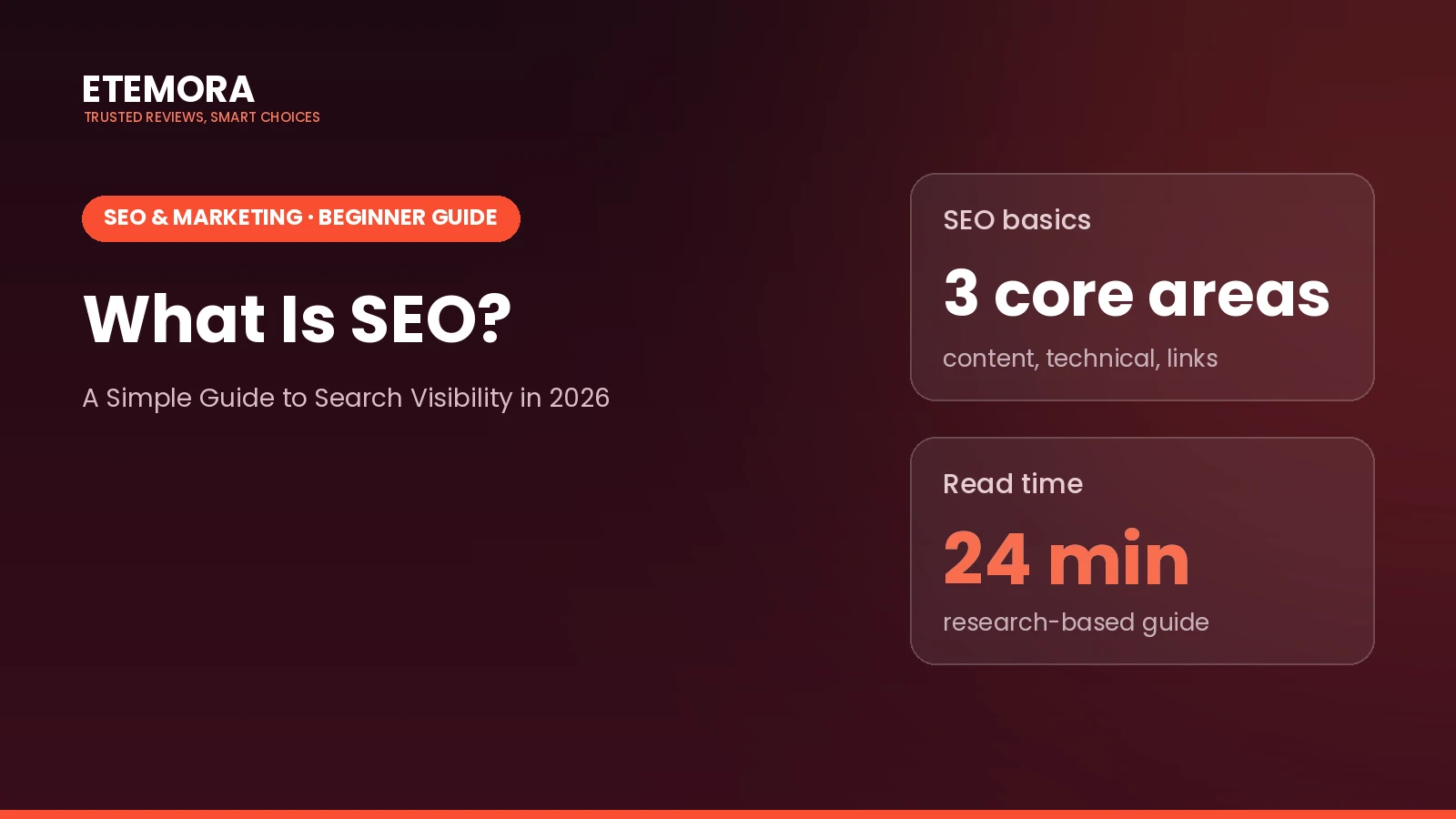
What is SEO? It is the process of improving a website so search engines can understand its pages and people can find useful information through unpaid search results. SEO can help a new blog attract readers, a small business reach potential customers, or a review website earn relevant traffic without paying for every click.
But SEO is not a shortcut to instant rankings. Search engines decide which pages to show, and results depend on many factors beyond a website owner’s control. This guide answers what is SEO in plain English: how it works, the main types of SEO, how to get started, and how to measure progress without wasting time on common myths.
Quick answer: SEO, or search engine optimization, is the practice of improving a website’s content, technical setup and reputation so search engines can discover, understand and show its pages for relevant searches. Effective SEO focuses on answering real questions, making pages accessible to search engines, and helping visitors accomplish what they came to do.
Want to see which tools can help?
See the Best SEO Tools →What Is SEO and Why Does It Matter?
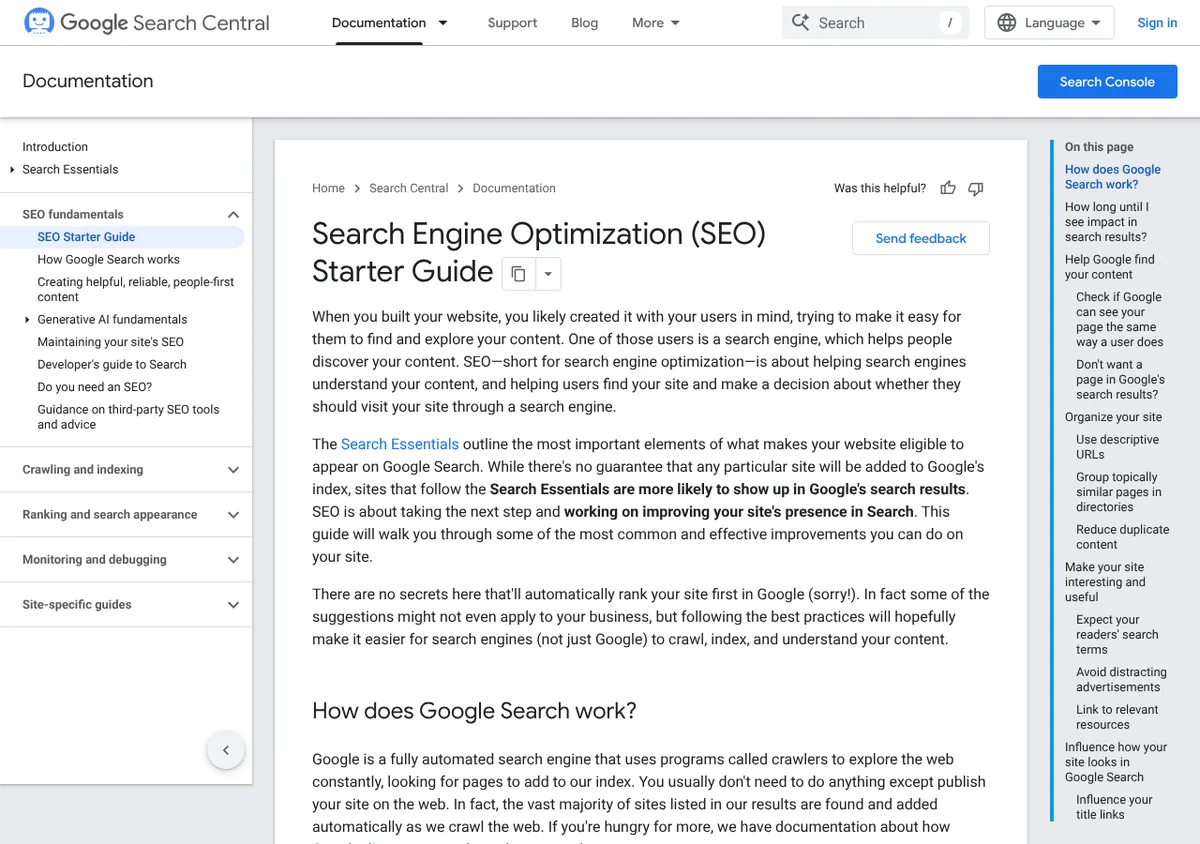
SEO stands for search engine optimization. It covers the work involved in helping search engines understand a website and improving the chances that its pages appear when people search for relevant information, products or services. Google’s own SEO Starter Guide puts it this way: SEO is about helping search engines understand your content, and helping users find your site and decide whether they should visit it through a search engine.
Imagine that you run a small business selling handmade furniture. Your website may have excellent products, but potential customers cannot benefit from them if they cannot find your pages. SEO helps search engines understand what you sell, which pages answer specific questions, and when those pages may be useful to someone searching.
SEO can support several business goals:
- Bring visitors who are actively looking for relevant information or services.
- Help potential customers discover products and compare options.
- Build a useful collection of pages that can attract traffic over time.
- Improve how website content is organized and presented.
- Give a business another way to reach people beyond paid advertising.
However, SEO does not guarantee first-page rankings, sales or a particular amount of traffic. Google states plainly that it does not accept payment to crawl a site more often or rank it higher. So the honest answer to what is SEO is an ongoing process: publishing useful information, keeping a website technically accessible, and learning from performance data.
How Does SEO Work?
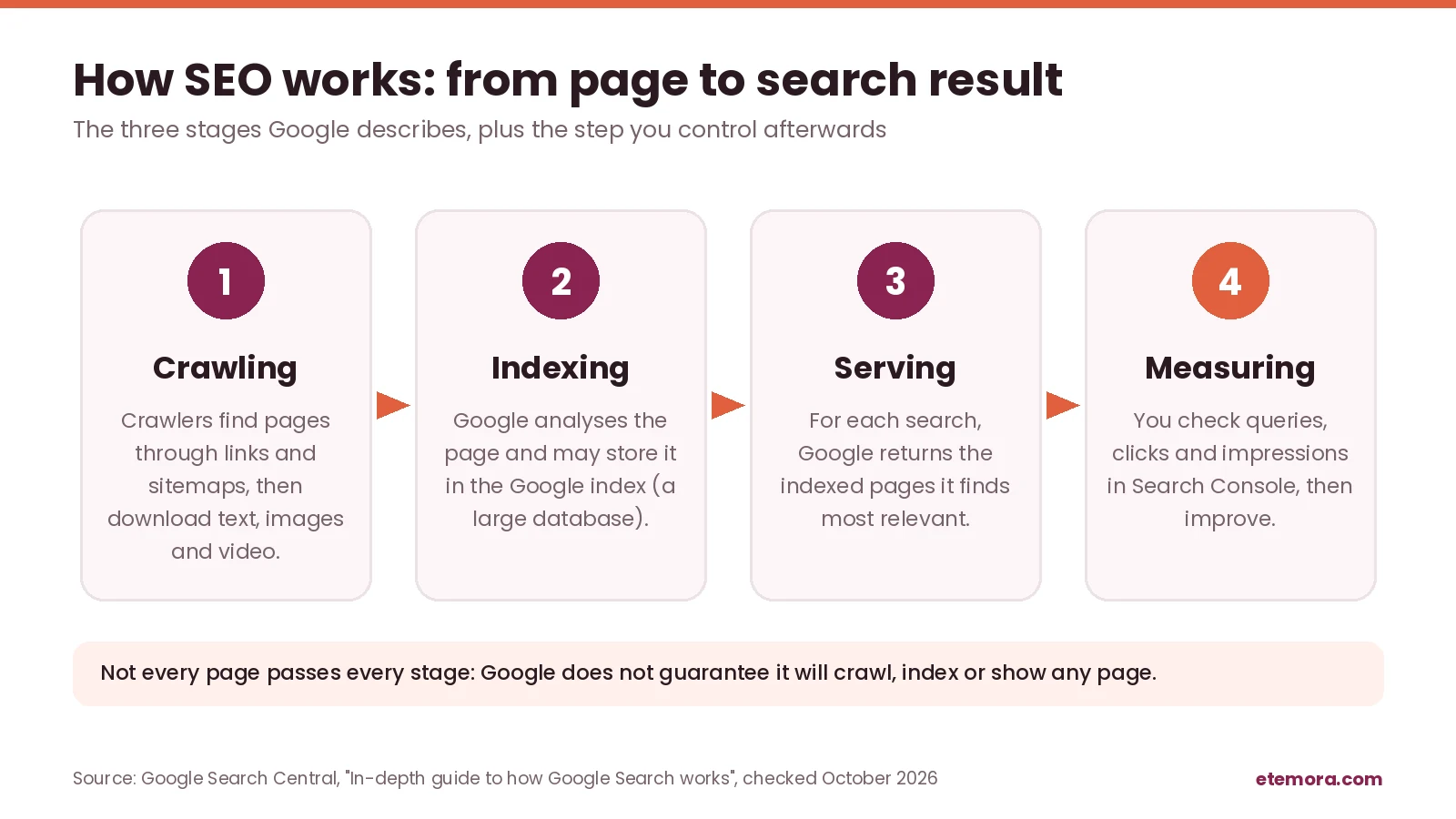
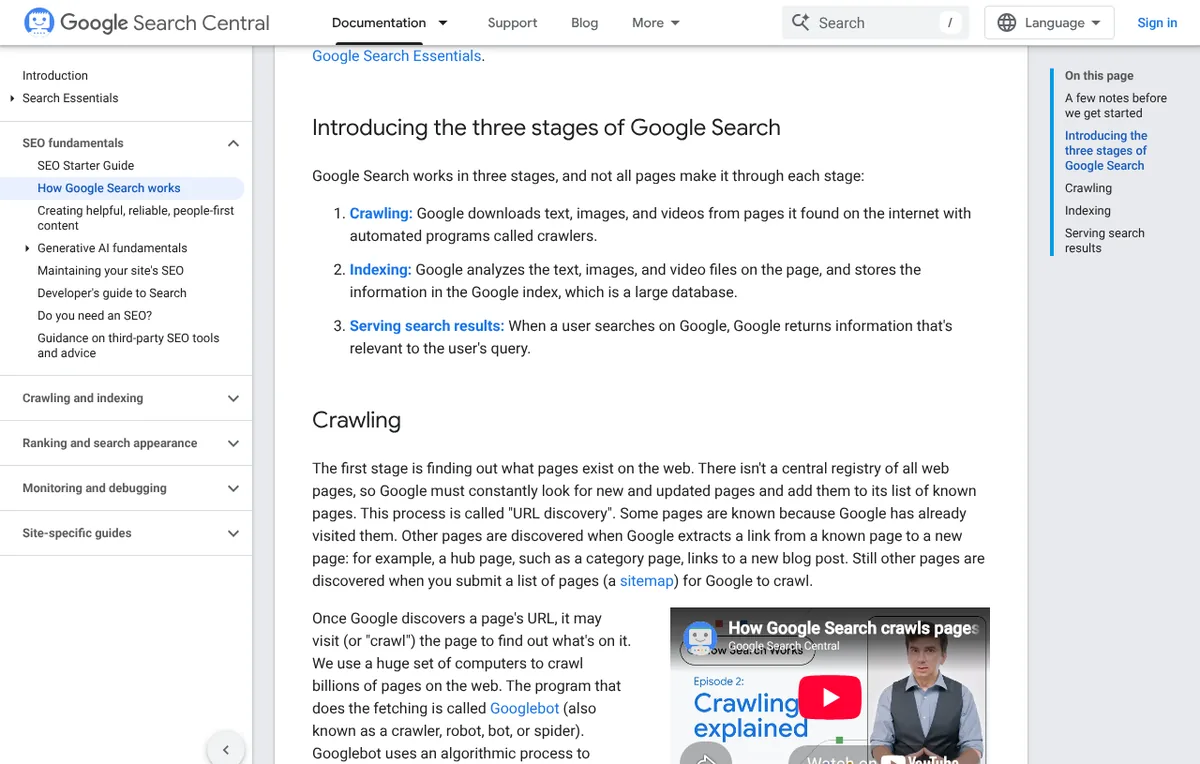
The easiest way to understand what is SEO in practice is to follow a page through Google’s three stages: crawling, indexing and serving (ranking). Google’s guide to how Search works notes that not every page makes it through each stage.
Crawling: search engines discover pages
Search engines use automated programs, commonly called crawlers, to discover pages and follow links. A crawler may find a page through an existing link, a sitemap or another discovery method. Google describes this as “URL discovery” and says there is no central registry of all web pages, so it must constantly look for new and updated ones.
If no links point to an important page, or if technical settings block crawling, the search engine may have trouble finding it. Internal links and a correctly configured sitemap help search engines discover important URLs, although neither guarantees that every page will be crawled.
Indexing: search engines process pages
After discovering a page, Google analyses its text, images and video and may store that information in the Google index, which it describes as a large database. Only indexed pages can be considered for search results.
Being crawled does not guarantee indexing. Duplicate content, access restrictions, technical errors and the search engine’s own decisions can all affect whether a page appears in the index. You can use the URL Inspection tool in Google Search Console to check how Google reports the status of a particular URL.
Ranking: search engines select relevant results
When someone searches, Google returns the information it considers most relevant to that query. Its systems consider many signals, and their exact operation is not fully public.
This is also where most myths about what is SEO start: a page can be indexed without ranking prominently. To improve its chances, make sure it answers the intended question, provides clear information, uses descriptive headings and works well on different devices. There is no single SEO trick that guarantees a top position.
The Three Main Types of SEO
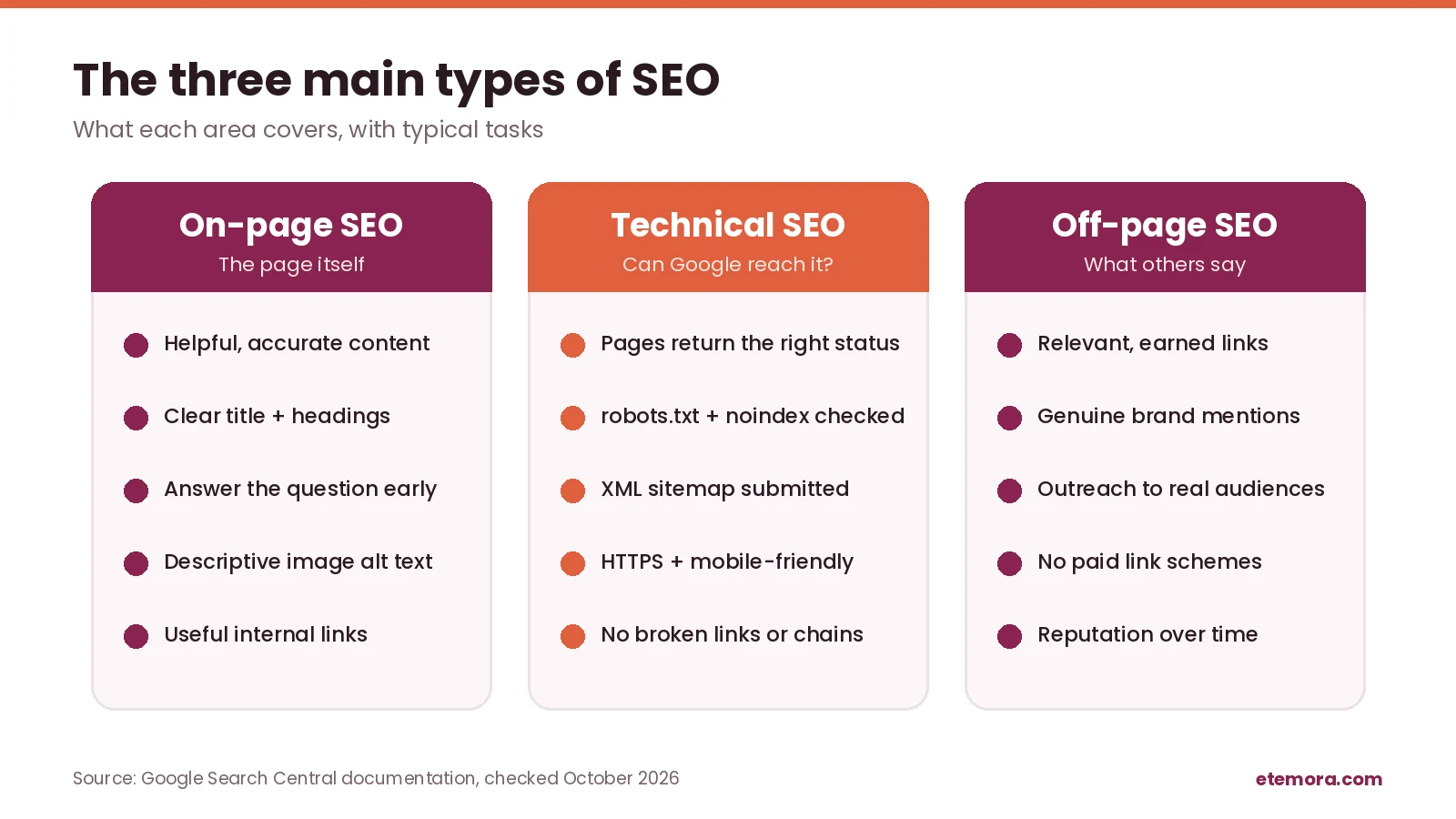
Most explanations of what is SEO split the work into three areas: on-page SEO, technical SEO and off-page SEO. They overlap, but separating them makes it easier to see where a website needs attention.
On-page SEO
If someone asks you what is SEO on a single page, this is the part they usually mean. On-page SEO means improving elements on an individual page so visitors and search engines can understand its topic. It includes the main content, page title, headings, image descriptions, internal links and the way information is organized.
For example, a guide about choosing a domain name should explain the decision clearly, use headings that reflect readers’ questions, and link to relevant supporting resources. Repeating the same keyword in every paragraph does not make the guide more helpful.
Important on-page practices include:
- Write a descriptive title that accurately represents the page.
- Use a clear main heading and logical subheadings.
- Answer the reader’s main question early.
- Include relevant terms naturally where they help explain the topic.
- Add useful internal links to related pages.
- Write descriptive alternative text for informative images.
- Keep paragraphs readable and remove unnecessary repetition.
On-page SEO is not about making every page follow a rigid keyword formula. The goal is to make the page’s purpose and value clear. If you want to see how a title and description might look in results before publishing, try our free SERP snippet preview tool.
Technical SEO
Technical SEO is the part of what is SEO that readers never see. It focuses on whether search engines can access, crawl, interpret and index your website appropriately. It also includes technical aspects of the visitor experience, which start with where and how your site is served. If you are new to that part, it helps to understand how web hosting works.
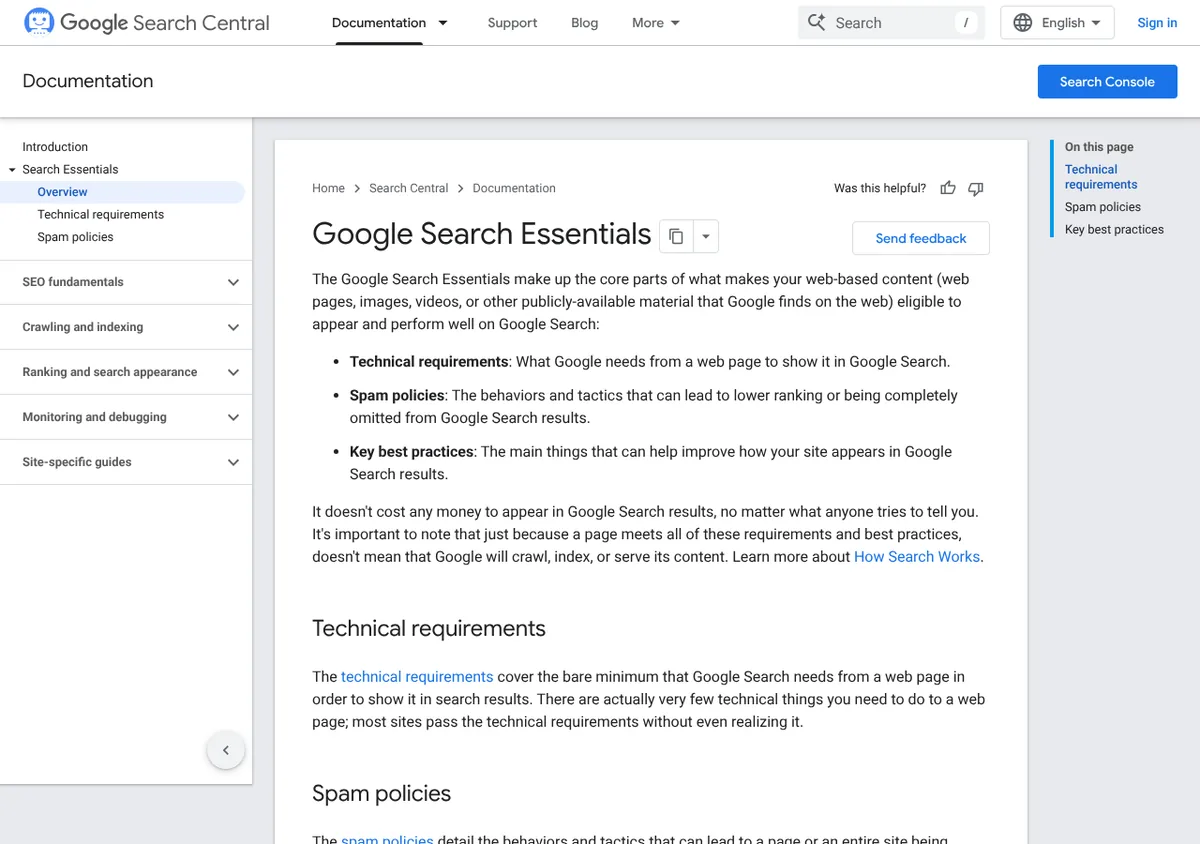
A site can contain valuable articles and still struggle if important pages are blocked from crawling, return errors, have confusing URL structures, or are difficult to use on mobile devices. Google’s Search Essentials group the basics into technical requirements, spam policies and key best practices.
Common technical SEO tasks include:
- Check that important pages return the expected HTTP status.
- Review robots.txt rules and indexing directives.
- Submit an accurate XML sitemap when appropriate.
- Fix broken internal links and unnecessary redirect chains.
- Use HTTPS to protect connections.
- Make navigation and internal linking understandable.
- Check mobile usability and page experience.
- Add structured data only when it accurately describes the page and follows applicable guidelines.
A technically sound site is easier to maintain, but technical fixes alone do not guarantee strong rankings. They support the search engine’s ability to access and understand useful content.
Off-page SEO
Any full answer to what is SEO also has to look beyond your own website. Off-page SEO covers signals and activities beyond the page itself that can help establish awareness, credibility or relevance. Relevant links from other websites are one part of this area, alongside legitimate brand mentions, professional relationships and promotion to an appropriate audience.
For example, an original research report may earn links when another publisher references its findings. A useful resource can also gain attention when it is shared with a relevant community.
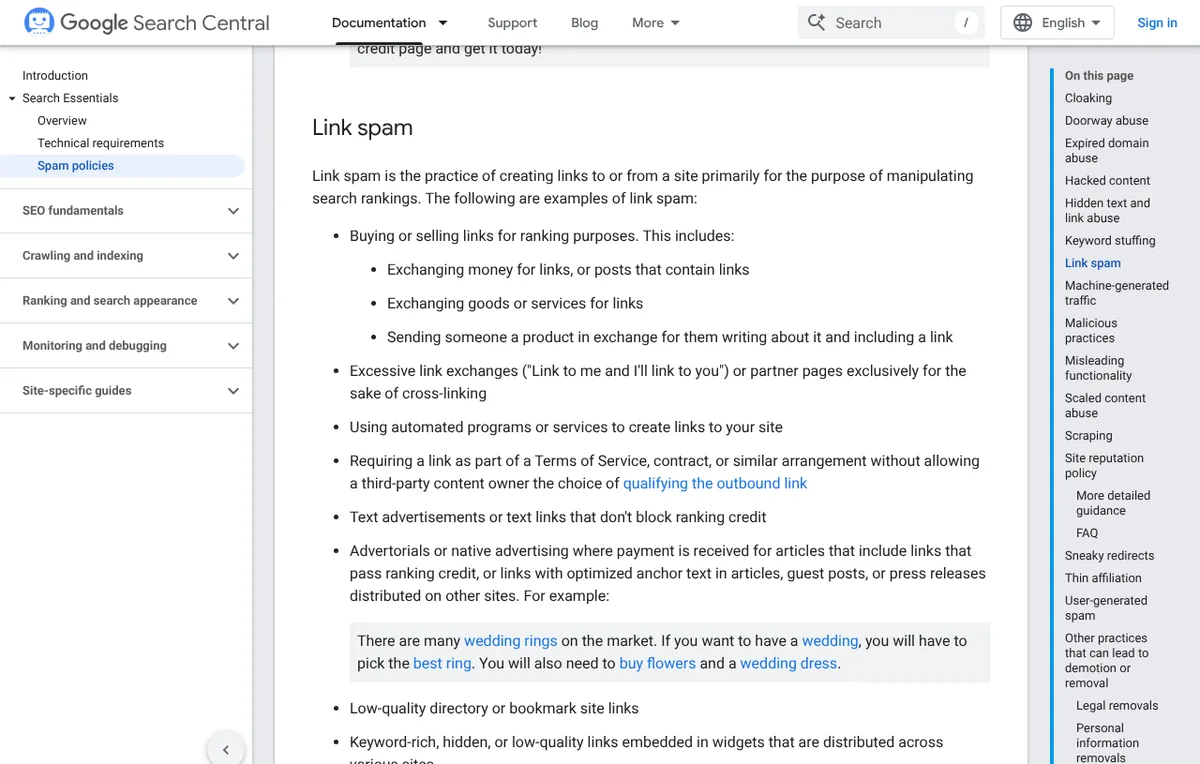
Avoid buying links intended to manipulate rankings, joining link schemes or creating large numbers of low-quality links. Google’s spam policies define link spam as creating links to or from a site primarily to manipulate search rankings, and sites that break these policies may rank lower or not appear at all.
Off-page SEO should grow from genuine value and relevant relationships, not from collecting as many links as possible.
Keyword Research: Understand What People Search For
A practical answer to what is SEO always comes back to searchers. Keyword research is the process of finding the words and questions people use when looking for information. It helps you understand what a page should cover and which topics are relevant to your audience.
Suppose you manage a website about domains and web hosting. Broad terms such as “hosting” may have several possible meanings. More specific searches, such as “how to choose web hosting for a small business”, reveal a clearer problem and can help you plan a focused article.
Start keyword research with these steps:
- Identify your audience. Decide who you want to help and what they need to know.
- List their questions. Consider problems they face before buying, while comparing options, and after making a decision.
- Check search results. Look at the pages appearing for a query to understand the format and intent searchers may expect.
- Group related terms. Put queries that can be answered by the same useful page together rather than creating a separate page for every minor variation.
- Prioritize realistic opportunities. Consider relevance, competition, business value and whether your website can offer something useful.
- Review performance. Use actual impressions and clicks from Search Console to identify topics where your pages may need improvement.
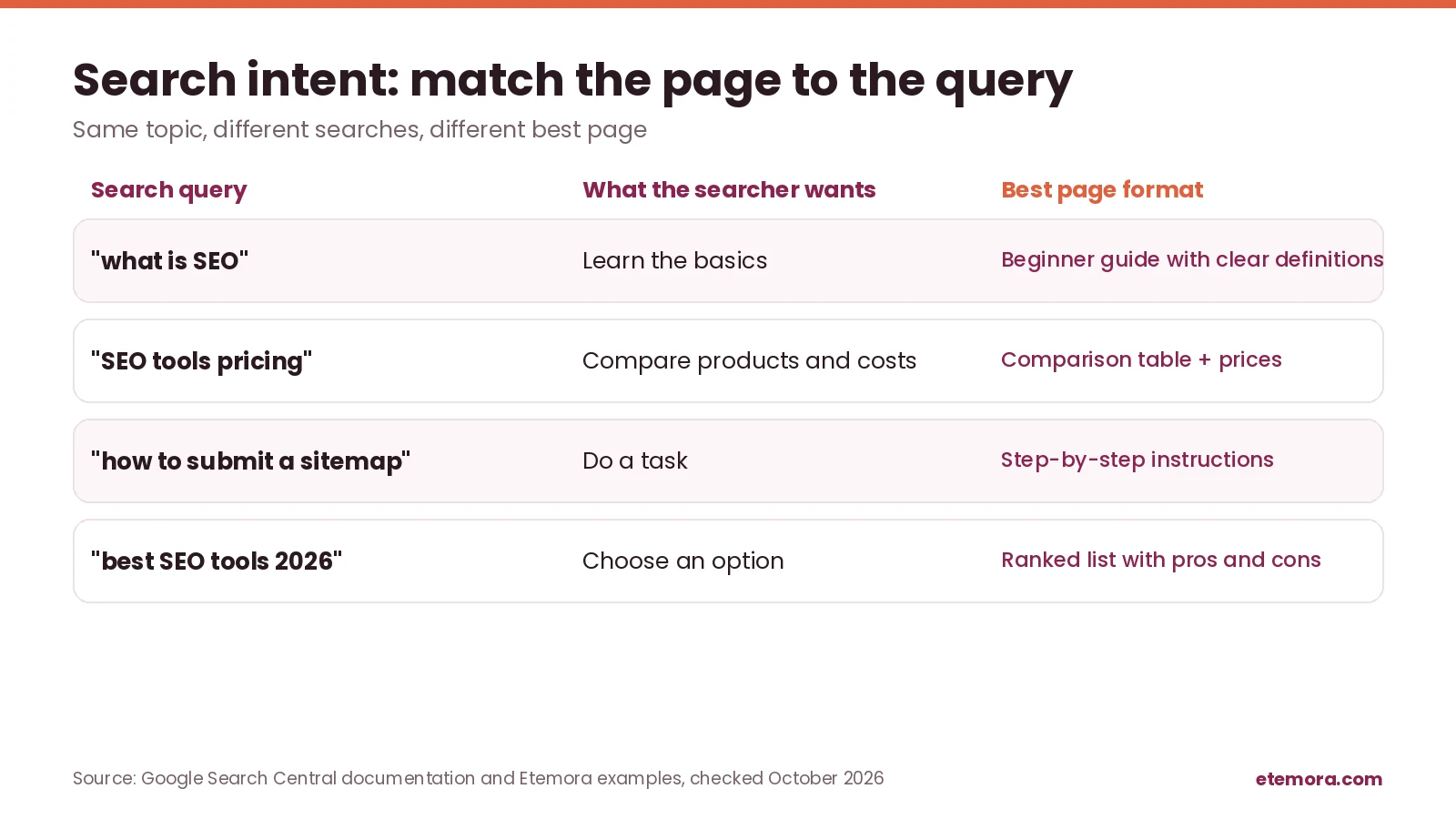
Search intent matters as much as the keyword itself. A person searching “what is SEO” probably wants a beginner-friendly explanation like this one. Someone searching “SEO tools pricing” is more likely comparing products and costs. A page that matches the query’s purpose is more useful than one that merely repeats the same words.
Keyword tools can estimate search volume, competition and related terms, but those estimates are not guarantees of traffic or rankings. Treat them as planning signals, not exact forecasts. Our comparison of the best SEO tools for keyword research and site analysis covers the main options.
Content Quality and Search Intent
Useful content is central to sustainable SEO, and it is the part of what is SEO that matters most to readers. Google says its automated ranking systems are designed to prioritize helpful, reliable information created to benefit people, not content created to manipulate search rankings. Its page on helpful, people-first content includes questions you can use to assess your own pages.
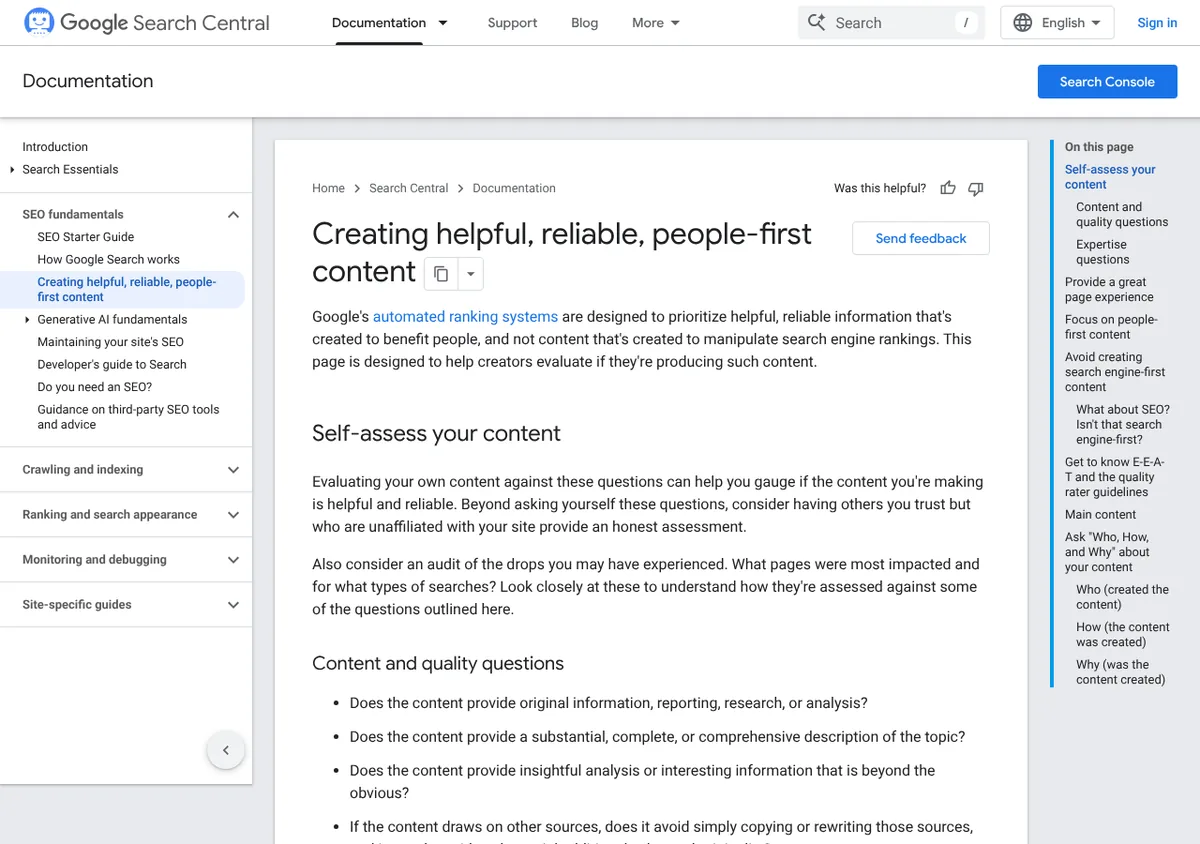
Before publishing, ask:
- Does this page answer the question the title promises to answer?
- Is the information accurate and supported by trustworthy sources?
- Does it offer useful explanation, examples or analysis?
- Is it clear who created the content and, where appropriate, what expertise supports it?
- Is the page easier to use than a wall of text?
- Does it leave the reader with a clear next step?
The right content format depends on the query. A beginner question may need a step-by-step guide. A comparison query may need a table and clearly explained trade-offs. A product review should distinguish verified facts from opinions and explain how its conclusions were reached.
Avoid publishing several pages that answer essentially the same question without a clear reason. They create maintenance work and make it harder to decide which page should serve a particular search intent.
There is no universal word count that guarantees rankings. A short page can be enough for a simple question, while a complicated topic may need a longer explanation. Cover what the reader needs without adding filler.
How to Start SEO for a New Website
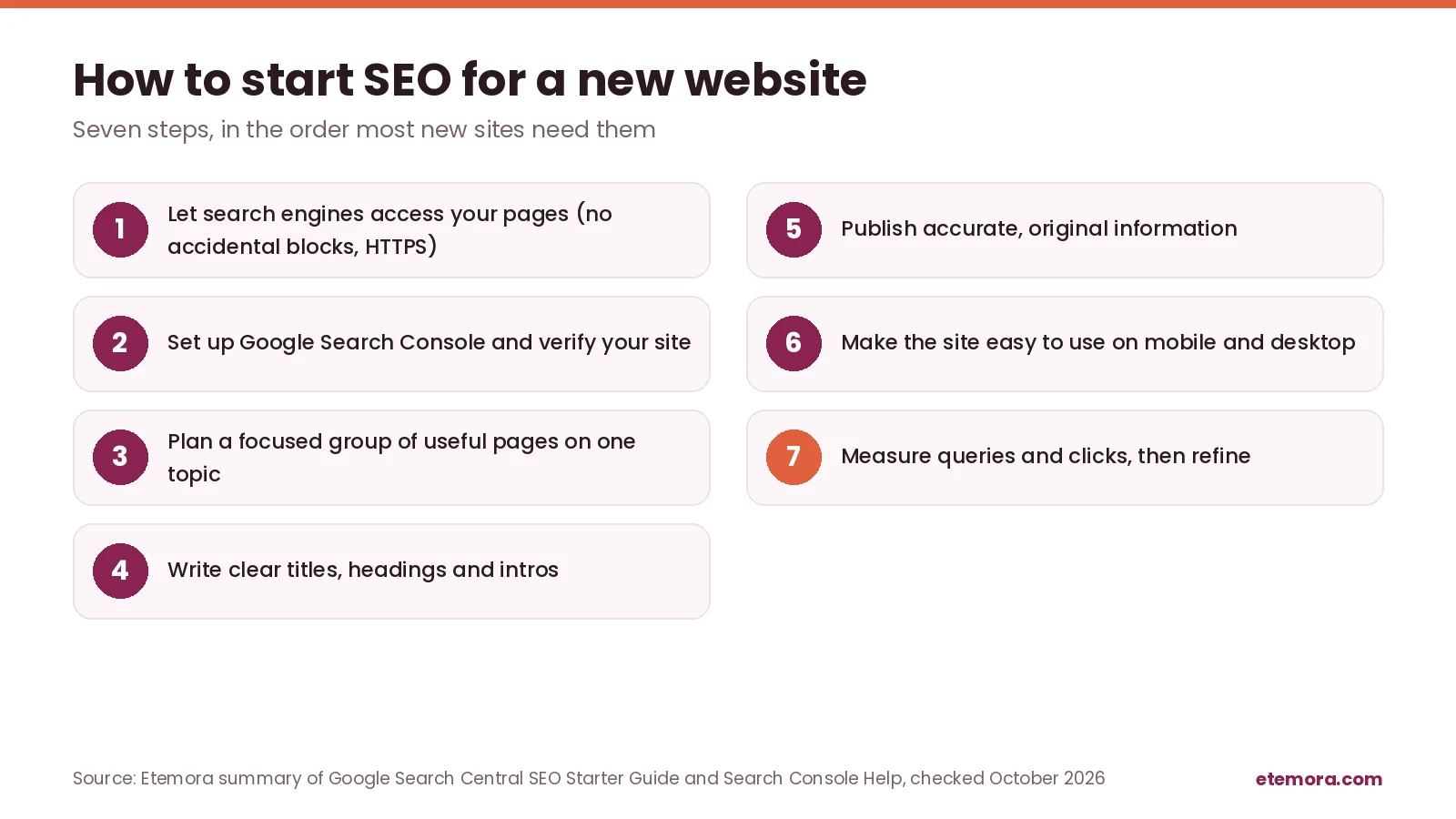
Once you know what is SEO, the next question is where to begin. You do not need to fix every possible issue before publishing. Start with the basics, then use data to decide what deserves attention.
Step 1: Make sure search engines can access your site
Check that your important pages are publicly accessible and that you have not accidentally blocked them with robots.txt rules or indexing directives. Confirm that your site uses HTTPS and that its main pages load without errors.
Step 2: Set up Google Search Console
Google Search Console shows how a site performs in Google Search. It reports search queries, clicks, impressions, click-through rate and average position, along with reports that help you investigate indexing issues.
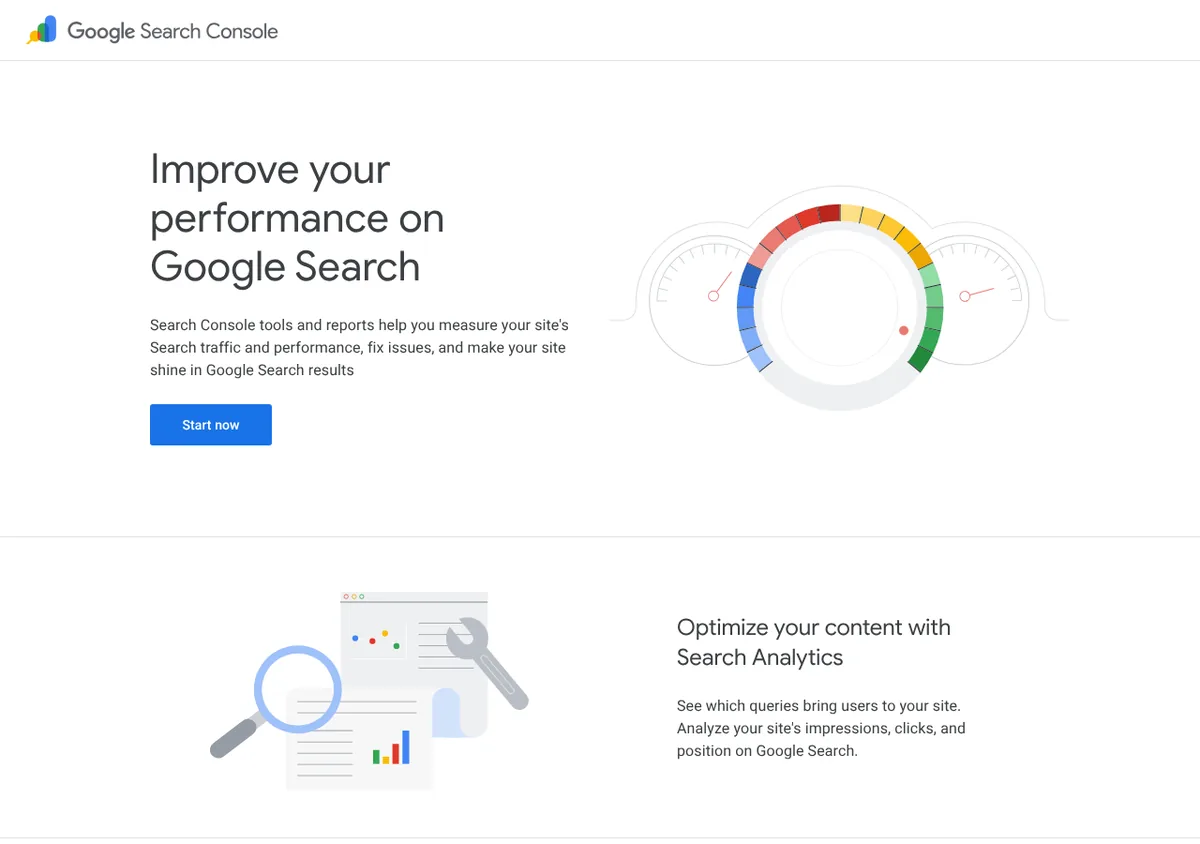
Verify the correct website property and review its reports periodically. Search Console data reflects Google Search only, not every search engine or every source of website traffic.
Search Console is free to use.
Open Google Search Console →Step 3: Plan a focused set of useful pages
Choose a core topic that fits your audience and create a small, coherent group of pages around it. A hosting website, for example, might publish a beginner guide to hosting, a comparison of hosting providers and an explanation of common hosting costs.
Connect related pages with descriptive internal links. This helps readers move between topics and gives search engines additional ways to discover your content.
Step 4: Optimize titles and page structure
Give each important page a title that describes its actual subject. Use a clear heading structure, write a direct introduction and organize the information in the order readers need it.
Include the focus keyword where it fits naturally, especially in prominent page elements. Do not force awkward repetitions or assume that hitting a specific keyword density will secure a ranking.
Step 5: Publish accurate, original information
Research claims, use primary sources where possible, and update information when it changes. If you compare products or services, distinguish published specifications from independent test results and state when pricing or policies were checked.
Original analysis, clear explanations and well-supported comparisons can make a page more useful than a lightly rewritten summary of existing results.
Step 6: Improve the visitor experience
Check your website on mobile and desktop. Make navigation understandable, keep text readable, label links clearly and ensure important content is not hidden behind broken controls. If you are still choosing a platform, it is worth comparing website builders for creating a search-friendly site.
Review images and other media for accessibility and usefulness. A website should help people complete their task rather than force them to fight the design.
Step 7: Measure and refine
After publishing, review which queries and pages are receiving impressions and clicks. If a page appears for relevant searches but receives few clicks, consider whether its title and description clearly communicate what it offers. If it receives impressions for the wrong queries, reassess its focus and content.
Make changes based on evidence rather than repeatedly rewriting a page because its rankings move from day to day.
How Long Does SEO Take?
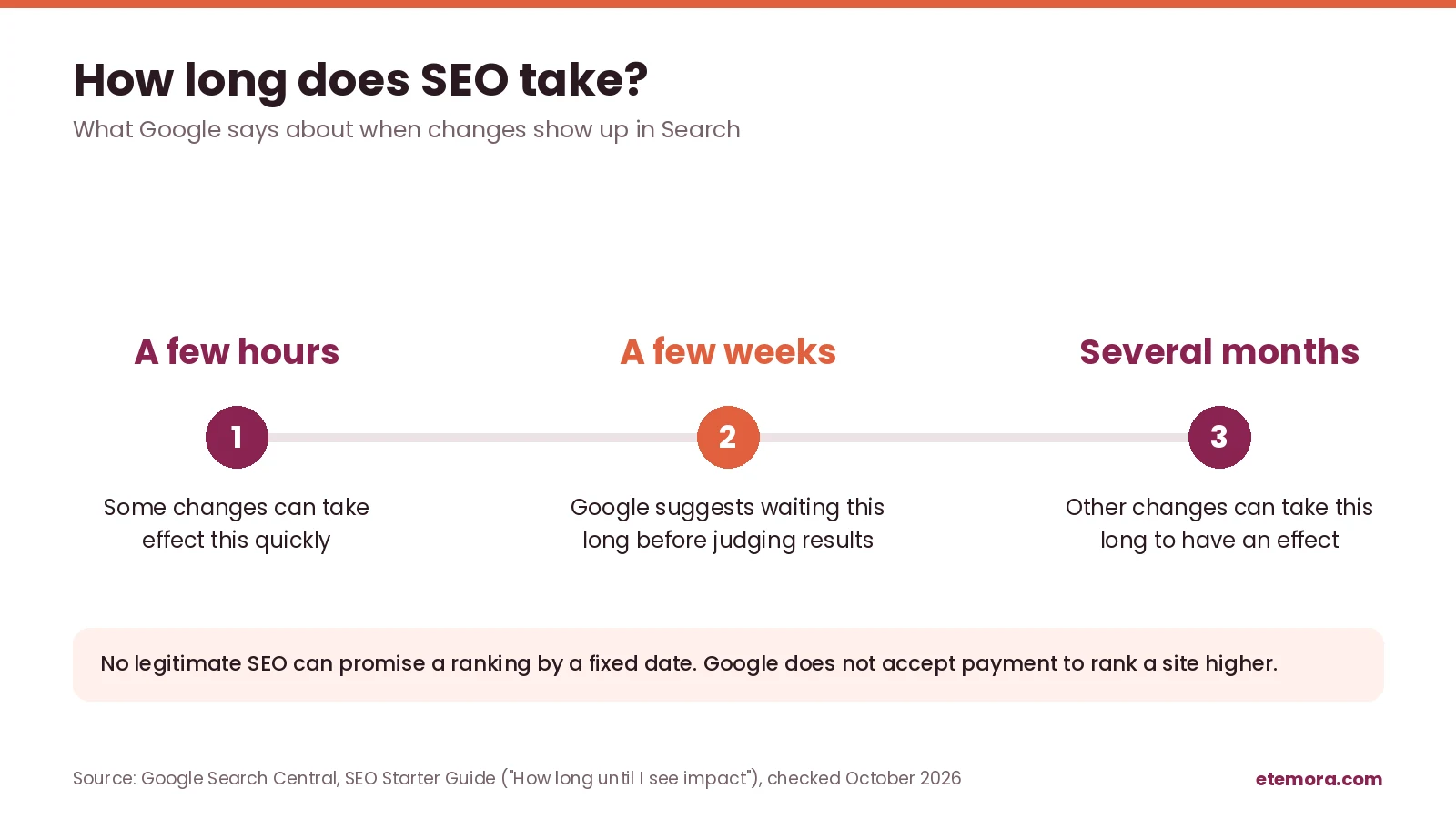
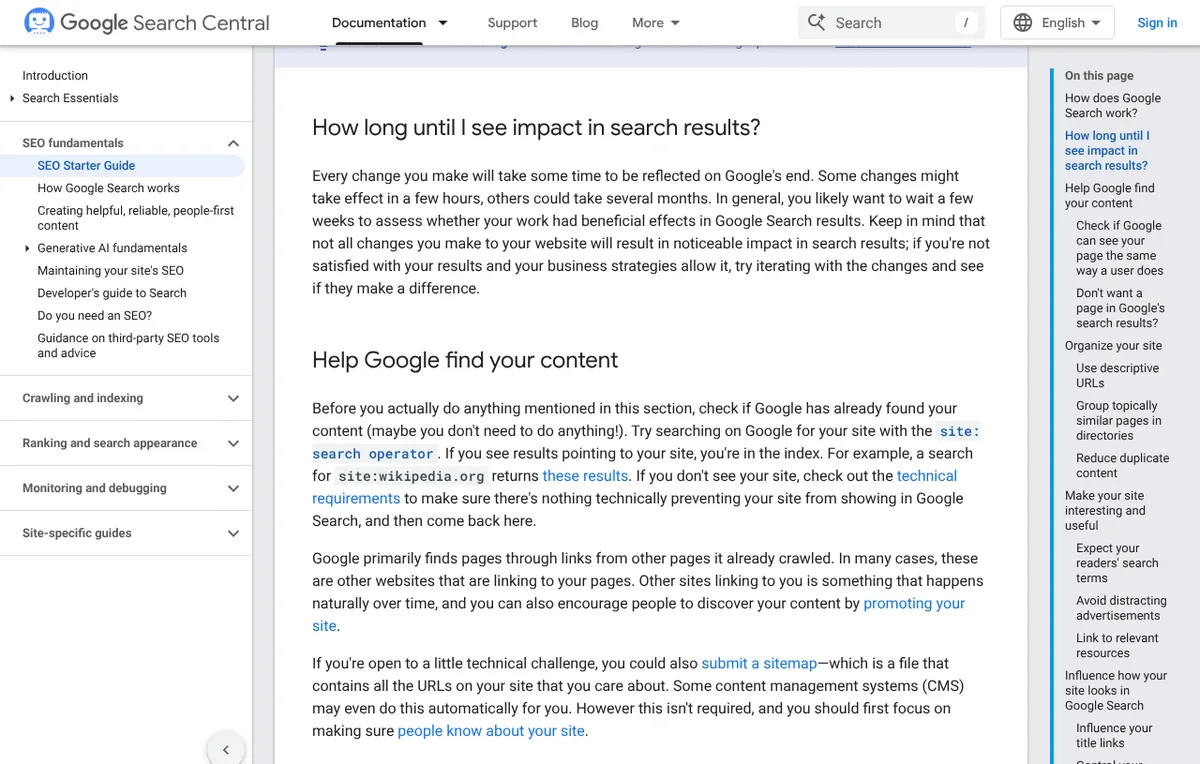
One of the first things beginners ask after what is SEO is how long it takes. SEO does not have a fixed timeline. Google’s SEO Starter Guide says some changes might take effect in a few hours, while others could take several months, and it suggests waiting a few weeks before judging whether your work had a beneficial effect.
A new website may need time to be discovered and indexed. Even after indexing, a page may receive few impressions until search engines have enough information to assess its relevance and users begin finding it for suitable queries.
The timeline depends on factors such as competition, site history, technical accessibility, content usefulness and how often the subject changes. No legitimate SEO provider can guarantee a particular ranking by a fixed date for every keyword.
For a new site, focus first on publishing a coherent set of useful pages, ensuring that search engines can access them, and collecting baseline data. Review progress over meaningful periods rather than judging the strategy from a single day’s results.
How to Measure SEO Performance
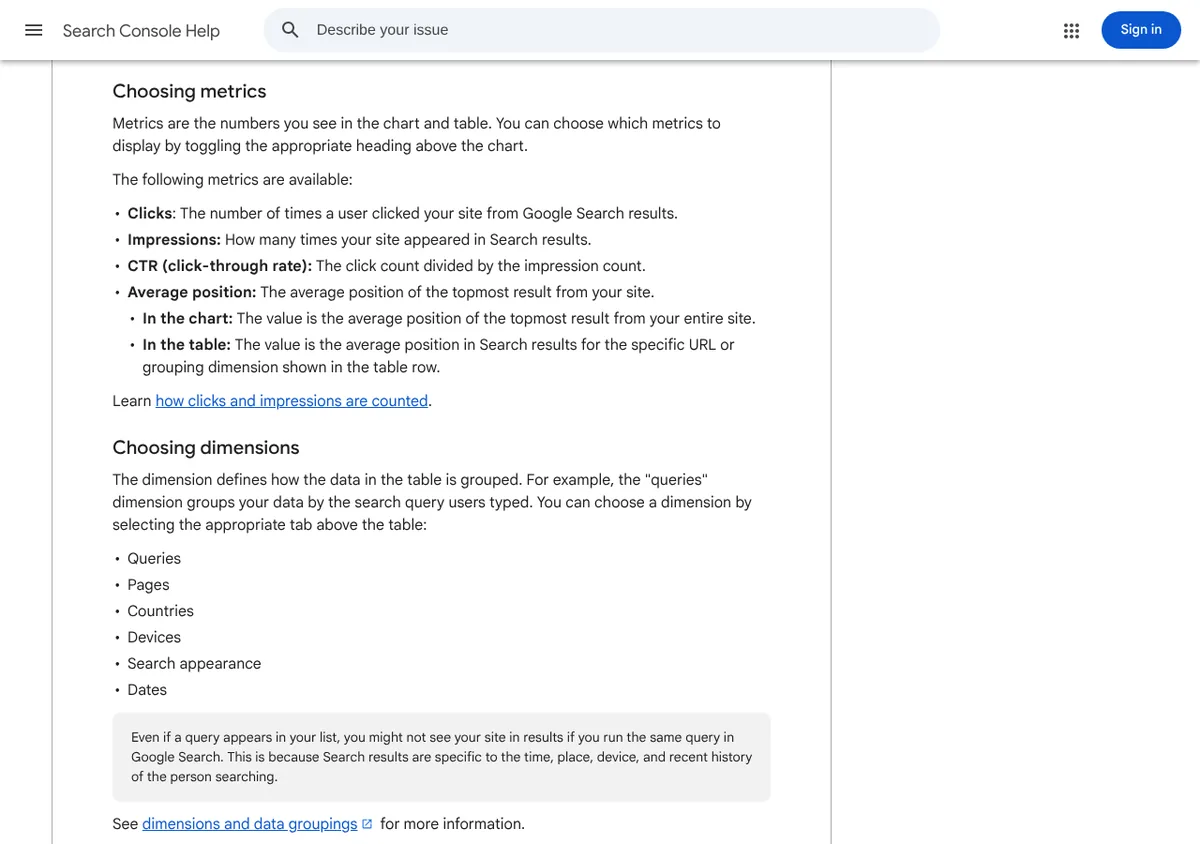
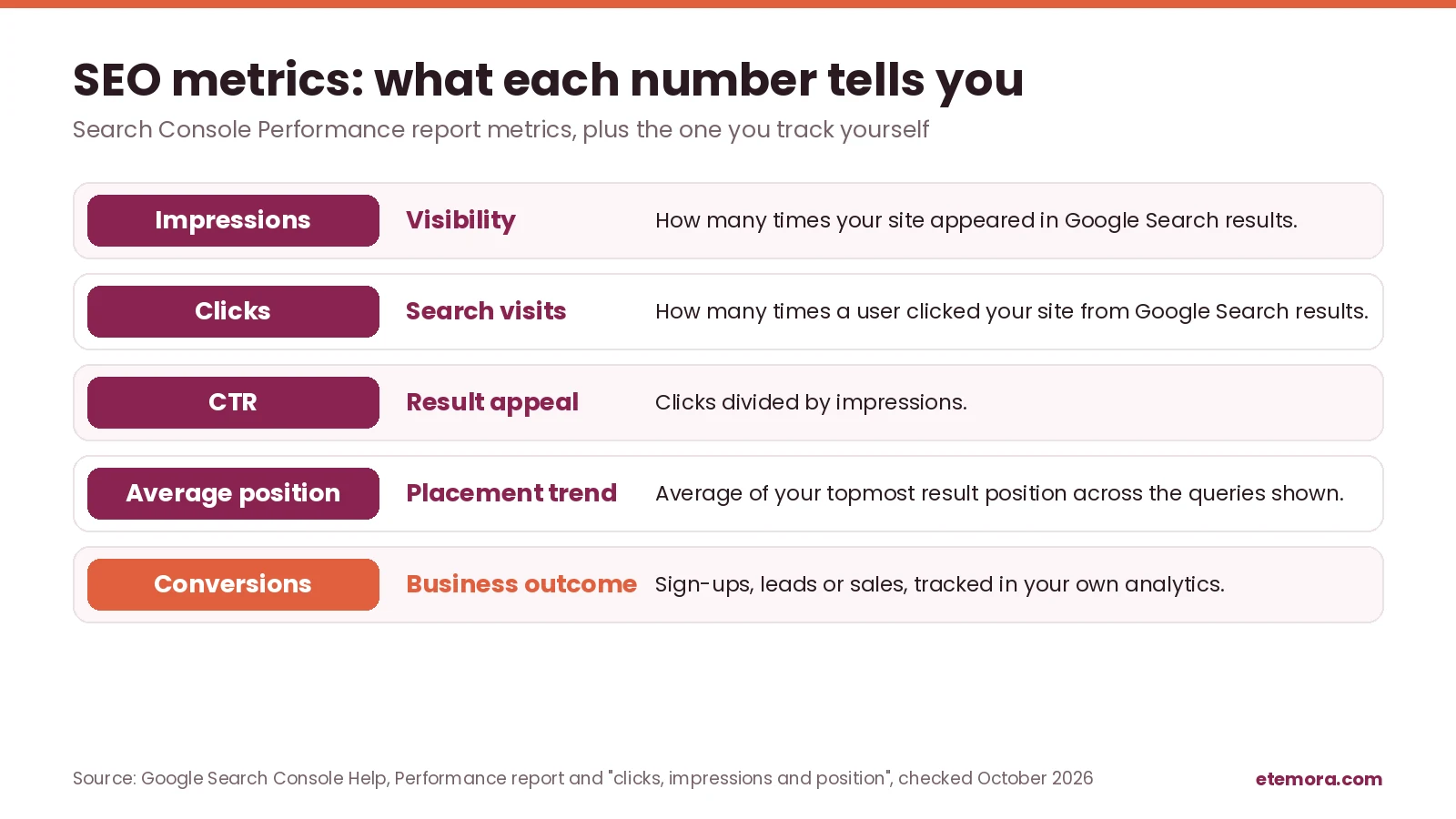
Knowing what is SEO is only useful if you can see whether it is working. SEO needs measurement because publishing more pages does not automatically mean a website is improving. The right metrics depend on your goal. Google’s Performance report help page defines the four core Search Console metrics.
Clicks
Clicks count how many times a user clicked through to your site from Google Search results. They indicate visits coming from Search, but they do not tell you whether visitors completed a purchase or found what they needed.
Impressions
Impressions show how many times your site appeared in Google Search results. Growing impressions can suggest that your pages are becoming visible for more queries, but impressions alone do not prove that the traffic is relevant.
Click-through rate
Click-through rate, or CTR, is clicks divided by impressions. It helps you identify pages that appear in search results but attract relatively few clicks. Interpret it alongside query, device, country and position data rather than relying on one universal target.
Average position
Google defines average position as the topmost position occupied by a link to your property, averaged across all queries in which it appeared. It is an average, not a promise that your page will appear in the same place for every searcher. Results can vary by query, location, device and other circumstances.
Conversions
Conversions are actions that matter to your website, such as purchases, contact form submissions, newsletter sign-ups or qualified leads. Analytics and conversion tracking can help connect search traffic to business outcomes when configured correctly.
For an affiliate website, useful measures may include organic clicks, relevant landing-page visits, outbound affiliate clicks and resulting sales where reliable tracking data is available. A rise in traffic is not necessarily a rise in earnings if visitors do not match the content’s purpose.
Common SEO Mistakes to Avoid
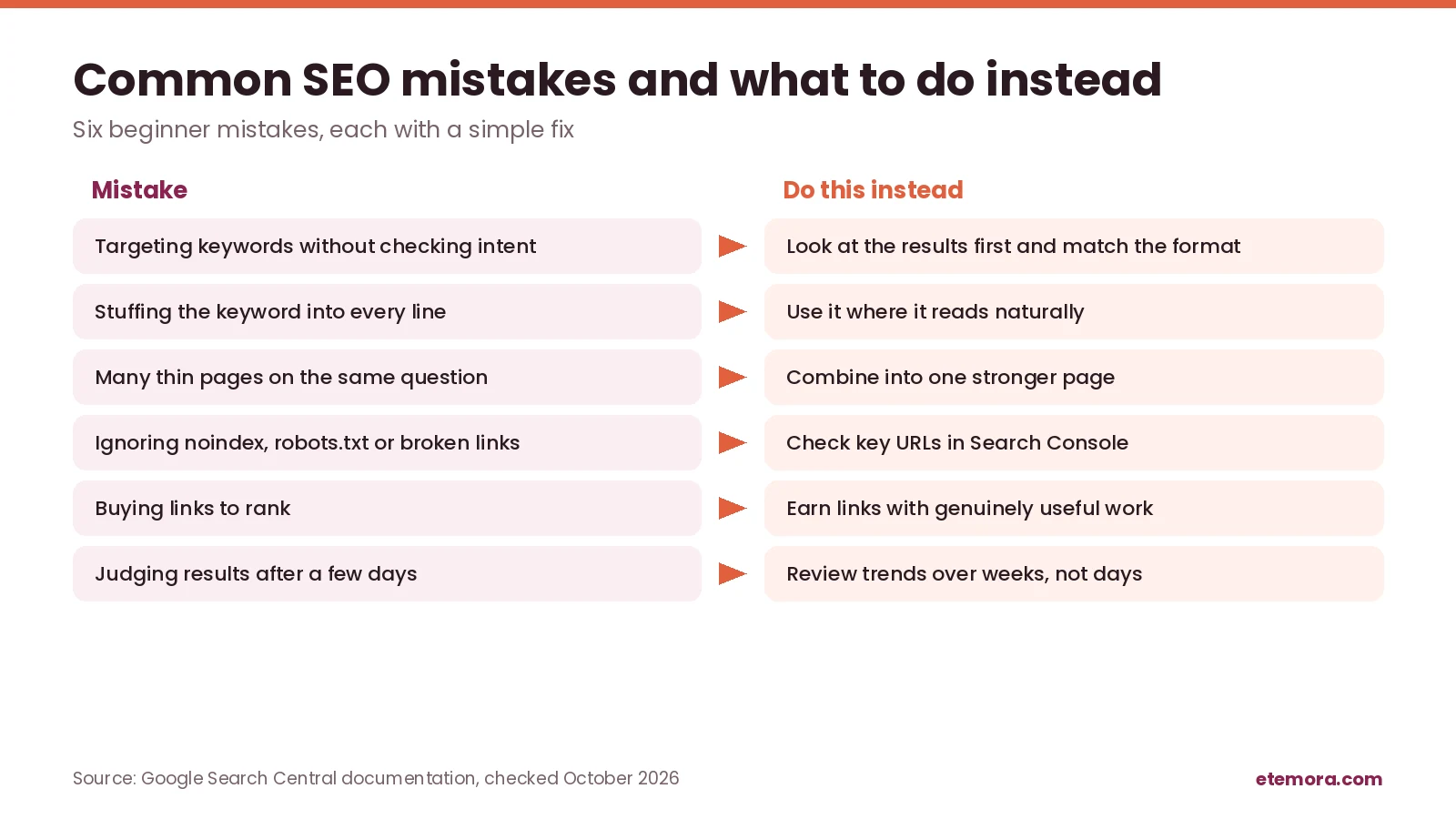
Once you understand what is SEO, it becomes easier to spot what goes wrong. Most beginner problems with SEO come from a handful of repeat mistakes. Each one has a simple fix.
Targeting keywords without understanding intent
A keyword may sound relevant but attract people looking for something different from what your page provides. Review the query and the kind of results searchers are likely to expect before deciding what to publish.
Stuffing keywords into content
Repeating a phrase unnaturally makes content harder to read and does not guarantee higher rankings. Google lists keyword stuffing among its spam practices. Use the main phrase where it fits, then explain the topic with clear language and related concepts.
Publishing thin or repetitive pages
Creating many pages with little original value can waste resources and leave readers without a clear answer. Build pages around distinct user needs, and combine or improve overlapping content when appropriate.
Ignoring technical problems
A blocked page, broken link, accidental noindex directive or incorrect canonical setting can interfere with discovery or indexing. Review important URLs and investigate reported problems instead of assuming every published page is searchable.
Buying questionable backlinks
Paid link schemes and manipulative link-building tactics can violate spam policies. Prioritize useful resources, relevant outreach and genuine reasons for other sites to reference your work.
Expecting immediate results
SEO changes often need time to be reflected in reports and search results. Keep a record of significant changes and evaluate trends over an appropriate period.
Choosing tools before defining a goal
SEO software can help with research and diagnosis, but it cannot replace a clear content strategy. Start by deciding what you need to understand, then choose tools that answer those questions.
How to Choose an SEO Strategy
The right answer to what is SEO for your site depends on your goals. A practical SEO strategy should fit your website, audience and resources. Use these decision factors to prioritize work.
1. Your main goal
Decide whether you want more qualified visitors, product sales, leads, local enquiries or visibility for educational content. The goal affects which keywords and metrics matter most. Local businesses, for example, have their own set of local SEO tools to consider.
2. Your audience’s questions
Prioritize topics that solve real problems for your intended readers. A relevant, specific question may be more useful to your business than a broad topic that attracts visitors with no interest in your offering.
3. Your current website condition
If search engines cannot access important pages, technical fixes may deserve attention before publishing more content. If the site is accessible but lacks useful information, content development may be the bigger priority.
4. The level of competition
Review the pages already ranking for your target queries. Consider their relevance, depth, reputation and format. Choose opportunities where you can provide a more useful answer rather than assuming every keyword is equally achievable.
5. Available resources
A small business may begin with Search Console, a simple content plan and a manageable publishing schedule. Paid tools help when you need more detailed keyword research, competitor analysis or site auditing, but buying several subscriptions is not a prerequisite for starting SEO. If SEO is one part of a wider plan, our guide to digital marketing tools for small businesses may help, and our free online tools cover a few everyday tasks.
6. How success will be measured
Choose a small set of meaningful metrics before making changes. For example, monitor relevant search impressions and clicks for a new guide, then evaluate conversions if the page is meant to generate leads or sales.
How We Compared
This guide to what is SEO draws on Google Search Central documentation (the SEO Starter Guide, the in-depth guide to how Google Search works, Google Search Essentials, the spam policies and the people-first content guidance) and Google Search Console Help pages on the Performance report and its metrics. The official guidance was reviewed in October 2026. Search systems and documentation change, so check the linked sources before making technical decisions. This is a research-based guide; we did not run hands-on tests. Read more about how we review products and services.
Final Verdict: What Is SEO?
So, what is SEO? It is the ongoing work of making a website easier for search engines to discover and understand while giving people useful answers that match their searches. Strong SEO combines relevant content, sound technical foundations, clear site structure and a realistic way to measure progress.
You do not need to master every advanced technique to begin. Start by making your important pages accessible, learning what your audience searches for, publishing genuinely helpful content and checking results in Search Console. Improve the areas where evidence shows a problem, and avoid anyone who promises guaranteed rankings.
- Best fit for beginners: Google’s SEO Starter Guide, then crawling, indexing and on-page basics
- Best for bloggers: useful articles built around specific reader questions, linked to each other
- Best for small businesses: search terms that reflect your services, customers and goals
- Best for affiliate websites: transparent, well-researched guides and comparisons
- Best for owners who want data: Search Console for queries, impressions, clicks and average position
Ready to pick your first tools? Compare the options before you pay for anything, and start with the free ones.
Choosing an SEO tool?
Compare SEO Tools for 2026 →Frequently Asked Questions
What does SEO stand for?
SEO stands for search engine optimization. It is the practice of improving a website so search engines can understand its content and people can find it through relevant unpaid search results. SEO includes content improvements, technical work and efforts to build a website’s credibility and usefulness.
What is SEO in simple words?
What is SEO in simple words? It is making your website easy for search engines to find and understand, and useful enough that people choose it in the results. It mixes good content, a technically healthy site and a reputation that other sites recognize.
How does SEO work for beginners?
SEO begins by making important pages accessible to search engines, then creating content that answers relevant questions clearly. Search engines may crawl and index those pages before considering them for suitable searches. Beginners can start with useful content, descriptive titles, internal links, basic technical checks and Google Search Console.
Is SEO free?
You can do many SEO tasks without paying for specialized tools, including improving page titles, writing useful content, adding internal links and using Google Search Console. Google also says it does not cost any money to appear in its search results. SEO still takes time and effort, and some businesses choose to pay for software, specialist help or content production.
How long does SEO take to show results?
SEO has no guaranteed timeline. Google explains that changes may be reflected within a few hours or may take several months, and suggests waiting a few weeks before assessing results. A new site should focus on accessibility, useful content and consistent measurement instead of expecting a specific ranking by a fixed date.
What are the three main types of SEO?
The three commonly discussed types are on-page SEO, technical SEO and off-page SEO. On-page SEO improves the content and structure of individual pages. Technical SEO helps search engines access and interpret the site. Off-page SEO includes relevant external signals, such as genuine links and brand recognition.
What is the difference between SEO and paid search?
SEO aims to improve visibility in unpaid search results, while paid search involves ad placements bought through an advertising platform. SEO can build ongoing visibility but takes time and does not guarantee rankings. Paid search can provide placement while a campaign is funded, subject to platform rules and competition.
Can I do SEO without coding?
Yes, you can handle many SEO basics without writing code. Website platforms and plugins can help you edit titles, descriptions, headings and sitemaps. Issues involving indexing directives, redirects, structured data or site architecture may require technical knowledge or help from a developer.
What is keyword research in SEO?
Keyword research is the process of finding and evaluating the queries people use when searching for information, products or services. It helps you understand audience needs, identify relevant topics and plan pages that match search intent. Keyword metrics are estimates and should be combined with judgment and real performance data.
Which SEO tool should I use first?
Google Search Console is a sensible starting point because it reports how pages perform in Google Search and can help investigate indexing issues. Keyword research and site auditing tools can add value as your needs grow. Choose a tool based on the question you need to answer rather than its feature count.
Sources
- Google Search Central: SEO Starter Guide
- Google Search Central: In-depth guide to how Google Search works
- Google Search Essentials
- Google Search Central: Spam policies for Google web search
- Google Search Central: Creating helpful, reliable, people-first content
- Google Search Console Help: Performance report
- Google Search Console Help: What are impressions, position and clicks?
Related articles you may like
 SEO & MarketingEmail Marketing for Small Business: A Simple 7-Step Guide for 2026
 SEO & MarketingBest Mailchimp Alternatives in 2026: 6 Cheaper Email Tools Compared
 Tech & SoftwareWix vs Squarespace (2026): Pricing, Fees and Which to Choose
 SEO & MarketingWhat Is Email Marketing? Complete Beginner Guide 2026
 SEO & MarketingBest Local SEO Tools: 7 Proven Picks for 2026
 Tech & SoftwareWhat Is a Website Builder? The Ultimate 2026 Guide