
Best VPN Services in 2026:
10 VPNs Compared
 By M. Zaid
- Updated October 18, 2026
- 30 min read
Some links on this page are affiliate links. If you buy through them, Etemora may earn a commission at no extra cost to you. Read our affiliate disclosure
- All 10 VPNs at a Glance
- 1. NordVPN — Best Overall
- 2. Surfshark — Best for Unlimited Devices
- 3. Proton VPN — Best for Privacy
- 4. ExpressVPN — Best for Simplicity
- 5. Private Internet Access
- 6. CyberGhost — Best Long-Term Value
- 7. Mullvad — Simple Privacy
- 8. Windscribe — Best Free/Custom
- 9. IPVanish — Device-Heavy Users
- 10. Hotspot Shield
- Full VPN Comparison
- What a VPN Actually Does
- Are VPNs Really Necessary?
- VPNs and Public Wi-Fi
- VPNs and Streaming
- Does a VPN Make You Anonymous?
- Are Free VPNs Safe?
- Free vs Paid VPNs
- Features to Look For
- What a VPN Costs in 2026
- Best VPN by Use Case
- Our 2026 Ranking
- Our Verdict
- How We Compared
- Frequently Asked Questions
A VPN can help protect your internet traffic on public Wi-Fi, hide your real IP address from the websites you visit, and add a layer of privacy between your device and the internet.
But choosing one is not as simple as picking the provider with the biggest server count or the cheapest introductory offer. VPN services differ in privacy policies, security features, connection limits, pricing, streaming capability, platform support and renewal cost — and that last one catches more people out than any other.
To narrow things down, we compared 10 of the best VPN services on security features, privacy approach, device support, pricing, free-plan availability, usability and overall value.
Our current top pick for most people is NordVPN, while Surfshark is the easier choice for households that want unlimited simultaneous connections, and Proton VPN stands out for privacy and a genuinely useful free plan.
Editor’s note
This is a research-based comparison. Etemora has not personally speed-tested every VPN listed here. We evaluate publicly documented features, pricing and privacy information, plus reputable independent testing, and we say whose findings they are. VPN features and promotional pricing change often, so check the provider’s current terms before subscribing. More on our process in how we review.
Quick picks
- Best overall: NordVPN
- Best for unlimited devices: Surfshark
- Best for privacy: Proton VPN
- Best for beginners: ExpressVPN
- Best for unlimited connections: Private Internet Access
- Best long-term value: CyberGhost
- Best simple privacy VPN: Mullvad
- Best free/custom plan: Windscribe
- Best for device-heavy homes: IPVanish
- Best free alternative: Hotspot Shield
The 10 Best VPN Services at a Glance
Every figure below reflects what each provider listed in September 2026. Introductory rates almost always require a long prepaid term and renew higher, so treat the monthly price as a starting point rather than what you will pay every year.
| VPN | Best for | Free plan | Devices | Starting price |
|---|---|---|---|---|
| NordVPN | Best overall | No | 10 | $3.49/mo |
| Surfshark | Unlimited devices | No | Unlimited | $2.49/mo |
| Proton VPN | Privacy | Yes | 1 free / 10 paid | Varies |
| ExpressVPN | Simplicity | No | 10–12 by plan | $2.99/mo |
| Private Internet Access | Unlimited connections | No | Unlimited | $2.03/mo |
| CyberGhost | Long-term value | No | 7 | $2.19/mo |
| Mullvad VPN | Simple privacy | No | 5 | Flat monthly rate |
| Windscribe | Free / custom plan | Yes | Unlimited | From $3 custom |
| IPVanish | Device-heavy homes | No | Unlimited | Varies |
| Hotspot Shield | Free alternative | Yes | Varies | Varies |
For context on those numbers: current official pricing pages list NordVPN’s 2-year Basic offer at $3.49/month, Surfshark Starter at $2.49/month, ExpressVPN Basic at $2.99/month and CyberGhost’s 26-month offer at $2.19/month.
1. NordVPN — Best VPN Overall
Best for: most people who want a premium VPN without spending an afternoon comparing technical specifications.
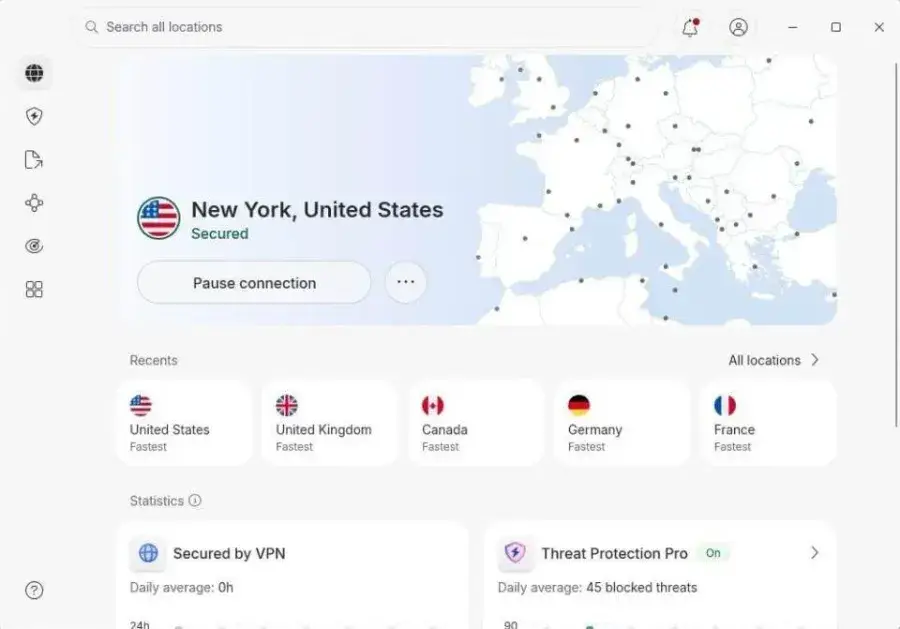
NordVPN is our best overall pick for 2026 because it combines security features, speed, usability and server coverage better than anything else on this list. It is also the most consistently top-rated VPN in current independent comparisons — TechRadar currently ranks it first overall, and Tom’s Guide places it first in its own top five.
What you actually get
A subscription currently covers up to 10 simultaneous devices, and the 2-year Basic offer is listed at $3.49/month with a 30-day money-back guarantee. Higher tiers add malware and browsing protection, ad and tracker blocking, a password manager and identity-monitoring features, which is where Nord starts to look less like a VPN and more like a small security suite.
| Free plan | No — 30-day money-back guarantee |
| Starting price | $3.49/mo on the 2-year Basic plan |
| Devices | 10 simultaneous |
| Extras | Threat Protection, ad blocking, password manager on higher tiers |
| Renewal | Higher than the intro rate — check at checkout |
Pros
- Excellent all-around feature set
- Strong security and privacy tooling
- Broad, fast server network
- Good apps on every major platform
- 10 simultaneous devices
- 30-day money-back guarantee
- Top of most independent 2026 rankings
Cons
- Promotional pricing structure is confusing
- Renewal costs noticeably more than year one
- No unlimited simultaneous connections
- The genuinely useful extras sit on higher tiers
2. Surfshark — Best VPN for Unlimited Devices
Best for: families and households where everyone has a phone, a laptop and something plugged into the TV.
Surfshark’s advantage is simple to explain: unlimited simultaneous devices. One subscription covers every device in the house, which removes the most annoying limitation of cheaper VPN plans — being told you have run out of slots halfway through setting up a family.
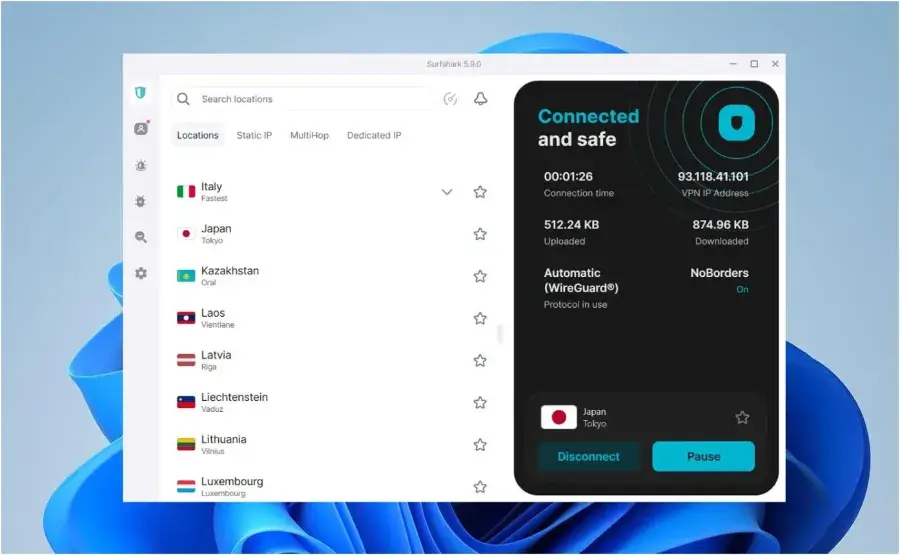
The current Starter plan is listed at $2.49/month on a 24-month term with a 30-day money-back guarantee. That tier covers the VPN and Alternative ID; higher tiers add antivirus, breach alerts, identity protection and data removal. Independent 2026 comparisons regularly place Surfshark near the top of the market, especially on value.
| Free plan | No — 30-day money-back guarantee |
| Starting price | $2.49/mo on the 24-month Starter plan |
| Devices | Unlimited simultaneous |
| Extras | Antivirus, alerts and data removal on higher tiers |
| Renewal | Significantly higher than the intro rate |
Pros
- Unlimited simultaneous connections
- Very competitive long-term pricing
- Solid privacy and security features
- Good apps across platforms
- 30-day money-back guarantee
- Optional security add-ons
Cons
- Cheapest rate needs a two-year commitment
- Renewal pricing jumps sharply
- Some features are reserved for higher plans
3. Proton VPN — Best VPN for Privacy
Best for: privacy-conscious users, and anyone who wants the strongest free VPN plan available.
Proton VPN stands out because privacy is not a marketing layer on top of the product — it is the reason the product exists. Proton says its VPN follows a strict no-logs policy, its apps are open source and independently audited, and its infrastructure includes privacy features such as Secure Core routing and NetShield ad and tracker blocking.
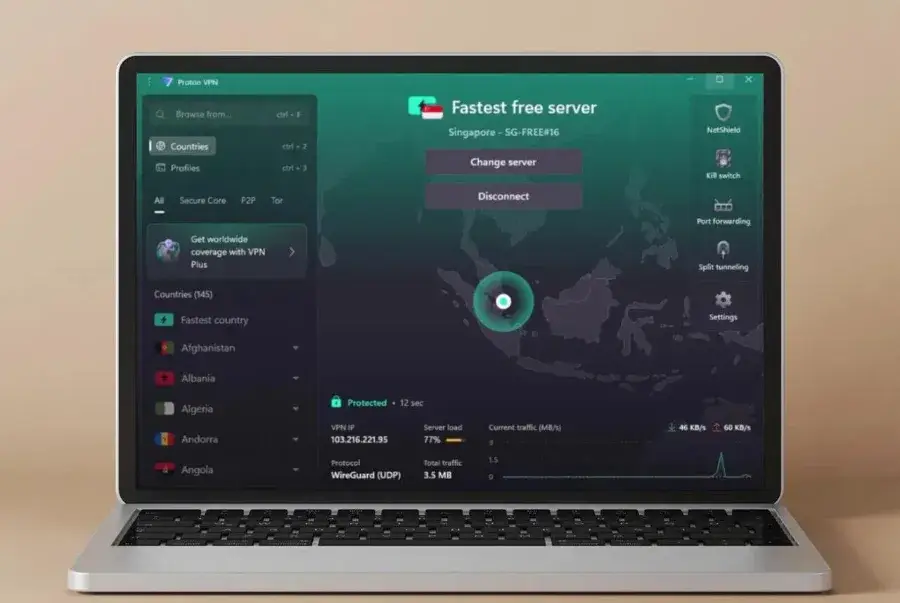
The free plan is the real story
The Proton Free plan provides unlimited data, no ads, the same no-logs approach, a kill switch and access to servers in 10 countries chosen by Proton. Free users connect one device at a time. Almost every other free VPN either throttles you, caps your data, or funds itself with advertising — Proton funds its free tier from paying subscribers instead.
Paid VPN Plus widens it considerably: servers in 140+ countries, streaming and P2P support, NetShield and up to 10 simultaneous devices.
| Free plan | Yes — unlimited data, 10 countries, 1 device |
| Paid devices | Up to 10 simultaneous on VPN Plus |
| Privacy | No-logs, open source, independently audited |
| Standout features | Secure Core, NetShield, kill switch |
| Paid pricing | Check current plans on protonvpn.com |
Pros
- Best free VPN plan on this list
- Unlimited data even when free
- Open-source apps, independently audited
- Documented no-logs approach
- Secure Core and NetShield
- Strong paid tier with 10 devices
Cons
- Free plan limits you to 10 countries
- Free users get one device at a time
- Bundled Proton services are wasted if you do not want them
4. ExpressVPN — Best for Ease of Use
Best for: beginners, and anyone setting a VPN up for someone else.
ExpressVPN has spent years optimising for one thing: you should not need to understand protocols, server architecture or networking to use it. Open the app, press the button, done. That sounds trivial until you are talking a parent through a VPN install over the phone.
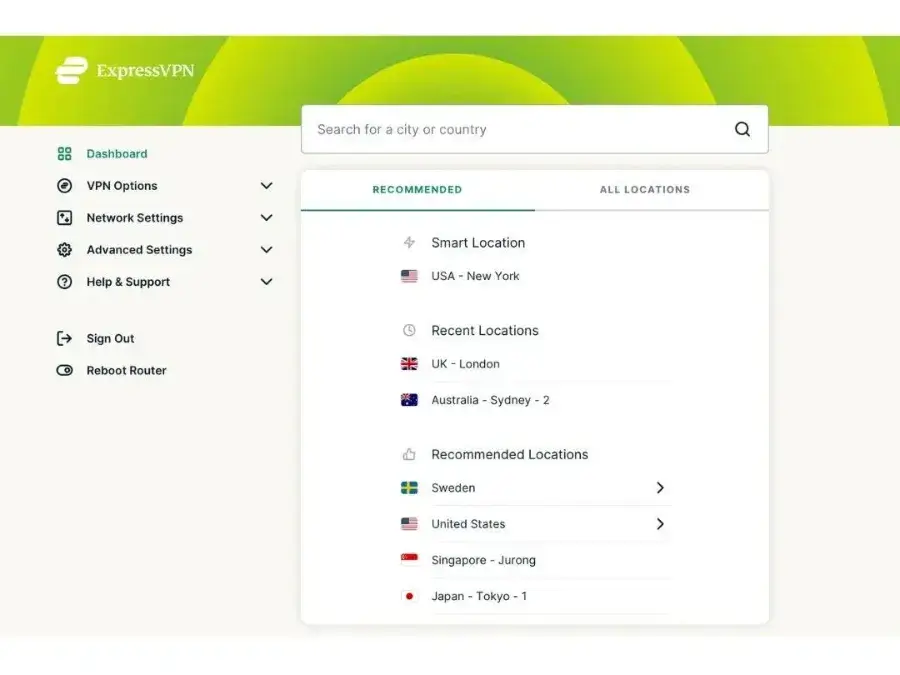
Current pricing lists the Basic plan at $2.99/month on a 2-year subscription plus four extra months, covering 10 simultaneous devices with a 30-day money-back guarantee for new users. The Advanced plan currently lists at $4.49/month on the same term, raising the device allowance to 12 and adding advanced protection features and ExpressKeys.
| Free plan | No — 30-day money-back guarantee |
| Starting price | $2.99/mo on 2 years + 4 months (Basic) |
| Devices | 10 on Basic, 12 on Advanced |
| Advanced tier | $4.49/mo on the same promotional term |
| Renewal | Different from the intro rate — verify at checkout |
Pros
- Genuinely beginner-friendly
- Clean, uncluttered apps
- Excellent platform coverage, including routers
- 10 devices on the entry plan
- 30-day money-back guarantee
Cons
- More expensive than rivals outside promotions
- Long-term pricing needs careful comparison
- Some features locked to the Advanced tier
5. Private Internet Access — Best for Unlimited Connections
Best for: people who want unlimited devices at the lowest long-term price.
Private Internet Access, usually shortened to PIA, is the other serious option when simultaneous connections matter. PIA currently allows unlimited simultaneous connections on its subscriptions, and its long-term pricing is the most aggressive on this list.
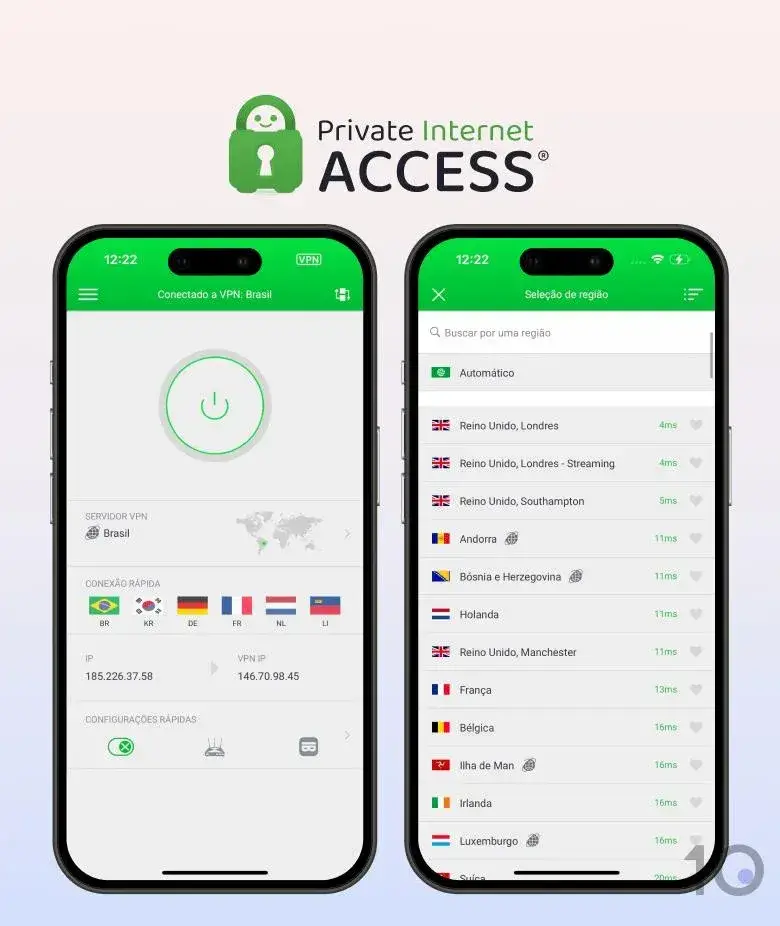
Current website pricing shows a promotional 3-year-plus-three-month plan at $2.03/month, a 1-year plan at $3.99/month and a monthly plan at $11.95/month. Optional add-ons include a dedicated IP and antivirus.
| Free plan | No — 30-day money-back guarantee |
| Starting price | $2.03/mo on 3 years + 3 months |
| 1-year plan | $3.99/mo |
| Devices | Unlimited simultaneous |
| Add-ons | Dedicated IP, antivirus |
Pros
- Unlimited simultaneous connections
- Lowest long-term promotional price here
- Broad platform support
- Optional dedicated IP
- 30-day money-back guarantee
Cons
- Best price needs a three-year commitment
- Interface is less beginner-focused than ExpressVPN
- Renewal pricing deserves a close look
6. CyberGhost — Best for Long-Term Value
Best for: people happy to commit to a long subscription for the lowest headline price.
CyberGhost is the most aggressive provider here on long-term promotional pricing. Its website currently lists a 26-month offer at $2.19/month covering 7 devices, with a 45-day money-back guarantee. The monthly plan, by contrast, is currently $12.99/month with only a 14-day guarantee.
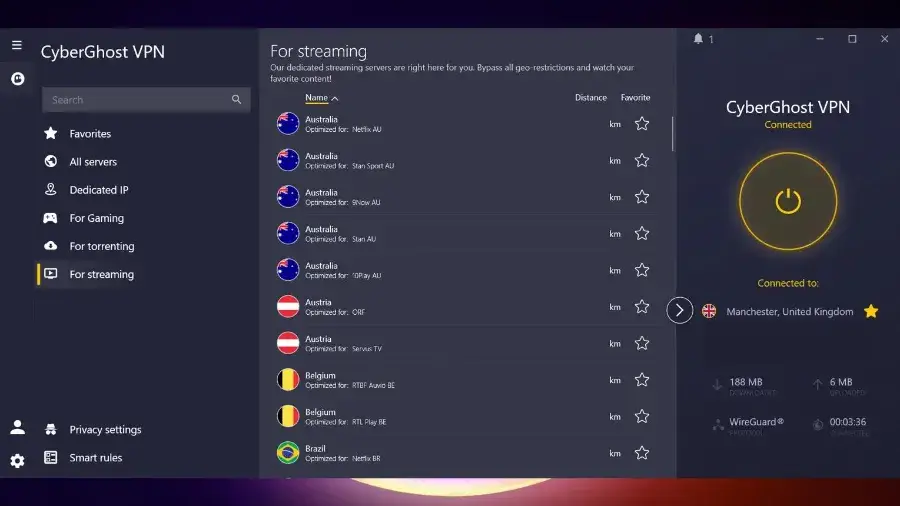
That gap between $2.19 and $12.99 is the single best illustration of a rule worth remembering: never compare VPNs on the promotional monthly price alone. The subscription term, the upfront payment and the renewal price all matter more.
| Free plan | No |
| Starting price | $2.19/mo on the 26-month offer |
| Monthly plan | $12.99/mo |
| Devices | 7 simultaneous |
| Money-back | 45 days on long plans, 14 days monthly |
Pros
- Lowest long-term promotional price
- Large server network with purpose-built categories
- 7 simultaneous devices
- 45-day money-back guarantee on long plans
- Beginner-friendly apps
Cons
- Cheapest rate requires a 26-month commitment
- Monthly pricing is very high by comparison
- Renewal terms need checking before you buy
7. Mullvad VPN — Best for Simple Privacy
Best for: privacy-focused users who would rather have flat pricing than a discount countdown.
Mullvad takes a noticeably different approach to the rest of this list. Instead of multi-year introductory promotions and bundled extras, it charges one flat monthly rate and concentrates on doing the VPN part properly. There is no antivirus, no password manager, no identity-protection upsell.

For some people that is a downside. For anyone who has ever tried to work out what they will actually be charged in year two, it is the entire appeal.
| Free plan | No |
| Pricing model | Flat monthly rate, no long-term lock-in |
| Devices | 5 simultaneous |
| Philosophy | Privacy-first, no bundled extras |
| Best paired with | Users who want predictable billing |
Pros
- Simple, predictable pricing
- Strong privacy reputation
- Minimalist, focused product
- No pressure to buy a longer term
Cons
- No bundled security extras
- Only 5 simultaneous devices
- Less hand-holding for beginners
8. Windscribe — Best Free and Flexible VPN
Best for: occasional VPN users, and anyone who resents paying for features they will not use.
Windscribe has one of the more interesting free offerings and the most unusual paid one. The free plan gives access to servers in 11 countries with up to 10GB of monthly data once you confirm your email address and opt in to its promotional emails — otherwise, the allowance is 2GB.
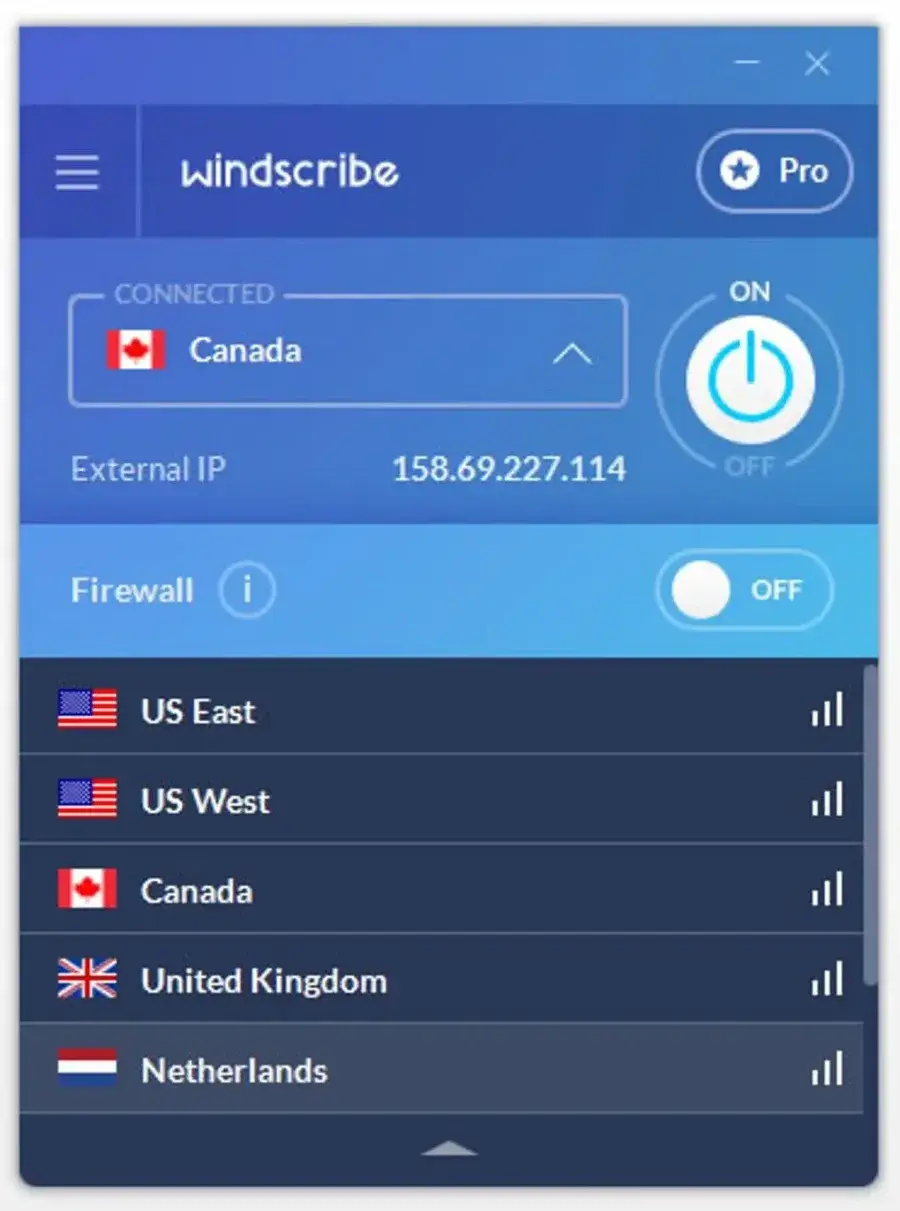
The paid side is where it differs from everyone else: a Build-A-Plan option starting at a $3 monthly minimum, with individual server locations costing $1/month each. The standard Pro plan currently costs $9/month or $69/year. If you only ever connect to two countries, you can pay for two countries.
| Free plan | Yes — 10GB/month with confirmed email and promo-email opt-in |
| Build-A-Plan | From $3/mo, $1 per location |
| Pro plan | $9/mo or $69/year |
| Devices | Unlimited simultaneous |
| Free countries | 11 |
Pros
- Useful free plan with 10GB monthly
- Build-A-Plan lets you pay only for what you use
- Unlimited devices
- Unlimited bandwidth on Pro
- Good for occasional or seasonal use
Cons
- Free plan has a monthly data cap
- Free server choice is restricted
- Smaller brand than Nord or ExpressVPN
9. IPVanish — Best for Device-Heavy Households
Best for: users who want unlimited connections and a bit more visibility into what the VPN is doing.
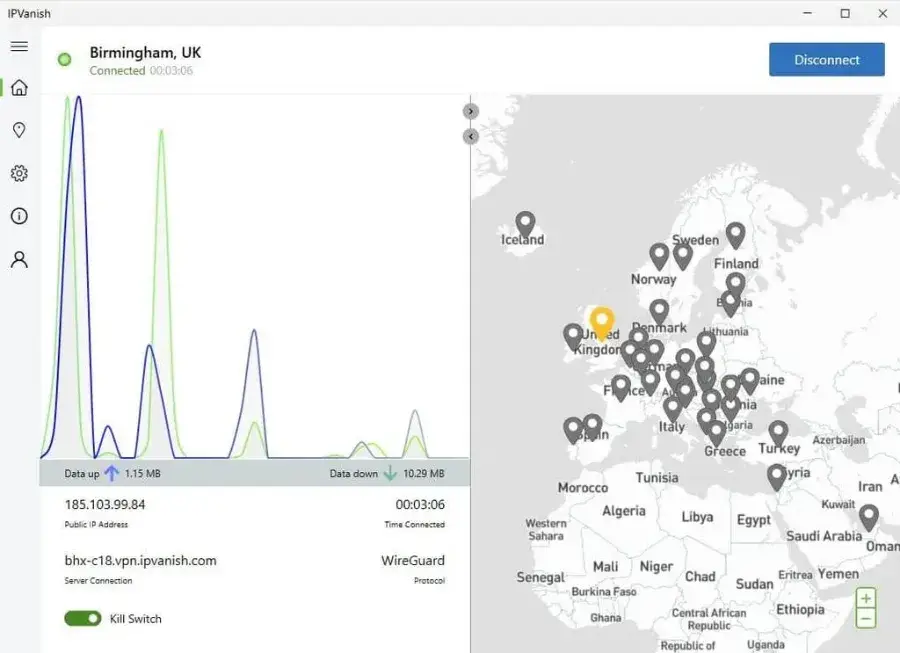
IPVanish is the third option worth shortlisting purely on device count. It offers unlimited simultaneous connections, which puts it in direct competition with Surfshark and PIA for households that do not want to think about limits.
| Free plan | No |
| Devices | Unlimited simultaneous |
| Standout | Live connection stats and kill switch in-app |
| Money-back | Offered, but terms vary by plan and store |
| Pricing | Check current plans on ipvanish.com |
Pros
- Unlimited simultaneous connections
- Broad device and platform support
- Straightforward apps with useful stats
- Good fit for large households
Cons
- Less differentiated than the top picks
- Pricing varies noticeably by term
- Privacy specialists may prefer Proton or Mullvad
10. Hotspot Shield — Best Free VPN Alternative
Best for: people who want to try a VPN before paying for one.
Hotspot Shield is a long-established name that still appears in 2026 comparisons. Security.org currently includes it among its five recommended VPNs and names it their best free choice in current testing.
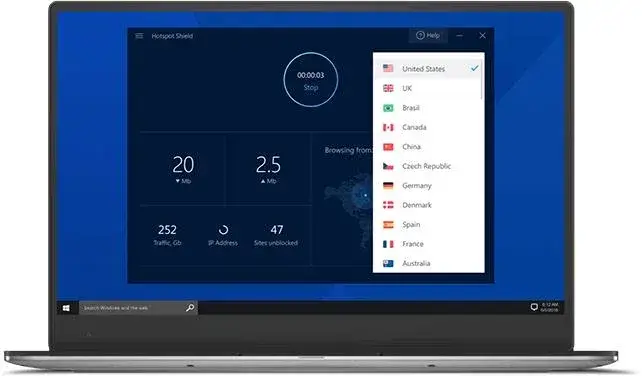
As with any free VPN, the free experience carries more limitations than a paid subscription, and the premium tiers are where the full feature set lives.
| Free plan | Yes, with limitations |
| Best for | Trying a VPN before committing |
| Premium | Substantially broader feature set |
| Advanced privacy | Proton or Mullvad are stronger picks |
| Pricing | Check current plans on hotspotshield.com |
Pros
- Free option available
- Established, recognisable provider
- Very quick to get started
- Fine for occasional use
Cons
- Free experience is limited
- Premium needed for the full feature set
- Not the pick for advanced privacy needs
VPN Comparison: Which One Should You Choose?
The details that usually decide the choice, side by side across all ten of the best VPN services we compared.
| VPN | Best for | Free plan | Devices | Money-back |
|---|---|---|---|---|
| NordVPN | Overall | No | 10 | 30 days |
| Surfshark | Families | No | Unlimited | 30 days |
| Proton VPN | Privacy | Yes | 1 free / 10 paid | 30 days |
| ExpressVPN | Beginners | No | 10–12 | 30 days |
| Private Internet Access | Many devices | No | Unlimited | 30 days |
| CyberGhost | Long-term value | No | 7 | Up to 45 days |
| Mullvad | Simple privacy | No | 5 | Varies |
| Windscribe | Free / custom plans | Yes | Unlimited | Varies |
| IPVanish | Device-heavy homes | No | Unlimited | Varies by plan |
| Hotspot Shield | Free alternative | Yes | Varies | Varies |
Guarantee terms can vary by plan and by where you buy, particularly through app stores. Check before you rely on a refund window.
What Does a VPN Actually Do?
A VPN, or Virtual Private Network, creates an encrypted connection between your device and a VPN server. Instead of websites seeing your normal public IP address, they generally see the address of the VPN server.
Without a VPN, your traffic goes from your device to your ISP and out to the internet. With one, it goes from your device through an encrypted tunnel to the VPN server, and out to the internet from there.
That is useful when you are using public Wi-Fi, travelling, connecting from networks you do not fully trust, or simply want less of your activity visible to your internet provider.
But a VPN is not a magic privacy cloak. It does not make you anonymous, it does not stop phishing, and it does not block every form of tracking. Treat it as one layer, not the whole strategy — the same way a password manager handles one specific problem well rather than everything at once.
Are VPNs Really Necessary?
For some people, yes. For others, not really.
If you mostly use a secure home connection, keep devices updated, use strong unique passwords and have two-factor authentication switched on, you already have the protections that matter most. A VPN adds to that; it does not replace any of it.
A VPN earns its cost when you frequently use public Wi-Fi, travel internationally, work remotely on shared networks, or want to reduce how much your ISP can see. The useful question is not “do I need a VPN?” but “does the benefit justify the cost for how I actually use the internet?”
VPNs and Public Wi-Fi
Public Wi-Fi is the single most common reason people buy a VPN. Cafés, airports, hotels, libraries and coworking spaces run networks shared by everyone in the building, and you have no visibility into how they are configured.
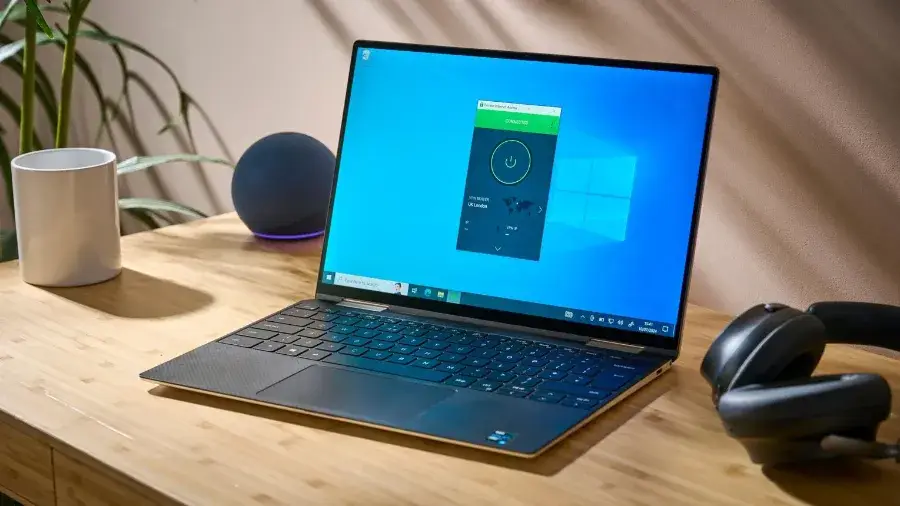
A VPN encrypts traffic between your device and the VPN server, which adds a meaningful layer on an untrusted network. It does not excuse skipping the basics though: stick to HTTPS sites, keep your operating system updated, avoid suspicious links, use two-factor authentication and do not install unknown software because a captive portal told you to.
VPNs and Streaming
Streaming is one of the biggest reasons people buy VPNs, and one of the least reliable. Providers advertise access to libraries in other countries, but streaming services actively detect and block VPN connections, and what works this month may not work next month.
So do not choose a VPN purely because a marketing page says it “unblocks everything”. Check the provider’s current compatibility, and more importantly check the refund window before committing to a two-year plan for a feature that may stop working.
Does a VPN Make You Anonymous?
No. This is the biggest misconception about VPNs.
A VPN can hide your IP address from the sites you visit and encrypt traffic between your device and the VPN server. Anonymity is much broader than that. Websites can still identify you through account logins, cookies, browser fingerprinting, tracking pixels, device identifiers, payment details and ordinary behavioural patterns.
A VPN is best understood as a privacy and security tool, not an anonymity guarantee.
Are Free VPNs Safe?
Some are. Many are not, and the reason is simple economics: running a global server network costs real money. If you are not paying the provider, it is worth understanding how the company is funded.
Before trusting a free VPN, check its privacy policy, logging practices, ownership, security history, advertising model, data limits, audit history and app permissions.
Proton VPN is the clearest example of a free plan done properly — its free service is funded by paying subscribers rather than advertising, and Proton states the free plan has no data limit and follows the same no-logs approach. Windscribe is another established option, though it caps free usage at 10GB a month.
Free VPN vs Paid VPN
A free VPN is enough if you only need occasional protection — a few hours on airport Wi-Fi, not eight hours a day of streaming.
Paid plans generally buy you more server locations, faster and less congested connections, more simultaneous devices, better streaming support, more advanced privacy features and actual customer support.
What Features Should You Look For in a VPN?
1. A clear no-logs policy
Your VPN provider can potentially see information about your connection, which is exactly why its logging policy matters. Do not take a large “NO LOGS” badge on a homepage as evidence. Look for a specific privacy policy, independent audits where they exist, transparency reports and a clear statement of what connection data is retained and for how long.
2. A kill switch
A kill switch blocks internet traffic if the VPN connection drops unexpectedly, so your normal connection does not silently continue without protection. For privacy-conscious users this is one of the most important features on the list, and it should be on by default.
3. Modern protocols
Providers may support WireGuard, OpenVPN, IKEv2/IPsec or their own proprietary protocols. WireGuard is generally the fastest of the mainstream options, but the implementation matters more than the name on the feature list.
4. The right server locations
More servers do not automatically mean a better VPN. What matters is whether the provider has servers in the countries you actually need. A frequent traveller needs breadth; someone connecting from home mostly needs a few nearby, uncongested options.
5. Device and platform support
Check the VPN covers what you own before you pay: Windows, macOS, Android, iOS, Linux, browser extensions, smart TVs and routers all differ by provider. Router support in particular is what lets you cover devices that have no VPN app at all.
6. Simultaneous connections
This is the feature families underestimate. NordVPN currently allows 10 simultaneous devices, while Surfshark, PIA and IPVanish advertise unlimited connections. Two phones, two laptops, two tablets, a TV, a console and a work machine adds up faster than most people expect.
How Much Does a VPN Cost in 2026?
VPN pricing is confusing on purpose. Providers advertise large discounts on long subscriptions, and the number you see is rarely the number you pay in year two.
| Provider | Example long-term price | What that price actually requires |
|---|---|---|
| Private Internet Access | $2.03/mo | 3 years + 3 months, paid up front |
| CyberGhost | $2.19/mo | 26-month plan |
| Surfshark | $2.49/mo | 24-month Starter plan |
| ExpressVPN | $2.99/mo | 2 years + 4 months (Basic) |
| NordVPN | $3.49/mo | 2-year Basic plan |
| Windscribe Pro | $5.75/mo | Annual plan at $69/year |
These are current promotional examples and they change regularly. NordVPN’s current offer renews at a higher annual rate, and ExpressVPN’s 2-year Basic offer also renews differently.
Best VPN by Use Case
Best VPN for streaming
Prioritise consistent performance, current compatibility with the services you use, server coverage and a decent refund window. Current 2026 expert comparisons frequently place NordVPN, Surfshark, ExpressVPN and Proton VPN among the stronger streaming choices — but no VPN should be treated as permanently guaranteed to work with any given service.
Best VPN for gaming
Do not pick the VPN with the largest server network. Focus on low latency, stable connections, nearby servers and fast protocols. A VPN can occasionally improve routing, but it can just as easily add latency. Test during the money-back period rather than trusting a marketing claim about ping.
Best VPN for travel
You want servers in many countries, reliable mobile apps, connection stability on poor hotel Wi-Fi and multiple device support. NordVPN, Surfshark, ExpressVPN and Proton VPN are all sensible starting points for frequent travellers.
Best VPN for families
Simultaneous connections decide this one. Surfshark and Private Internet Access both advertise unlimited connections; NordVPN allows 10 devices and Proton VPN Plus also allows 10. For a large household, the unlimited options are usually the better value.
Best free VPN
Proton VPN is our pick. Its free plan includes unlimited data, no ads, the no-logs approach, a kill switch and servers in 10 countries, with one device connected at a time. Windscribe is the alternative if you want more flexibility and can live with a 10GB monthly cap.
Best VPN for privacy
Proton VPN again, on the strength of open-source apps, a documented no-logs policy, independent audits and Secure Core routing. Mullvad is the other strong choice for people who want privacy without an ecosystem of extra products attached.
Our VPN Ranking for 2026
Weighing features, pricing, privacy approach, usability and current independent evaluations, here is how the best VPN services rank:
The order we would recommend them in
- 1. NordVPN — best overall
- 2. Surfshark — best for unlimited devices
- 3. Proton VPN — best for privacy
- 4. ExpressVPN — best for beginners
- 5. Private Internet Access — best for unlimited connections
- 6. CyberGhost — best long-term promotional value
- 7. Mullvad — best for simple privacy
- 8. Windscribe — best free and custom plans
- 9. IPVanish — best for device-heavy households
- 10. Hotspot Shield — best free alternative
Our Verdict
NordVPN is the best VPN service for most people in 2026. It balances security, usability, performance, device support and extra features better than anything else here, and current 2026 testing from TechRadar and Tom’s Guide also puts it at the top of their rankings.
It is not automatically right for everyone. If you have a lot of devices, Surfshark is more attractive thanks to unlimited simultaneous connections. If privacy is your priority, Proton VPN is hard to overlook — open-source apps, a documented no-logs policy, Secure Core and a free plan that is actually usable.
If you want the lowest long-term promotional price, compare PIA and CyberGhost, but read the renewal terms first. And if you simply want something free, Proton VPN and Windscribe are the two established options worth your time.
The best VPN services are not the ones with the biggest discounts. The right one is the one that gives you the security, privacy, speed, device support and features you actually need, at a price you will still be comfortable paying when it renews.
Still deciding? Start with NordVPN if you want the safe default, Surfshark if you are covering a household, or Proton VPN’s free plan if you want to find out whether you need a VPN at all before paying for one.
Browse more tech guides →Frequently Asked Questions
What is the best VPN service in 2026?
NordVPN is our overall pick. It balances security, usability, speed, features and device support, and independent 2026 comparisons from TechRadar and Tom’s Guide currently rank it first as well.
What is the best free VPN in 2026?
Proton VPN. Its free plan provides unlimited data, no ads, a no-logs approach and a kill switch, with access to servers in 10 countries and one device connected at a time.
Is a VPN worth paying for?
If you regularly use public Wi-Fi, travel, work on shared networks or want additional privacy from your ISP, a paid VPN is usually worth it. If you are mostly on a secure home connection, a free plan may cover everything you need.
Is NordVPN better than Surfshark?
It depends on your priorities. NordVPN is our overall pick for features and consistency. Surfshark is the better buy if you need unlimited simultaneous connections or want a lower long-term price.
Is Surfshark really unlimited?
Yes. Surfshark’s current plans advertise unlimited simultaneous device connections, which is why it is our pick for families and device-heavy households.
Does a VPN slow down internet speed?
Usually a little. Traffic is routed through an extra server and encrypted, so some overhead is unavoidable. The size of the impact depends on the provider, server distance, protocol, your network and your device.
Can a VPN make me anonymous?
No. A VPN hides your IP address from the sites you visit and encrypts traffic to the VPN server, but it does not remove cookies, account-based tracking, browser fingerprinting or other identification methods.
Can I use a VPN on my phone?
Yes. Every major provider offers Android and iOS apps. Proton VPN, for example, supports both alongside desktop and browser platforms.
Can I use one VPN account on multiple devices?
Usually, but the limit depends on the provider. Surfshark, PIA and IPVanish advertise unlimited simultaneous connections, while NordVPN allows 10 and Proton VPN Plus allows 10.
Are free VPNs safe?
Some are, many are not. Running a VPN network costs money, so check ownership, privacy policy, logging practices and business model before trusting a free service. Proton VPN funds its free tier from paying subscribers rather than advertising.
Do VPNs work with Netflix?
Sometimes. Streaming services actively detect and block VPN traffic, and compatibility changes regularly, so treat any “unblocks everything” claim as a snapshot rather than a guarantee.
Can a VPN protect me on public Wi-Fi?
It encrypts traffic between your device and the VPN server, which is a real layer of protection on an untrusted network. It does not replace HTTPS, updates, two-factor authentication or basic caution with links and downloads.
Should I leave my VPN on all the time?
You can. Many people do. Others switch it on for travel, public networks or specific tasks. Leaving it on is simpler; switching it on selectively avoids the small speed cost the rest of the time.
How We Compared the Best VPN Services
To be clear about what this guide is: it is a research-based comparison, not a hands-on speed-test lab. We have not personally benchmarked all ten services, and we are not going to imply otherwise.
What we did do was work from each provider’s own current documentation and pricing pages, capture what those pages showed in September 2026, and weigh the services against a consistent set of questions:
- Privacy — what does the logging policy actually say, and has it been audited?
- Security — encryption, protocols, and whether a kill switch is available and on by default
- Server coverage — are the countries people actually need represented?
- Devices — platform support and simultaneous connection limits
- Free plans — usable, or a demo with a data cap?
- Pricing — the intro rate, the commitment it requires, and the renewal price
- Streaming — current compatibility, treated as a snapshot rather than a promise
- Ease of use — will a non-technical person still have it switched on in six months?
- Guarantees — refund windows and how they vary by purchase route
We also reviewed current independent 2026 evaluations from established technology and security publications. Security.org, for example, evaluated more than 50 VPNs on security, privacy, speed, usability and value. Where performance figures come from another publication, we attribute them to that publication rather than presenting them as our own measurements. More about our process is in how we review, and about the site on our about page.
Disclosure: some links on this page are affiliate links, and Etemora may earn a commission if you buy through them at no extra cost to you. Affiliate compensation does not determine which VPN receives the best recommendation. See our disclaimer and privacy policy, or contact us with a correction.
Final Recommendations
The short version — the best VPN services of 2026, matched to the job you actually need one to do.
Etemora’s VPN shortlist
- Want the safest default choice? NordVPN
- Want unlimited devices? Surfshark
- Want the strongest free option? Proton VPN
- Want maximum simplicity? ExpressVPN
- Want unlimited connections at a low long-term price? Private Internet Access
- Want the cheapest long promotional term? CyberGhost
- Want privacy-first simplicity? Mullvad
- Want to pay only for what you use? Windscribe
- Covering a device-heavy household? IPVanish
- Just want to try a VPN free? Hotspot Shield
Editor’s note
VPN pricing, free-tier limits and streaming compatibility change frequently, and promotional rates almost always renew higher. Every figure here was captured in September 2026 from each provider’s own pricing or documentation page and is a comparison snapshot, not a guarantee. We also do not claim measured speed results as our own. Always confirm current terms, including the renewal price, before subscribing.
Related articles you may like
 SecurityBest Free Antivirus in 2026: 6 Free Picks Compared by Features and Lab Scores
 SecurityBest Antivirus for Mac in 2026: 6 Picks Compared by Price and Lab Scores
 SecurityIs Windows Defender Enough in 2026? Test Results, Gaps and Settings
 SecurityHow to Know If Your Phone Is Hacked: 8 Signs and What to Do
 SecurityWhat Is Antivirus Software? Complete Guide for 2026
 SecurityWhat Is Cybersecurity? Complete Beginner’s Guide 2026