
Free Word Counter & Text Analyzer
Count words, characters and more instantly — everything runs in your browser.
- Counts as you typelive statistics
- Runs in your browseryour text stays with you
- 100% freeno sign-up
%22%2F%3E%3Cg%3E%3Crect%20x%3D%2286%22%20y%3D%2248%22%20width%3D%22190%22%20height%3D%22240%22%20rx%3D%2218%22%20fill%3D%22%232A0A16%22%20opacity%3D%22.35%22%2F%3E%3Cpath%20d%3D%22M98%2040h132l40%2040v182a18%2018%200%200%201-18%2018H98a18%2018%200%200%201-18-18V58a18%2018%200%200%201%2018-18z%22%20fill%3D%22url(%23t2a4W)%22%2F%3E%3Cpath%20d%3D%22M230%2040v26a14%2014%200%200%200%2014%2014h26%22%20fill%3D%22%23E7D3DA%22%2F%3E%3Crect%20x%3D%22102%22%20y%3D%2298%22%20width%3D%22146%22%20height%3D%228%22%20rx%3D%224%22%20fill%3D%22%23E3CFD6%22%2F%3E%3Crect%20x%3D%22102%22%20y%3D%22118%22%20width%3D%22146%22%20height%3D%228%22%20rx%3D%224%22%20fill%3D%22%23E3CFD6%22%2F%3E%3Crect%20x%3D%22102%22%20y%3D%22138%22%20width%3D%22146%22%20height%3D%228%22%20rx%3D%224%22%20fill%3D%22%23E3CFD6%22%2F%3E%3Crect%20x%3D%22102%22%20y%3D%22158%22%20width%3D%2288%22%20height%3D%228%22%20rx%3D%224%22%20fill%3D%22%23E3CFD6%22%2F%3E%3Crect%20x%3D%2296%22%20y%3D%22222%22%20width%3D%22158%22%20height%3D%2240%22%20rx%3D%2210%22%20fill%3D%22%23E8452C%22%2F%3E%3Ctext%20x%3D%22175.0%22%20y%3D%22250%22%20text-anchor%3D%22middle%22%20font-family%3D%22Poppins%2CArial%2Csans-serif%22%20font-size%3D%2222%22%20font-weight%3D%22800%22%20fill%3D%22%23fff%22%3EWORDS%3C%2Ftext%3E%3C%2Fg%3E%3Cg%3E%3Ccircle%20cx%3D%22300%22%20cy%3D%22190%22%20r%3D%2262%22%20fill%3D%22url(%23t2a4A)%22%2F%3E%3Ccircle%20cx%3D%22300%22%20cy%3D%22190%22%20r%3D%2262%22%20fill%3D%22none%22%20stroke%3D%22%23FF8A5B%22%20stroke-width%3D%224%22%2F%3E%3Ctext%20x%3D%22300%22%20y%3D%22200%22%20text-anchor%3D%22middle%22%20font-family%3D%22Poppins%2CArial%2Csans-serif%22%20font-size%3D%2234%22%20font-weight%3D%22800%22%20fill%3D%22%23fff%22%3E123%3C%2Ftext%3E%3Ctext%20x%3D%22300%22%20y%3D%22226%22%20text-anchor%3D%22middle%22%20font-family%3D%22Poppins%2CArial%2Csans-serif%22%20font-size%3D%2213%22%20font-weight%3D%22600%22%20fill%3D%22%23FFB08F%22%3Ewords%3C%2Ftext%3E%3C%2Fg%3E%3C%2Fsvg%3E)
Free Word Counter
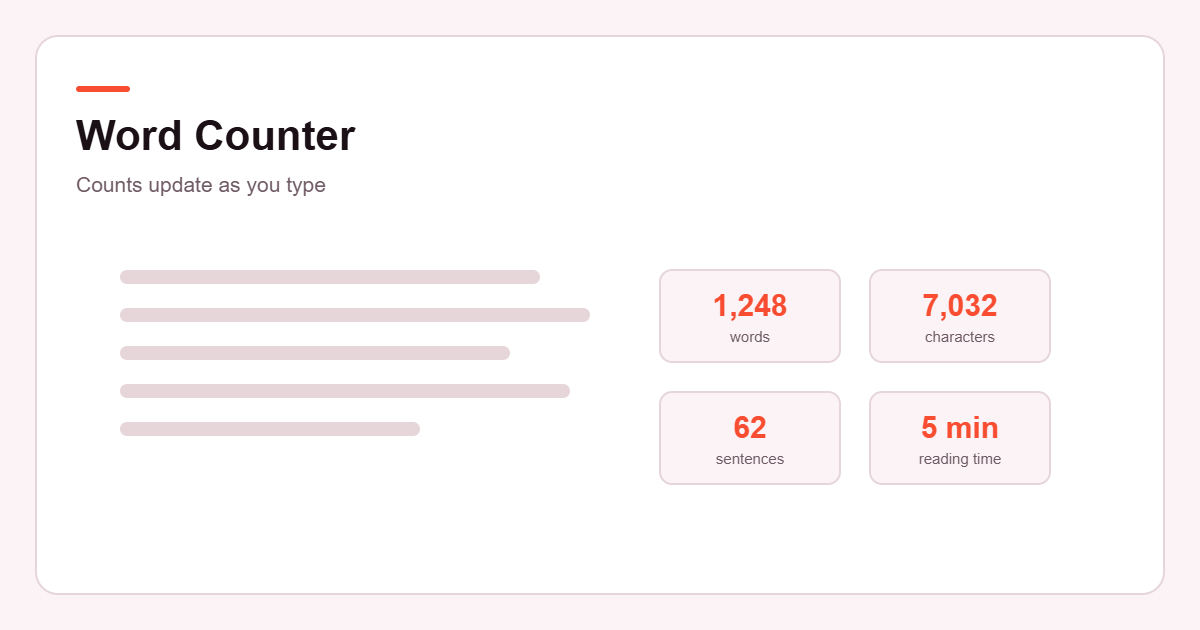
Count words, characters, sentences, paragraphs, and reading time instantly. Paste or type your text below — everything is calculated automatically.
Your text is processed in your browser and is not uploaded to Etemora for counting.
How it works
Count your text in three quick steps.
- Paste or type your text
Everything is counted in your browser as you type.
- Read the live stats
Words, characters, sentences, paragraphs and reading time update instantly.
- Check platform limits
See how your text compares with common character limits.
Text analysis
A closer look at the structure of your writing. Reading and speaking times are estimates, not exact measurements.
- Estimated reading time
- 0 minBased on 200 words per minute
- Estimated speaking time
- 0 minBased on 130 words per minute
- Average words per sentence
- 0
- Average characters per word
- 0Spaces excluded
- Longest sentence
- —
- Shortest sentence
- —
Reading speed varies a lot between people and depends on how difficult the text is, so treat both times as a rough guide.
Character count checker
See how your text compares with some common publishing limits. Platforms change these, and some vary by account type or post format — always confirm on the platform itself before you publish.
X (Twitter) post
0 / 280Standard limit is 280 characters. X states that Premium subscribers can post up to 25,000.
YouTube video title
0 / 100YouTube documents a 100-character limit for video titles.
YouTube video description
0 / 5,000YouTube documents a 5,000-character limit for video descriptions.
SMS — single message
0 / 160160 characters fit in one message using the standard GSM 7-bit alphabet. If your text contains emoji or other characters outside that set, a single message holds only 70.
Meta description
0 charactersGoogle states there is no limit on how long a meta description can be — the snippet is simply truncated to fit the device width. The 155-character marker here is a widely used working target, not a rule.
Instagram and LinkedIn limits are deliberately left out: we could not confirm current figures from those companies' own documentation, and we would rather show nothing than a number we cannot stand behind.
How to Use the Etemora Word Counter
- Type or paste your text into the text box.
- Review the word, character, sentence, paragraph, and time estimates.
- Copy your text or download it when you’re finished.
What Is a Word Counter?
A word counter is an online tool that calculates the number of words in a piece of text. Etemora’s free word counter also provides character counts, sentence and paragraph counts, estimated reading time, and other useful text statistics so you can quickly understand the size and structure of your writing.
It is the kind of thing you reach for when a brief says “800 to 1,000 words”, when a form refuses anything over 300 characters, or when you simply want to know whether what you have written will take two minutes to read or twenty.
What Does This Word Counter Calculate?
Everything below updates as you type. There is no analyse button to press and nothing to wait for.
- Word count — every run of characters separated by spaces or line breaks. A hyphenated word such as well-known counts as one word, and so does a contraction such as don’t.
- Character count — every character you have typed, including spaces, punctuation and line breaks.
- Characters without spaces — the same count with all spaces, tabs and line breaks removed. This is the figure many forms and application fields actually measure.
- Sentence count — blocks of text ending in a full stop, question mark or exclamation mark.
- Paragraph count — blocks of text separated by a line break. Empty lines are ignored.
- Reading time — your word count divided by 200 words per minute.
- Speaking time — your word count divided by 130 words per minute.
- Average words per sentence and average characters per word — two quick signals of how dense your writing is. Long averages usually mean sentences worth breaking up.
That is the full list. This tool measures the size and shape of your text; it does not grade your grammar, score your readability, or check your spelling beyond whatever your own browser already does.
Who Can Use a Word Counter?
Anyone writing to a number, which turns out to be most people.
Students working to an essay limit, and researchers squeezing an abstract into the word count a journal allows. Writers and bloggers checking a draft against a brief. Freelancers billing by the word, who need the figure to be right before invoicing. Content creators and social media managers trimming a caption so the important part is not cut off. Marketers fitting copy into an ad slot or a meta description. And job seekers, who run into character-limited application boxes more often than anyone warns them about.
Why Word Count Matters
Mostly because somebody else set a limit and your work has to fit inside it.
- Essays and assignments usually come with a stated range, and going too far either way can cost marks.
- Blog posts and articles are commissioned to a length, and editors plan pages around it.
- Social media posts get truncated at a fixed character count, so the first line has to carry the message.
- Website copy has to fit the space a designer left for it.
- Meta descriptions are shortened in search results when they run long.
- Scripts and presentations are really time limits in disguise — speaking time is the number that matters there.
- Professional writing such as proposals, cover letters and reports is often capped by whoever is reading it.
One thing word count does not do is move you up Google. There is no word count that automatically improves rankings; a longer page is not a better page. Length matters when it serves the reader or when someone has set a limit — not on its own.
Word Count vs Character Count
A word count measures how many words there are. A character count measures how many individual characters there are — letters, digits, punctuation, and usually spaces too.
The phrase Hello world is two words and eleven characters, or ten characters if you exclude the space. The difference matters because the two are used in different places. Essays, articles and briefs are almost always specified in words. Form fields, social posts, SMS messages, page titles and meta descriptions are almost always limited by characters — and quite often by characters including spaces, which is why a message that looks short can still be rejected.
When a limit is given in characters, check whether spaces count. This tool shows both figures side by side so you do not have to guess.
How Accurate Is the Word Counter?
For ordinary prose it will agree with Word, Google Docs and most other counters. Where tools disagree is at the edges, because there is no single standard for what counts as a word or a sentence.
- Hyphenated words — state-of-the-art counts as one word here. Some tools count four.
- Contractions — don’t and it’s count as one word each.
- Numbers and symbols — 1,250 and €40 each count as one word, since they are surrounded by spaces.
- Abbreviations — a full stop in Dr. Smith or e.g. can be read as the end of a sentence, which may push the sentence count slightly high.
- Line breaks — every non-empty line counts as a paragraph, so a bulleted list counts as several paragraphs rather than one.
- Emoji and unusual symbols — counted as one character each here, though some systems count them as two or more. This is worth knowing for SMS in particular.
Reading and speaking time. The reading estimate uses 200 words per minute, a figure commonly cited for reading from paper; real speeds vary a lot by reader, medium and material, and the words per minute reference gives a sense of the range. Treat both timings as a rough guide rather than a measurement.
None of this affects a normal document in any meaningful way. If you are working to a hard limit set by someone else, the safest move is always to check in the system that will actually enforce it.
Frequently Asked Questions
How do I count words in text?
Paste or type the text into the box at the top of this page. The word count appears immediately and updates with every keystroke — there is no button to press.
Is this word counter free?
Yes. It is free to use, there is no sign-up, no account, and no usage limit.
Does the word counter work on mobile?
Yes. The layout adapts to phone and tablet screens, and the counters, copy and download buttons all work the same way as on desktop.
Does Etemora store my text?
No. The counting happens in your own browser using JavaScript on this page. Your text is not sent to Etemora, saved to our database, or passed to any third-party service to be counted.
What is the difference between words and characters?
A word is a group of characters separated by spaces; a character is a single letter, digit, punctuation mark or space. Hello world is two words and eleven characters. Essays and articles are usually limited by words, while form fields and social posts are usually limited by characters.
How is reading time calculated?
Word count divided by 200 words per minute, rounded up to the nearest minute. Speaking time uses 130 words per minute. Both are estimates — actual reading speed varies with the reader and with how difficult the text is.
Can I count characters without spaces?
Yes. “Characters” and “Characters (no spaces)” are shown as separate figures, so you can match whichever one a form is asking for.
Can I download my text?
Yes. The Download Text button saves whatever is in the box as a plain text file named etemora-text.txt. The file is created in your browser, so nothing is uploaded to make it.
Can I use this word counter for essays?
Yes, and for most prose it will match the count your word processor gives. If your institution enforces a strict limit, check the final figure in whatever system you submit through, since counting rules for things like footnotes and headings differ.
Can I use this tool for blog posts and website content?
Yes. Word count, reading time and the meta description check are all useful while drafting. Do keep in mind that hitting a particular word count does not by itself improve search rankings.
More from Etemora
Guides related to this tool
 AI ToolsBest AI Writing Tools in 2026: 10 Tools Compared
 AI ToolsGemini vs ChatGPT (2026): Which AI Assistant Should You Use?
 AI ToolsPerplexity vs Claude (2026): Which AI Tool Should You Use?