
Free QR Code Generator
Create QR codes for websites, Wi-Fi, contact details and more — generated in your browser.
- 8 QR typeslinks, Wi-Fi, contacts and more
- PNG or SVGdownload
- Made in your browsergenerated on your device
- 100% freeno sign-up
%22%2F%3E%3Crect%20x%3D%22104%22%20y%3D%2250%22%20width%3D%22214%22%20height%3D%22214%22%20rx%3D%2226%22%20fill%3D%22%232A0A16%22%20opacity%3D%22.35%22%20transform%3D%22translate(6%2C8)%22%2F%3E%3Crect%20x%3D%22100%22%20y%3D%2244%22%20width%3D%22214%22%20height%3D%22214%22%20rx%3D%2226%22%20fill%3D%22url(%23t2a5W)%22%2F%3E%3Crect%20x%3D%22173%22%20y%3D%2258%22%20width%3D%2210%22%20height%3D%2210%22%20rx%3D%222%22%20fill%3D%22%232A0A16%22%2F%3E%3Crect%20x%3D%22184%22%20y%3D%2258%22%20width%3D%2210%22%20height%3D%2210%22%20rx%3D%222%22%20fill%3D%22%232A0A16%22%2F%3E%3Crect%20x%3D%22206%22%20y%3D%2258%22%20width%3D%2210%22%20height%3D%2210%22%20rx%3D%222%22%20fill%3D%22%232A0A16%22%2F%3E%3Crect%20x%3D%22228%22%20y%3D%2258%22%20width%3D%2210%22%20height%3D%2210%22%20rx%3D%222%22%20fill%3D%22%232A0A16%22%2F%3E%3Crect%20x%3D%22239%22%20y%3D%2258%22%20width%3D%2210%22%20height%3D%2210%22%20rx%3D%222%22%20fill%3D%22%232A0A16%22%2F%3E%3Crect%20x%3D%22184%22%20y%3D%2269%22%20width%3D%2210%22%20height%3D%2210%22%20rx%3D%222%22%20fill%3D%22%232A0A16%22%2F%3E%3Crect%20x%3D%22195%22%20y%3D%2269%22%20width%3D%2210%22%20height%3D%2210%22%20rx%3D%222%22%20fill%3D%22%232A0A16%22%2F%3E%3Crect%20x%3D%22206%22%20y%3D%2269%22%20width%3D%2210%22%20height%3D%2210%22%20rx%3D%222%22%20fill%3D%22%232A0A16%22%2F%3E%3Crect%20x%3D%22217%22%20y%3D%2269%22%20width%3D%2210%22%20height%3D%2210%22%20rx%3D%222%22%20fill%3D%22%232A0A16%22%2F%3E%3Crect%20x%3D%22228%22%20y%3D%2269%22%20width%3D%2210%22%20height%3D%2210%22%20rx%3D%222%22%20fill%3D%22%232A0A16%22%2F%3E%3Crect%20x%3D%22173%22%20y%3D%2280%22%20width%3D%2210%22%20height%3D%2210%22%20rx%3D%222%22%20fill%3D%22%232A0A16%22%2F%3E%3Crect%20x%3D%22184%22%20y%3D%2280%22%20width%3D%2210%22%20height%3D%2210%22%20rx%3D%222%22%20fill%3D%22%232A0A16%22%2F%3E%3Crect%20x%3D%22228%22%20y%3D%2280%22%20width%3D%2210%22%20height%3D%2210%22%20rx%3D%222%22%20fill%3D%22%232A0A16%22%2F%3E%3Crect%20x%3D%22173%22%20y%3D%2291%22%20width%3D%2210%22%20height%3D%2210%22%20rx%3D%222%22%20fill%3D%22%232A0A16%22%2F%3E%3Crect%20x%3D%22195%22%20y%3D%2291%22%20width%3D%2210%22%20height%3D%2210%22%20rx%3D%222%22%20fill%3D%22%232A0A16%22%2F%3E%3Crect%20x%3D%22206%22%20y%3D%2291%22%20width%3D%2210%22%20height%3D%2210%22%20rx%3D%222%22%20fill%3D%22%232A0A16%22%2F%3E%3Crect%20x%3D%22217%22%20y%3D%2291%22%20width%3D%2210%22%20height%3D%2210%22%20rx%3D%222%22%20fill%3D%22%232A0A16%22%2F%3E%3Crect%20x%3D%22228%22%20y%3D%2291%22%20width%3D%2210%22%20height%3D%2210%22%20rx%3D%222%22%20fill%3D%22%232A0A16%22%2F%3E%3Crect%20x%3D%22173%22%20y%3D%22102%22%20width%3D%2210%22%20height%3D%2210%22%20rx%3D%222%22%20fill%3D%22%232A0A16%22%2F%3E%3Crect%20x%3D%22206%22%20y%3D%22102%22%20width%3D%2210%22%20height%3D%2210%22%20rx%3D%222%22%20fill%3D%22%232A0A16%22%2F%3E%3Crect%20x%3D%22228%22%20y%3D%22102%22%20width%3D%2210%22%20height%3D%2210%22%20rx%3D%222%22%20fill%3D%22%232A0A16%22%2F%3E%3Crect%20x%3D%22239%22%20y%3D%22102%22%20width%3D%2210%22%20height%3D%2210%22%20rx%3D%222%22%20fill%3D%22%232A0A16%22%2F%3E%3Crect%20x%3D%22118%22%20y%3D%22113%22%20width%3D%2210%22%20height%3D%2210%22%20rx%3D%222%22%20fill%3D%22%232A0A16%22%2F%3E%3Crect%20x%3D%22140%22%20y%3D%22113%22%20width%3D%2210%22%20height%3D%2210%22%20rx%3D%222%22%20fill%3D%22%232A0A16%22%2F%3E%3Crect%20x%3D%22151%22%20y%3D%22113%22%20width%3D%2210%22%20height%3D%2210%22%20rx%3D%222%22%20fill%3D%22%232A0A16%22%2F%3E%3Crect%20x%3D%22173%22%20y%3D%22113%22%20width%3D%2210%22%20height%3D%2210%22%20rx%3D%222%22%20fill%3D%22%232A0A16%22%2F%3E%3Crect%20x%3D%22184%22%20y%3D%22113%22%20width%3D%2210%22%20height%3D%2210%22%20rx%3D%222%22%20fill%3D%22%232A0A16%22%2F%3E%3Crect%20x%3D%22217%22%20y%3D%22113%22%20width%3D%2210%22%20height%3D%2210%22%20rx%3D%222%22%20fill%3D%22%232A0A16%22%2F%3E%3Crect%20x%3D%22272%22%20y%3D%22113%22%20width%3D%2210%22%20height%3D%2210%22%20rx%3D%222%22%20fill%3D%22%232A0A16%22%2F%3E%3Crect%20x%3D%22294%22%20y%3D%22113%22%20width%3D%2210%22%20height%3D%2210%22%20rx%3D%222%22%20fill%3D%22%232A0A16%22%2F%3E%3Crect%20x%3D%22118%22%20y%3D%22124%22%20width%3D%2210%22%20height%3D%2210%22%20rx%3D%222%22%20fill%3D%22%232A0A16%22%2F%3E%3Crect%20x%3D%22140%22%20y%3D%22124%22%20width%3D%2210%22%20height%3D%2210%22%20rx%3D%222%22%20fill%3D%22%232A0A16%22%2F%3E%3Crect%20x%3D%22162%22%20y%3D%22124%22%20width%3D%2210%22%20height%3D%2210%22%20rx%3D%222%22%20fill%3D%22%232A0A16%22%2F%3E%3Crect%20x%3D%22217%22%20y%3D%22124%22%20width%3D%2210%22%20height%3D%2210%22%20rx%3D%222%22%20fill%3D%22%232A0A16%22%2F%3E%3Crect%20x%3D%22261%22%20y%3D%22124%22%20width%3D%2210%22%20height%3D%2210%22%20rx%3D%222%22%20fill%3D%22%232A0A16%22%2F%3E%3Crect%20x%3D%22129%22%20y%3D%22135%22%20width%3D%2210%22%20height%3D%2210%22%20rx%3D%222%22%20fill%3D%22%232A0A16%22%2F%3E%3Crect%20x%3D%22184%22%20y%3D%22135%22%20width%3D%2210%22%20height%3D%2210%22%20rx%3D%222%22%20fill%3D%22%232A0A16%22%2F%3E%3Crect%20x%3D%22195%22%20y%3D%22135%22%20width%3D%2210%22%20height%3D%2210%22%20rx%3D%222%22%20fill%3D%22%232A0A16%22%2F%3E%3Crect%20x%3D%22217%22%20y%3D%22135%22%20width%3D%2210%22%20height%3D%2210%22%20rx%3D%222%22%20fill%3D%22%232A0A16%22%2F%3E%3Crect%20x%3D%22239%22%20y%3D%22135%22%20width%3D%2210%22%20height%3D%2210%22%20rx%3D%222%22%20fill%3D%22%232A0A16%22%2F%3E%3Crect%20x%3D%22250%22%20y%3D%22135%22%20width%3D%2210%22%20height%3D%2210%22%20rx%3D%222%22%20fill%3D%22%232A0A16%22%2F%3E%3Crect%20x%3D%22261%22%20y%3D%22135%22%20width%3D%2210%22%20height%3D%2210%22%20rx%3D%222%22%20fill%3D%22%232A0A16%22%2F%3E%3Crect%20x%3D%22283%22%20y%3D%22135%22%20width%3D%2210%22%20height%3D%2210%22%20rx%3D%222%22%20fill%3D%22%232A0A16%22%2F%3E%3Crect%20x%3D%22294%22%20y%3D%22135%22%20width%3D%2210%22%20height%3D%2210%22%20rx%3D%222%22%20fill%3D%22%232A0A16%22%2F%3E%3Crect%20x%3D%22118%22%20y%3D%22146%22%20width%3D%2210%22%20height%3D%2210%22%20rx%3D%222%22%20fill%3D%22%232A0A16%22%2F%3E%3Crect%20x%3D%22140%22%20y%3D%22146%22%20width%3D%2210%22%20height%3D%2210%22%20rx%3D%222%22%20fill%3D%22%232A0A16%22%2F%3E%3Crect%20x%3D%22151%22%20y%3D%22146%22%20width%3D%2210%22%20height%3D%2210%22%20rx%3D%222%22%20fill%3D%22%232A0A16%22%2F%3E%3Crect%20x%3D%22206%22%20y%3D%22146%22%20width%3D%2210%22%20height%3D%2210%22%20rx%3D%222%22%20fill%3D%22%232A0A16%22%2F%3E%3Crect%20x%3D%22217%22%20y%3D%22146%22%20width%3D%2210%22%20height%3D%2210%22%20rx%3D%222%22%20fill%3D%22%232A0A16%22%2F%3E%3Crect%20x%3D%22228%22%20y%3D%22146%22%20width%3D%2210%22%20height%3D%2210%22%20rx%3D%222%22%20fill%3D%22%232A0A16%22%2F%3E%3Crect%20x%3D%22261%22%20y%3D%22146%22%20width%3D%2210%22%20height%3D%2210%22%20rx%3D%222%22%20fill%3D%22%232A0A16%22%2F%3E%3Crect%20x%3D%22272%22%20y%3D%22146%22%20width%3D%2210%22%20height%3D%2210%22%20rx%3D%222%22%20fill%3D%22%232A0A16%22%2F%3E%3Crect%20x%3D%22283%22%20y%3D%22146%22%20width%3D%2210%22%20height%3D%2210%22%20rx%3D%222%22%20fill%3D%22%232A0A16%22%2F%3E%3Crect%20x%3D%22294%22%20y%3D%22146%22%20width%3D%2210%22%20height%3D%2210%22%20rx%3D%222%22%20fill%3D%22%232A0A16%22%2F%3E%3Crect%20x%3D%22140%22%20y%3D%22157%22%20width%3D%2210%22%20height%3D%2210%22%20rx%3D%222%22%20fill%3D%22%232A0A16%22%2F%3E%3Crect%20x%3D%22151%22%20y%3D%22157%22%20width%3D%2210%22%20height%3D%2210%22%20rx%3D%222%22%20fill%3D%22%232A0A16%22%2F%3E%3Crect%20x%3D%22162%22%20y%3D%22157%22%20width%3D%2210%22%20height%3D%2210%22%20rx%3D%222%22%20fill%3D%22%232A0A16%22%2F%3E%3Crect%20x%3D%22173%22%20y%3D%22157%22%20width%3D%2210%22%20height%3D%2210%22%20rx%3D%222%22%20fill%3D%22%232A0A16%22%2F%3E%3Crect%20x%3D%22250%22%20y%3D%22157%22%20width%3D%2210%22%20height%3D%2210%22%20rx%3D%222%22%20fill%3D%22%232A0A16%22%2F%3E%3Crect%20x%3D%22118%22%20y%3D%22168%22%20width%3D%2210%22%20height%3D%2210%22%20rx%3D%222%22%20fill%3D%22%232A0A16%22%2F%3E%3Crect%20x%3D%22129%22%20y%3D%22168%22%20width%3D%2210%22%20height%3D%2210%22%20rx%3D%222%22%20fill%3D%22%232A0A16%22%2F%3E%3Crect%20x%3D%22140%22%20y%3D%22168%22%20width%3D%2210%22%20height%3D%2210%22%20rx%3D%222%22%20fill%3D%22%232A0A16%22%2F%3E%3Crect%20x%3D%22162%22%20y%3D%22168%22%20width%3D%2210%22%20height%3D%2210%22%20rx%3D%222%22%20fill%3D%22%232A0A16%22%2F%3E%3Crect%20x%3D%22173%22%20y%3D%22168%22%20width%3D%2210%22%20height%3D%2210%22%20rx%3D%222%22%20fill%3D%22%232A0A16%22%2F%3E%3Crect%20x%3D%22184%22%20y%3D%22168%22%20width%3D%2210%22%20height%3D%2210%22%20rx%3D%222%22%20fill%3D%22%232A0A16%22%2F%3E%3Crect%20x%3D%22195%22%20y%3D%22168%22%20width%3D%2210%22%20height%3D%2210%22%20rx%3D%222%22%20fill%3D%22%232A0A16%22%2F%3E%3Crect%20x%3D%22206%22%20y%3D%22168%22%20width%3D%2210%22%20height%3D%2210%22%20rx%3D%222%22%20fill%3D%22%232A0A16%22%2F%3E%3Crect%20x%3D%22217%22%20y%3D%22168%22%20width%3D%2210%22%20height%3D%2210%22%20rx%3D%222%22%20fill%3D%22%232A0A16%22%2F%3E%3Crect%20x%3D%22228%22%20y%3D%22168%22%20width%3D%2210%22%20height%3D%2210%22%20rx%3D%222%22%20fill%3D%22%232A0A16%22%2F%3E%3Crect%20x%3D%22239%22%20y%3D%22168%22%20width%3D%2210%22%20height%3D%2210%22%20rx%3D%222%22%20fill%3D%22%232A0A16%22%2F%3E%3Crect%20x%3D%22250%22%20y%3D%22168%22%20width%3D%2210%22%20height%3D%2210%22%20rx%3D%222%22%20fill%3D%22%232A0A16%22%2F%3E%3Crect%20x%3D%22261%22%20y%3D%22168%22%20width%3D%2210%22%20height%3D%2210%22%20rx%3D%222%22%20fill%3D%22%232A0A16%22%2F%3E%3Crect%20x%3D%22272%22%20y%3D%22168%22%20width%3D%2210%22%20height%3D%2210%22%20rx%3D%222%22%20fill%3D%22%232A0A16%22%2F%3E%3Crect%20x%3D%22118%22%20y%3D%22179%22%20width%3D%2210%22%20height%3D%2210%22%20rx%3D%222%22%20fill%3D%22%232A0A16%22%2F%3E%3Crect%20x%3D%22129%22%20y%3D%22179%22%20width%3D%2210%22%20height%3D%2210%22%20rx%3D%222%22%20fill%3D%22%232A0A16%22%2F%3E%3Crect%20x%3D%22140%22%20y%3D%22179%22%20width%3D%2210%22%20height%3D%2210%22%20rx%3D%222%22%20fill%3D%22%232A0A16%22%2F%3E%3Crect%20x%3D%22151%22%20y%3D%22179%22%20width%3D%2210%22%20height%3D%2210%22%20rx%3D%222%22%20fill%3D%22%232A0A16%22%2F%3E%3Crect%20x%3D%22162%22%20y%3D%22179%22%20width%3D%2210%22%20height%3D%2210%22%20rx%3D%222%22%20fill%3D%22%232A0A16%22%2F%3E%3Crect%20x%3D%22217%22%20y%3D%22179%22%20width%3D%2210%22%20height%3D%2210%22%20rx%3D%222%22%20fill%3D%22%232A0A16%22%2F%3E%3Crect%20x%3D%22228%22%20y%3D%22179%22%20width%3D%2210%22%20height%3D%2210%22%20rx%3D%222%22%20fill%3D%22%232A0A16%22%2F%3E%3Crect%20x%3D%22239%22%20y%3D%22179%22%20width%3D%2210%22%20height%3D%2210%22%20rx%3D%222%22%20fill%3D%22%232A0A16%22%2F%3E%3Crect%20x%3D%22250%22%20y%3D%22179%22%20width%3D%2210%22%20height%3D%2210%22%20rx%3D%222%22%20fill%3D%22%232A0A16%22%2F%3E%3Crect%20x%3D%22272%22%20y%3D%22179%22%20width%3D%2210%22%20height%3D%2210%22%20rx%3D%222%22%20fill%3D%22%232A0A16%22%2F%3E%3Crect%20x%3D%22283%22%20y%3D%22179%22%20width%3D%2210%22%20height%3D%2210%22%20rx%3D%222%22%20fill%3D%22%232A0A16%22%2F%3E%3Crect%20x%3D%22184%22%20y%3D%22190%22%20width%3D%2210%22%20height%3D%2210%22%20rx%3D%222%22%20fill%3D%22%232A0A16%22%2F%3E%3Crect%20x%3D%22206%22%20y%3D%22190%22%20width%3D%2210%22%20height%3D%2210%22%20rx%3D%222%22%20fill%3D%22%232A0A16%22%2F%3E%3Crect%20x%3D%22261%22%20y%3D%22190%22%20width%3D%2210%22%20height%3D%2210%22%20rx%3D%222%22%20fill%3D%22%232A0A16%22%2F%3E%3Crect%20x%3D%22272%22%20y%3D%22190%22%20width%3D%2210%22%20height%3D%2210%22%20rx%3D%222%22%20fill%3D%22%232A0A16%22%2F%3E%3Crect%20x%3D%22283%22%20y%3D%22190%22%20width%3D%2210%22%20height%3D%2210%22%20rx%3D%222%22%20fill%3D%22%232A0A16%22%2F%3E%3Crect%20x%3D%22195%22%20y%3D%22201%22%20width%3D%2210%22%20height%3D%2210%22%20rx%3D%222%22%20fill%3D%22%232A0A16%22%2F%3E%3Crect%20x%3D%22206%22%20y%3D%22201%22%20width%3D%2210%22%20height%3D%2210%22%20rx%3D%222%22%20fill%3D%22%232A0A16%22%2F%3E%3Crect%20x%3D%22283%22%20y%3D%22201%22%20width%3D%2210%22%20height%3D%2210%22%20rx%3D%222%22%20fill%3D%22%232A0A16%22%2F%3E%3Crect%20x%3D%22173%22%20y%3D%22212%22%20width%3D%2210%22%20height%3D%2210%22%20rx%3D%222%22%20fill%3D%22%232A0A16%22%2F%3E%3Crect%20x%3D%22184%22%20y%3D%22212%22%20width%3D%2210%22%20height%3D%2210%22%20rx%3D%222%22%20fill%3D%22%232A0A16%22%2F%3E%3Crect%20x%3D%22195%22%20y%3D%22212%22%20width%3D%2210%22%20height%3D%2210%22%20rx%3D%222%22%20fill%3D%22%232A0A16%22%2F%3E%3Crect%20x%3D%22206%22%20y%3D%22212%22%20width%3D%2210%22%20height%3D%2210%22%20rx%3D%222%22%20fill%3D%22%232A0A16%22%2F%3E%3Crect%20x%3D%22217%22%20y%3D%22212%22%20width%3D%2210%22%20height%3D%2210%22%20rx%3D%222%22%20fill%3D%22%232A0A16%22%2F%3E%3Crect%20x%3D%22250%22%20y%3D%22212%22%20width%3D%2210%22%20height%3D%2210%22%20rx%3D%222%22%20fill%3D%22%232A0A16%22%2F%3E%3Crect%20x%3D%22294%22%20y%3D%22212%22%20width%3D%2210%22%20height%3D%2210%22%20rx%3D%222%22%20fill%3D%22%232A0A16%22%2F%3E%3Crect%20x%3D%22173%22%20y%3D%22223%22%20width%3D%2210%22%20height%3D%2210%22%20rx%3D%222%22%20fill%3D%22%232A0A16%22%2F%3E%3Crect%20x%3D%22184%22%20y%3D%22223%22%20width%3D%2210%22%20height%3D%2210%22%20rx%3D%222%22%20fill%3D%22%232A0A16%22%2F%3E%3Crect%20x%3D%22195%22%20y%3D%22223%22%20width%3D%2210%22%20height%3D%2210%22%20rx%3D%222%22%20fill%3D%22%232A0A16%22%2F%3E%3Crect%20x%3D%22206%22%20y%3D%22223%22%20width%3D%2210%22%20height%3D%2210%22%20rx%3D%222%22%20fill%3D%22%232A0A16%22%2F%3E%3Crect%20x%3D%22283%22%20y%3D%22223%22%20width%3D%2210%22%20height%3D%2210%22%20rx%3D%222%22%20fill%3D%22%232A0A16%22%2F%3E%3Crect%20x%3D%22217%22%20y%3D%22234%22%20width%3D%2210%22%20height%3D%2210%22%20rx%3D%222%22%20fill%3D%22%232A0A16%22%2F%3E%3Crect%20x%3D%22239%22%20y%3D%22234%22%20width%3D%2210%22%20height%3D%2210%22%20rx%3D%222%22%20fill%3D%22%232A0A16%22%2F%3E%3Crect%20x%3D%22272%22%20y%3D%22234%22%20width%3D%2210%22%20height%3D%2210%22%20rx%3D%222%22%20fill%3D%22%232A0A16%22%2F%3E%3Crect%20x%3D%22283%22%20y%3D%22234%22%20width%3D%2210%22%20height%3D%2210%22%20rx%3D%222%22%20fill%3D%22%232A0A16%22%2F%3E%3Crect%20x%3D%22118%22%20y%3D%2258%22%20width%3D%2254%22%20height%3D%2254%22%20rx%3D%228%22%20fill%3D%22%23E8452C%22%2F%3E%3Crect%20x%3D%22126%22%20y%3D%2266%22%20width%3D%2238%22%20height%3D%2238%22%20rx%3D%225%22%20fill%3D%22%23fff%22%2F%3E%3Crect%20x%3D%22133%22%20y%3D%2273%22%20width%3D%2224%22%20height%3D%2224%22%20rx%3D%224%22%20fill%3D%22%232A0A16%22%2F%3E%3Crect%20x%3D%22250%22%20y%3D%2258%22%20width%3D%2254%22%20height%3D%2254%22%20rx%3D%228%22%20fill%3D%22%23E8452C%22%2F%3E%3Crect%20x%3D%22258%22%20y%3D%2266%22%20width%3D%2238%22%20height%3D%2238%22%20rx%3D%225%22%20fill%3D%22%23fff%22%2F%3E%3Crect%20x%3D%22265%22%20y%3D%2273%22%20width%3D%2224%22%20height%3D%2224%22%20rx%3D%224%22%20fill%3D%22%232A0A16%22%2F%3E%3Crect%20x%3D%22118%22%20y%3D%22190%22%20width%3D%2254%22%20height%3D%2254%22%20rx%3D%228%22%20fill%3D%22%23E8452C%22%2F%3E%3Crect%20x%3D%22126%22%20y%3D%22198%22%20width%3D%2238%22%20height%3D%2238%22%20rx%3D%225%22%20fill%3D%22%23fff%22%2F%3E%3Crect%20x%3D%22133%22%20y%3D%22205%22%20width%3D%2224%22%20height%3D%2224%22%20rx%3D%224%22%20fill%3D%22%232A0A16%22%2F%3E%3Cg%3E%3Crect%20x%3D%2236%22%20y%3D%2270%22%20width%3D%2256%22%20height%3D%2256%22%20rx%3D%2216%22%20fill%3D%22url(%23t2a5C)%22%2F%3E%3Cpath%20d%3D%22M52%20104a10%2010%200%200%201%200-14l6-6a10%2010%200%200%201%2014%2014M76%2092a10%2010%200%200%201%200%2014l-6%206a10%2010%200%200%201-14-14%22%20fill%3D%22none%22%20stroke%3D%22%23fff%22%20stroke-width%3D%225%22%20stroke-linecap%3D%22round%22%2F%3E%3C%2Fg%3E%0A%3Cg%3E%3Crect%20x%3D%22328%22%20y%3D%2280%22%20width%3D%2256%22%20height%3D%2256%22%20rx%3D%2216%22%20fill%3D%22url(%23t2a5A)%22%2F%3E%3Cpath%20d%3D%22M340%20104a26%2026%200%200%201%2032%200M346%20112a16%2016%200%200%201%2020%200%22%20fill%3D%22none%22%20stroke%3D%22%23FF8A5B%22%20stroke-width%3D%225%22%20stroke-linecap%3D%22round%22%2F%3E%3Ccircle%20cx%3D%22356%22%20cy%3D%22120%22%20r%3D%224%22%20fill%3D%22%23FF8A5B%22%2F%3E%3C%2Fg%3E%0A%3Cg%3E%3Crect%20x%3D%22322%22%20y%3D%22190%22%20width%3D%2256%22%20height%3D%2256%22%20rx%3D%2216%22%20fill%3D%22url(%23t2a5C)%22%2F%3E%3Crect%20x%3D%22334%22%20y%3D%22204%22%20width%3D%2232%22%20height%3D%2226%22%20rx%3D%224%22%20fill%3D%22none%22%20stroke%3D%22%23fff%22%20stroke-width%3D%224%22%2F%3E%3Cpath%20d%3D%22M334%20208l16%2010%2016-10%22%20fill%3D%22none%22%20stroke%3D%22%23fff%22%20stroke-width%3D%224%22%2F%3E%3C%2Fg%3E%3C%2Fsvg%3E)
Create your QR code
Create free QR codes for websites, Wi-Fi networks, contact information, email, phone numbers, text and more. Customize your QR code and download it as a PNG or SVG file.
The QR code will contain exactly what you type here.
The password is only used to build the QR code in your browser. It is never sent to Etemora and is not saved anywhere.
Include the country code if the code will be scanned from other countries.
Contact details are only used to build the QR code in your browser. Nothing is collected or stored.
If you paste a link it is used as-is and the latitude and longitude above are ignored. No location service is contacted.
Your QR code will appear here
QR Code Quality Check
Your QR code is generated in your browser. Etemora does not need to upload your QR content to generate it.
How it works
Make a QR code in three quick steps.
- Choose a QR type
Website, text, Wi-Fi, email, phone, SMS, contact or location.
- Enter content and style
Add your details, then pick colours, size, margin and an optional logo.
- Download or share
Save it as PNG or SVG, copy it, or share it.
What Is a QR Code?
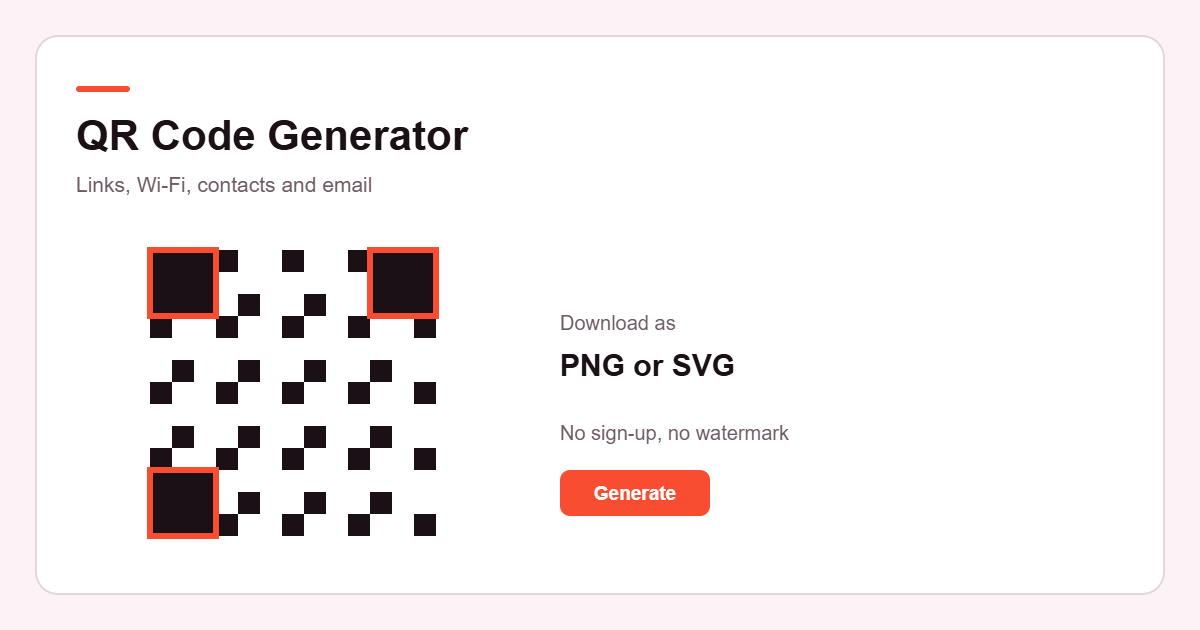
A QR code is a square, two-dimensional barcode. Instead of the single row of stripes on a supermarket barcode, it stores data in a grid of black and white squares that a camera can read from any of four orientations. The three large squares in the corners are how a scanner finds the code and works out which way up it is.
What a QR code holds is simply text. Sometimes that text is a web address, so your phone offers to open it. Sometimes it follows a convention that phones recognise — a line beginning WIFI: for a network, or BEGIN:VCARD for a contact — and the phone offers to join the network or save the contact instead. The code itself is not doing anything clever; it is carrying text that the scanning app knows how to interpret.
QR codes also carry spare data so they still read when part of the code is scratched, smudged or covered. That is what the error correction setting on this page controls.
How to Create a QR Code
- Choose the type of QR code you want to create.
- Enter the required information.
- Customize the appearance if needed.
- Generate your QR code.
- Download the PNG or SVG file and test it before using it publicly.
What Can You Create a QR Code For?
This QR code generator covers eight kinds of content, and each one builds the text format that phones already know how to handle.
- Websites — the most common use. Point people at a page without making them type an address.
- Wi-Fi — guests join the network by scanning instead of copying a long password. Useful in a cafe, an office or a spare room.
- Contact information — a vCard saves straight into the phone's address book. Common on business cards and conference badges.
- Email — opens a new message with the address, and optionally the subject and body, already filled in.
- Phone numbers — opens the dialler with the number ready.
- SMS — opens a text message to a number, with a message prepared if you want one.
- Plain text — anything at all: a serial number, a note, a reference code, a short set of instructions.
- Locations — coordinates or a map link, so a scan opens the place in a maps app.
Static vs Dynamic QR Codes
A static QR code contains the information itself. The address, the Wi-Fi details or the contact card is encoded directly in the pattern of squares. Nothing sits in between, and nothing has to stay online for it to keep working — but it also cannot be changed. Once it is printed, the only way to point it somewhere else is to make a new code.
A dynamic QR code contains a short link to a service, and that service forwards the scan to wherever the owner has currently set it. Because the destination lives on the service rather than in the code, it can be edited later and scans can be counted. The trade-off is that the code depends on that service continuing to exist and keep the link alive.
This QR code generator creates static QR codes. Each one contains exactly the information you supplied, and nothing is routed through Etemora. That means your codes keep working without us, but it also means we cannot change a code's destination after you have made it, and we cannot tell you how many times it has been scanned. If you need an editable destination or scan statistics, you need a dynamic QR service, which this is not.
How to Make a QR Code Easier to Scan
- Keep the contrast strong. Dark squares on a light background is what scanners expect. Pale colours on pale backgrounds, or a light pattern on a dark background, are where most problems start.
- Print it big enough. A rough working rule is that the code should be about a tenth of the distance it will be scanned from — a code read from two metres away wants to be roughly twenty centimetres across. Small codes on posters read from across a room tend to fail.
- Leave the quiet zone alone. The empty margin around the code is part of the code. Do not crop it away or run text and borders up against the edge.
- Do not decorate it too heavily. Gradients, patterned backgrounds, heavy rounding and large logos all eat into the readable area.
- Keep the content short. A long address makes a denser code with smaller squares, which is harder to read and harder to print cleanly. A short link is easier on everyone.
- Test the finished code with a phone before printing. Not one phone from ten centimetres away in good light — test it at the distance, size and lighting it will actually be used in, and ideally on more than one handset.
Can I Customize My QR Code?
Yes, within the limits of what stays readable. You can set the foreground and background colours, either from the presets or with your own values. You can choose a size of 256, 512 or 1024 pixels for the PNG, and the SVG scales to any size without losing sharpness. You can set the margin to standard or large, and pick an error correction level from L to H.
You can also add an optional centre logo. It is read in your browser, redrawn onto a canvas and kept small deliberately; error correction moves to H automatically to make up for the covered area. It still reduces the readable surface, so test any code with a logo carefully.
The quality check beside the preview flags the configurations that most often cause trouble — weak contrast, a light-on-dark arrangement, a very long payload, or a dense code at a small size.
Are These QR Codes Free?
The Etemora generator is free to use and does not require an account to generate a QR code. There is no watermark, no scan limit and no expiry, because there is no service behind the code — the code is built in your browser and the file you download is yours.
One thing worth being precise about: a QR code is a way of encoding text, and it does not grant you any rights over that text. If you encode a link, a logo or a brand you do not own, the QR code does not change who owns it. That part is between you and whoever owns the content.
Does Etemora Store My QR Code Data?
No. Everything on this page runs as JavaScript in your own browser. What you type into the fields is turned into a QR pattern locally, drawn onto a canvas, and offered to you as a PNG or SVG file. The content is never sent to an Etemora server, never written to our database, and never handed to an outside QR service to be drawn.
That applies to all of it — the Wi-Fi password, the contact details, the email address, the phone number. If you close the tab, it is gone; nothing is kept, here or anywhere else.
Being accurate about the boundary: this covers what this QR code generator does with your QR content. Like any page on the web, the page itself loads over the network and Etemora uses standard website analytics, which records that the page was viewed — never what you typed into it.
Reference: QR Code is a published standard — the symbology is defined in ISO/IEC 18004:2015.
Choosing what your QR code should link to
A QR code generator can only encode what you give it, so the quality of the result comes down to the destination you pick. Three things are worth settling before you open the QR code generator above.
Use an address you control. A printed code is permanent and a static code cannot be edited afterwards. Pointing it at your own domain means you can change what sits at that address later even though the code itself is fixed. Pointing it at a third-party link that may expire is how printed codes quietly stop working.
Check the destination on a phone first. Almost every scan happens on a small screen, often on a patchy connection. If the page is slow, or opens a PDF that has to be pinched to read, the scan was wasted. Test the exact address you are about to put through the QR code generator on a real handset, not a desktop browser.
Keep the address short. The more characters a QR code generator has to encode, the denser the pattern gets, and dense patterns are harder to read from a distance or from a scuffed surface. A short, tidy URL produces a visibly simpler code.
For anything going to print at scale, build the code with the QR code generator, print a single proof, and scan that proof before committing to the run.
Frequently Asked Questions
How do I create a QR code?
Pick the type you need at the top of the QR code generator, fill in the fields, and press Generate QR Code. The code appears beside the form and you can download it as a PNG or SVG.
Is the Etemora QR Code Generator free?
Yes. It is free, there is no account, no sign-up and no limit on how many codes you make.
Can I create a QR code for a website?
Yes — that is the default type. Enter the address and the QR code will contain exactly what you typed. If you leave off the https:// the QR code generator will say so, because some scanners will treat the result as plain text rather than a link.
Can I create a Wi-Fi QR code?
Yes. Enter the network name, the password and the security type, and mark the network as hidden if it is. Scanning the code offers to join the network on phones that support it. The password is used in your browser only and is not saved or sent anywhere.
Can I create a QR code for a contact?
Yes. The Contact type builds a vCard with the name, organization, job title, phone, email, website and address you enter, which phones offer to save into the address book.
Can I download a QR code as PNG?
Yes, at 256, 512 or 1024 pixels. The file is named etemora-qr-code.png and is created in your browser.
Can I download a QR code as SVG?
Yes. The SVG is vector, so it scales to any size without blurring — the better choice for printing. It saves as etemora-qr-code.svg.
Can I customize the QR code?
You can set the foreground and background colours, the size, the margin and the error correction level, and optionally add a small centre logo. The quality check flags settings that commonly cause scanning problems.
Are QR codes generated by Etemora dynamic or static?
Static. Each code contains the information you entered, so it keeps working on its own — but the destination cannot be changed afterwards and scans are not counted. This QR code generator does not offer dynamic QR codes or scan tracking.
Does Etemora store the information I enter?
No. The QR code is built in your browser and the content is not sent to Etemora, saved to our database or passed to any third-party service.
Can I put a QR code on a business card?
Yes, and the Contact type is made for it. Download the SVG so it stays sharp at print resolution, keep the quiet zone clear of other artwork, and print a test card before ordering a box of them.
Should I test a QR code before printing it?
Always. Test it at the size and distance it will really be used, in the lighting it will really be in, and on more than one phone if you can. That is the only way to know a code works — a preview on screen is not the same thing.
More from Etemora
Guides related to this tool
 SEO & MarketingBest Marketing Tools in 2026: 10 Tools Compared
 Make Money OnlineSide Hustles That Pay Daily: 10 Legit Ways to Get Paid Fast
 Make Money OnlineRemote Jobs With No Experience: 10 Real Options for 2026