
Best Marketing Tools in 2026:
10 Tools Compared
 By M. Zaid
- Updated October 25, 2026
- 34 min read
Some links on this page are affiliate links. If you buy through them, Etemora may earn a commission at no extra cost to you. Read our affiliate disclosure
There is no single best marketing tool. There is only the right tool for the job you are actually trying to do — and the wrong one is usually the expensive one you bought because a competitor uses it.
A solo founder sending 400 emails a month and a 12-person agency managing 40 client social accounts have almost nothing in common except the word “marketing.” So this guide is organised around jobs, not brand names: SEO research, email, design, social scheduling, automation and the glue that connects them.
For each of the 10 platforms below we looked at what it is genuinely best at, what it costs today, where the pricing traps are, and who should skip it. Every price was checked against the vendor’s own pricing page in September 2026 — and where a vendor does not publish a flat price, we say so instead of inventing one.
Read this before the rankings
This is a research-based comparison. Etemora has not run a paid subscription to every platform listed here, and we do not claim to have tested every feature of every plan. What we can stand behind is the pricing: each figure below was read off the vendor’s own published pricing page in September 2026 and is labelled with the billing terms it assumes. Software pricing changes often, and most of these vendors price by usage — contacts, seats, channels or tasks — so confirm the current number on the vendor’s site before you buy. Nothing here is a recommendation to spend money you do not have a plan for.
- All 10 Marketing Tools at a Glance
- 1. HubSpot — Best All-in-One Platform
- 2. Semrush — Best for SEO Research
- 3. Ahrefs — Best for Backlink Analysis
- 4. Canva — Best for Design
- 5. Mailchimp — Best for Email Beginners
- 6. ActiveCampaign — Best for Automation
- 7. Klaviyo — Best for Ecommerce
- 8. Buffer — Best Simple Social Scheduler
- 9. Hootsuite — Best for Social at Scale
- 10. Zapier — Best for Connecting Your Stack
- Best Free Marketing Tools
- Best Marketing Tools for Small Business
- Best Marketing Tools for Agencies
- Best Tools for Content and SEO
- What Marketing Tools Actually Cost in 2026
- How to Choose Your Stack
- Five Expensive Mistakes to Avoid
- Frequently Asked Questions
- How We Compared These Tools
Quick picks
All 10 Marketing Tools at a Glance
Prices below are the vendor’s own published figures as of September 2026. Where a vendor prices by contact volume and shows no flat number, the table says so rather than guessing.
| Tool | Best for | Free plan | Paid from |
|---|---|---|---|
| HubSpot | All-in-one marketing, CRM included | Yes, up to 2 users | $7/seat/mo annual |
| Semrush | Keyword and competitor research | 7-day trial | $139/mo |
| Ahrefs | Backlink and site analysis | Limited free tier | $29/mo Starter |
| Canva | Design without a designer | Yes, generous | $144/year Pro |
| Mailchimp | First email list | Yes, 250 contacts | $13/mo Essentials |
| ActiveCampaign | Deep automation logic | No, trial only | Quoted by contact tier |
| Klaviyo | Ecommerce email and SMS | Yes, free tier | Quoted by profile count |
| Buffer | Cheap, simple scheduling | Yes, 3 channels | $5/channel/mo |
| Hootsuite | Social teams and approvals | 14-day trial | $99/user/mo annual |
| Zapier | Connecting everything else | Yes, 100 tasks/mo | $19.99/mo |
Two things stand out in that table. First, the gap between the cheapest and most expensive entry point is enormous — roughly $5 a month versus $800 a month — because these tools are not really competing with each other. Second, five of the ten have a genuinely usable free tier, which means a small business can assemble a real marketing stack for $0 before spending anything.
1. HubSpot — Best All-in-One Marketing Platform
Best for: companies that want marketing, CRM and sales records living in one database instead of three tools that half-talk to each other.
HubSpot’s advantage is not that any single module beats the specialists — its email builder is not better than Klaviyo’s and its SEO tooling is not close to Ahrefs. The advantage is that a contact who downloads a guide, opens three emails and books a call is one record, visible to marketing and sales at the same time. That is the problem HubSpot solves, and it solves it very well.
The free tier is unusually generous for a platform of this size: forms, email, landing pages, live chat and the full CRM at $0 for up to two users. A lot of small businesses never outgrow it.
The catch is the cliff. Starter is cheap and Professional is not. Going from Starter to Professional is the jump from roughly $7 per seat to $800 a month, and Professional also carries a one-time $3,000 onboarding fee. Enterprise starts at $3,600 a month with a $7,000 onboarding fee. There is no gentle middle step, and businesses regularly get caught by it once they need workflows or custom reporting.
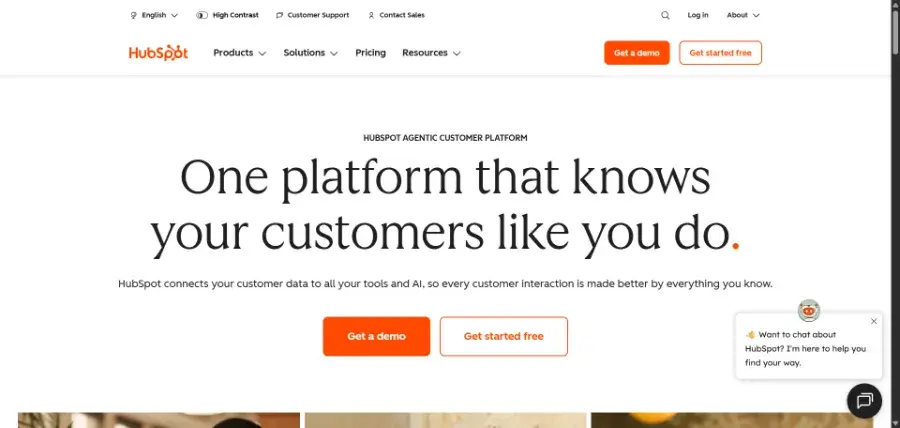
| Best for | All-in-one marketing with a real CRM underneath |
| Free plan | $0/mo, free for up to 2 users, no card required |
| Starter | From $7/mo per seat on annual terms, $20/mo per seat month-to-month; 1,000 marketing contacts |
| Professional | From $800/mo, includes 3 core seats and 2,000 contacts; one-time $3,000 onboarding fee |
| Enterprise | From $3,600/mo, includes 5 core seats and 10,000 contacts; one-time $7,000 onboarding fee |
Pros
- Free tier is genuinely usable, not a demo
- CRM, email, forms and landing pages share one contact record
- Strong reporting once you reach Professional
- Very large ecosystem of integrations and agency partners
Cons
- The Starter-to-Professional jump is brutal — roughly $7 per seat to $800 a month
- Mandatory onboarding fees of $3,000 and $7,000 on the top two tiers
- Marketing contact counts inflate the bill as your list grows
- No individual module is best-in-class
2. Semrush — Best for SEO and Competitive Research
Best for: marketers who need keyword data, competitor visibility and rank tracking in one place — and increasingly, visibility inside AI search results.
Semrush is the broadest of the SEO suites. Keyword research, position tracking, site audit, backlink data, PPC keyword gaps, content ideas and social tools all sit under one login. For a generalist marketer who needs to answer “what are our competitors ranking for and where are we losing?”, it is the fastest route to an answer.
Semrush restructured its plans, and this matters if you are working from an older comparison article. The familiar Pro / Guru / Business ladder has been replaced by SEO, Starter, Pro+ and Advanced, with the AI-search tooling bundled into the upper three. If you see “Semrush from $99 a month” quoted anywhere, that figure is out of date — the lowest published plan today is $139 a month.
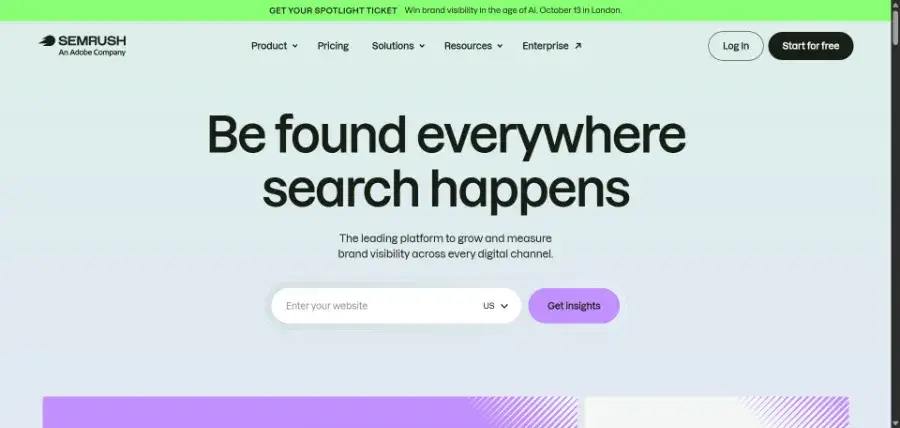
| Best for | Keyword research, competitor analysis, rank tracking |
| SEO plan | $139/mo, or $117.33/mo billed annually |
| Starter (SEO + AI Search) | $199/mo, or $165.17/mo billed annually |
| Pro+ (SEO + AI Search) | $299/mo, or $248.17/mo billed annually |
| Advanced (SEO + AI Search) | $549/mo, or $455.67/mo billed annually |
| Free access | 7-day free trial, cancel anytime |
Pros
- Widest feature set of any single SEO suite
- Excellent competitor and keyword-gap analysis
- AI-search visibility tracking now built into the upper plans
- Useful for PPC and content teams, not just SEO
Cons
- Expensive for one person — $139/mo is the floor
- Extra users cost more on top of the plan price
- Breadth means a real learning curve
- Only a 7-day trial, so evaluation time is tight
3. Ahrefs — Best for Backlink Analysis and Site Audits
Best for: anyone whose main SEO question is about links — who is linking to competitors, what is broken, and where the realistic opportunities are.
Ahrefs built its reputation on crawl quality, and backlink data is still where it is strongest. Site Explorer, the content gap tool and Site Audit are the three features most people buy it for. The interface is cleaner than Semrush’s and the data tends to feel more trustworthy, which matters when you are making link-building decisions off it.
The pricing story improved meaningfully with the Starter plan at $29 a month. That did not exist a few years ago, and it changes who Ahrefs is for: a solo blogger or small site owner can now get real Ahrefs data without the $129 Lite commitment. There is also a limited free tier and free Webmaster Tools access for your own verified site.
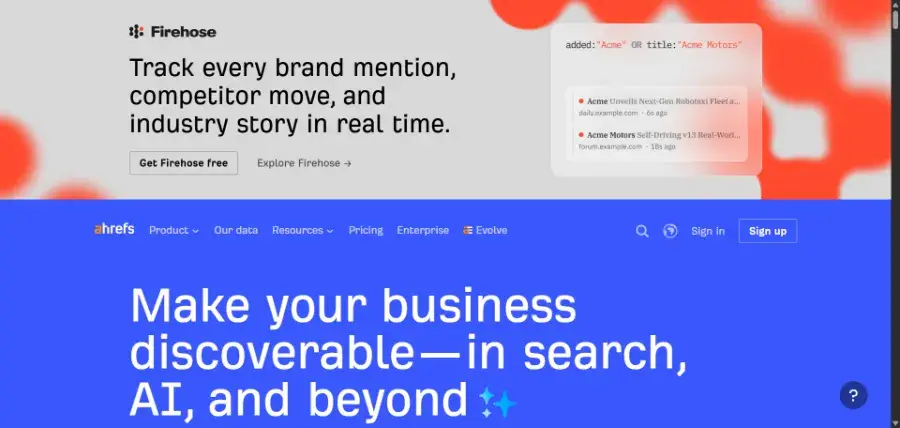
| Best for | Backlink analysis, site audits, content gap research |
| Starter | $29/mo |
| Lite | $129/mo |
| Standard | $249/mo |
| Advanced | $449/mo |
| Enterprise | $1,499/mo, annual commitment |
| Free access | Limited free tier available |
Pros
- Best-regarded backlink index in the category
- $29 Starter plan makes it accessible to solo site owners
- Cleaner, faster interface than most competitors
- Excellent content gap and top-pages analysis
Cons
- Jump from Starter to Lite is a 4x price increase
- Credit limits can bite during heavy research weeks
- Weaker than Semrush for PPC and social
- Enterprise tier is priced well out of small-business range
4. Canva — Best for Design Without a Designer
Best for: marketers, founders and small teams who need decent-looking graphics today and do not have a designer on staff.
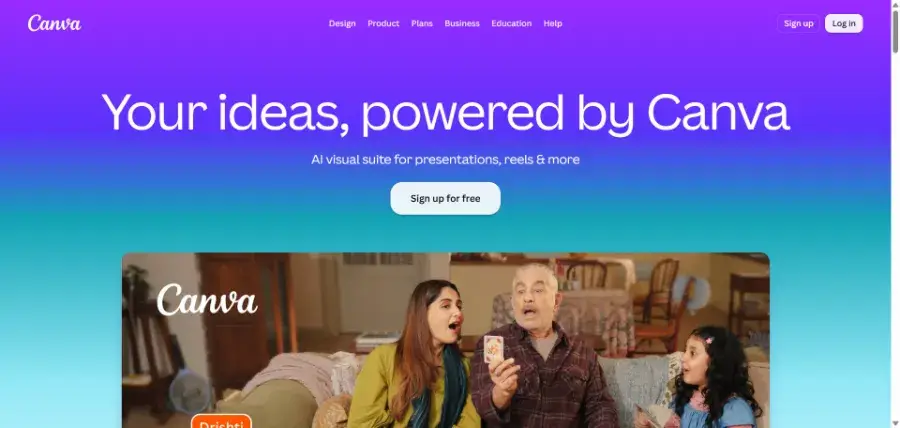
Canva is the most quietly essential tool on this list. Social graphics, ad creative, presentations, one-page PDFs, thumbnails, simple video — all of it in a browser tab, all of it fast. Brand kits keep colours and fonts consistent, which is the thing that usually separates amateur-looking output from acceptable output.
The free plan is unusually strong and many people never need more. Pro exists mainly for three things: premium stock assets, brand kit enforcement, and background removal plus the AI editing tools. At $144 a year that is easy to justify if you publish regularly; if you make four graphics a year, it is not.
| Best for | Fast, consistent visual content without design skills |
| Free | $0, 1 person |
| Pro | $144/year for 1 person; monthly option available |
| Business | $250/year per person, for teams |
| Enterprise | Custom pricing |
Pros
- Free plan covers most small-business needs
- Enormous template library across every format
- Brand kits keep output consistent across a team
- Genuinely low learning curve
Cons
- Template-driven work can look template-driven
- Not a replacement for professional design on brand-defining assets
- Business tier at $250 per person per year adds up for larger teams
- Advanced vector and print work still belongs elsewhere
5. Mailchimp — Best for Your First Email List
Best for: small businesses sending their first newsletters who want the shortest possible path from “no list” to “campaign sent.”
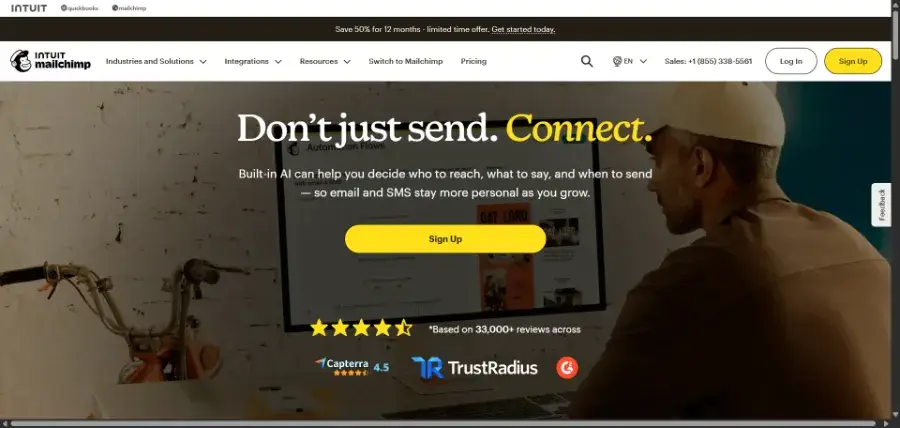
Mailchimp’s strength has always been onboarding. Signup forms, templates, list import and a send in an afternoon, with no technical setup. For a shop, a local service business or a new newsletter, that ease is worth more than the deeper automation features they will not use for another year.
Read the free plan carefully, though, because it is much tighter than people expect: 250 contacts and a maximum of 500 sends a month (250 in a day). That is not “email 250 people every week” — it is roughly two campaigns to a full list. Most businesses hit that ceiling faster than they plan for.
The other thing to watch is how the bill scales. Mailchimp charges on total contacts, including people who never open anything. Cleaning your list is not housekeeping here; it is cost control.
| Best for | Getting a first email list live quickly |
| Free | $0/mo, up to 250 contacts, max 500 sends/mo or 250/day, 1 seat |
| Essentials | From $13/mo; sends up to 10× contacts; 3 seats |
| Standard | From $20/mo after a 14-day trial; sends up to 12× contacts; 5 seats |
| Premium | From $350/mo; sends up to 15× contacts; unlimited seats |
Pros
- Easiest email platform to start from zero
- Large template library and solid drag-and-drop editor
- Free plan is enough to validate whether email works for you
- Integrates with almost every website platform
Cons
- Free send limit of 500 a month is very restrictive
- You pay for unengaged contacts unless you prune the list
- Automation is shallow compared with ActiveCampaign or Klaviyo
- Costs climb steeply at larger list sizes
6. ActiveCampaign — Best for Serious Marketing Automation
Best for: teams whose email needs have outgrown “send a newsletter” and now involve branching logic, scoring and behaviour-triggered sequences.
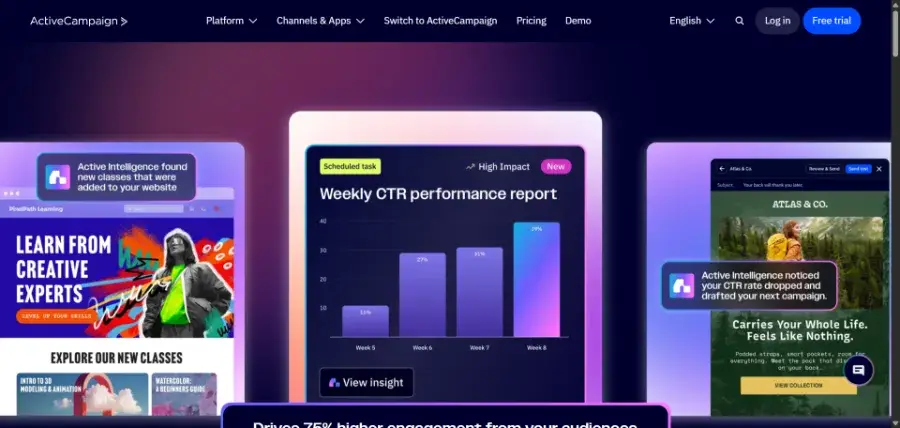
ActiveCampaign is where people go when Mailchimp’s automation stops being enough. The visual automation builder handles genuinely complex flows — conditional splits, wait steps, goals, lead scoring, list movement and CRM actions in a single canvas — without needing a developer. If you have ever tried to express “if they opened but did not click, and they are in the trial segment, wait three days then branch” in a simpler tool, you know why this matters.
Plans are Starter, Plus, Pro and Enterprise, with separate WhatsApp and combined email-plus-WhatsApp ladders. ActiveCampaign does not publish a flat headline price: the pricing page calculates your cost after you select a contact volume, so we are not going to quote a monthly figure we cannot verify. Get a number from the calculator for your actual list size before comparing it to anything else here.
| Best for | Complex, behaviour-driven automation |
| Plans | Starter, Plus, Pro, Enterprise (email); separate WhatsApp and combined ladders |
| Pricing model | Scales by contact volume — no flat published price |
| Starter limits | Limited segmentation, 5 actions per automation |
| Free plan | None — trial only |
| Guarantee | Advertised 30-day money-back guarantee; no setup fees |
Pros
- Best automation builder among general-purpose email tools
- Lead scoring and CRM features included rather than bolted on
- Strong segmentation once you are past the Starter tier
- No setup fees, with a money-back guarantee advertised
Cons
- No published flat pricing — harder to budget or compare
- Starter caps automations at 5 actions, which is limiting fast
- Steeper learning curve than Mailchimp
- No free tier to evaluate long-term
7. Klaviyo — Best for Ecommerce Marketing
Best for: online stores — especially Shopify, WooCommerce and BigCommerce — where email and SMS need to react to what someone actually bought and browsed.
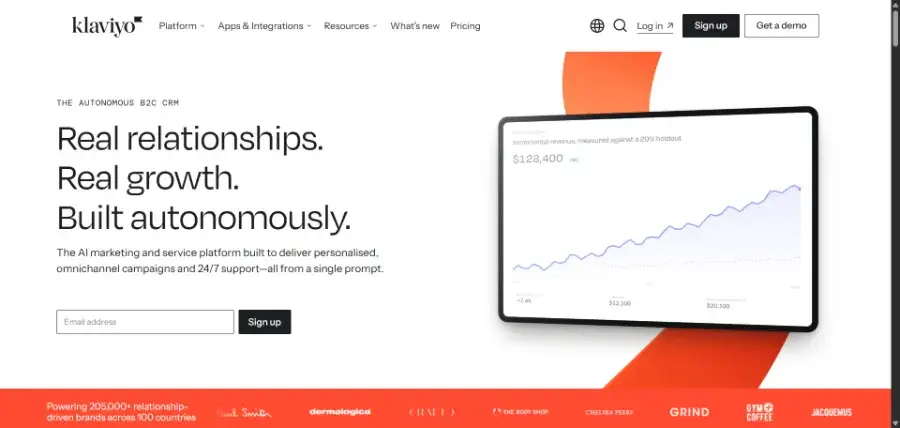
Klaviyo is built around store data rather than a contact list. It knows purchase history, browsing behaviour, product catalogue and lifetime value, and it uses all of it to segment. That is why abandoned-cart, back-in-stock, post-purchase and winback flows work so much better here than in a general email tool that has been retrofitted with an ecommerce plugin.
It also reports in the currency store owners care about: attributed revenue per flow and per campaign, not just open rates. For a store doing meaningful volume, that reporting alone usually justifies the switch.
Klaviyo prices by active profiles, with email and SMS metered separately, and the pricing page is a calculator rather than a fixed table. There is a free tier to start on. As with ActiveCampaign, we are not quoting a monthly figure we could not read off a published table — run your own profile count through the calculator.
| Best for | Ecommerce email and SMS driven by store data |
| Pricing model | Scales by active profiles; email and SMS metered separately |
| Free plan | Yes — a free starting tier is offered |
| Key flows | Abandoned cart, browse abandonment, back-in-stock, post-purchase, winback |
| Best integrations | Shopify, WooCommerce, BigCommerce, Magento |
| Reporting | Revenue attribution per flow and campaign |
Pros
- Deepest ecommerce data model of any tool here
- Revenue attribution reporting built in
- Email and SMS in one platform with shared segments
- Pre-built flows that work well out of the box
Cons
- Profile-based pricing gets expensive as a list grows
- Overkill for any business that is not selling products online
- SMS costs are additional and easy to underestimate
- No flat published pricing table to compare against rivals
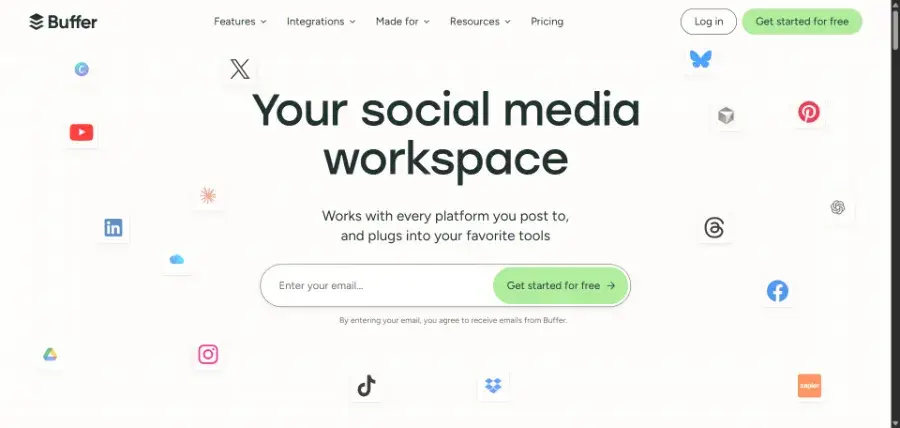
8. Buffer — Best Simple Social Media Scheduler
Best for: solo creators and small businesses who want posts queued across a few channels without paying enterprise social-suite prices.
Buffer does one job and stays out of the way. Connect your accounts, fill a queue, set a posting schedule, done. The Ideas feature is a genuinely useful place to park half-formed posts, and the analytics are enough to tell you what worked without pretending to be a business intelligence tool.
The pricing model is the important part: Buffer charges per channel, not per user or per brand. Three channels are free with 10 scheduled posts each. Beyond that it is $5 per channel per month on Essentials, or $60 per channel per year, which is the cheapest serious scheduling in this comparison by a wide margin. Team adds unlimited team members at $10 per channel per month.
Per-channel pricing cuts both ways. If you post to four platforms you pay $20 a month — still cheap. If you manage 25 client channels, the arithmetic starts favouring a seat-based tool, though Buffer does discount channels above ten.
| Best for | Cheap, straightforward scheduling for a few channels |
| Free | $0/mo, 3 channels, 10 scheduled posts per channel, 1 user |
| Essentials | $5/mo per channel, or $60/year per channel; unlimited posts, 1 user |
| Team | $10/mo per channel, or $120/year per channel; unlimited team members |
| Pricing model | Per connected channel, not per user or client |
| Volume discount | Channels above 10 are priced lower per channel |
Pros
- By far the cheapest paid scheduler in this comparison
- Free plan is enough for a solo business on three channels
- Clean, fast interface with almost no learning curve
- Unlimited team members on the Team plan at $10 per channel
Cons
- Per-channel pricing punishes wide multi-client setups
- Free plan caps you at 10 scheduled posts per channel
- No social inbox or listening worth the name
- Analytics are basic compared with Hootsuite
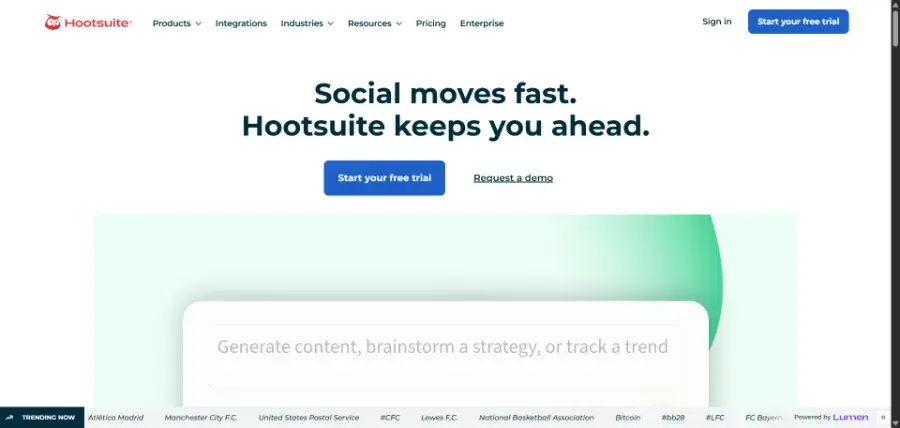
9. Hootsuite — Best for Social Media at Team Scale
Best for: teams and agencies that need approval workflows, a unified inbox and reporting across many accounts — not just a posting queue.
Hootsuite is the grown-up option. Where Buffer schedules, Hootsuite manages: streams for monitoring mentions, a shared inbox for replies, approval chains so an intern cannot publish unreviewed, and reporting built for showing a client or a boss. Standard includes 10 social accounts; Professional and Advanced are unlimited.
It is priced accordingly, and priced per user. At $99 per user per month on annual billing, a three-person social team is roughly $3,600 a year before anyone adds Advanced features. That is the trade: you are paying for governance and collaboration, not for the act of scheduling a post.
| Best for | Social teams needing approvals, inbox and reporting |
| Standard | $99/user/mo on annual billing — 10 social accounts |
| Professional | $199/user/mo on annual billing — unlimited accounts |
| Advanced | $399/user/mo on annual billing — unlimited accounts |
| Enterprise | Custom pricing, custom user counts |
| Trial | 14 days, no credit card required |
Pros
- Real approval workflows for teams and client work
- Unified inbox and monitoring streams
- Unlimited social accounts from the Professional tier up
- Reporting built for presenting to stakeholders
Cons
- Per-user pricing makes small teams expensive fast
- $99/user/mo floor is 20× Buffer’s entry price
- Interface is dense and dated in places
- Heavily over-specified for a one-person business
10. Zapier — Best for Connecting Your Marketing Stack
Best for: anyone running three or more tools that need to talk to each other without a developer writing integrations.
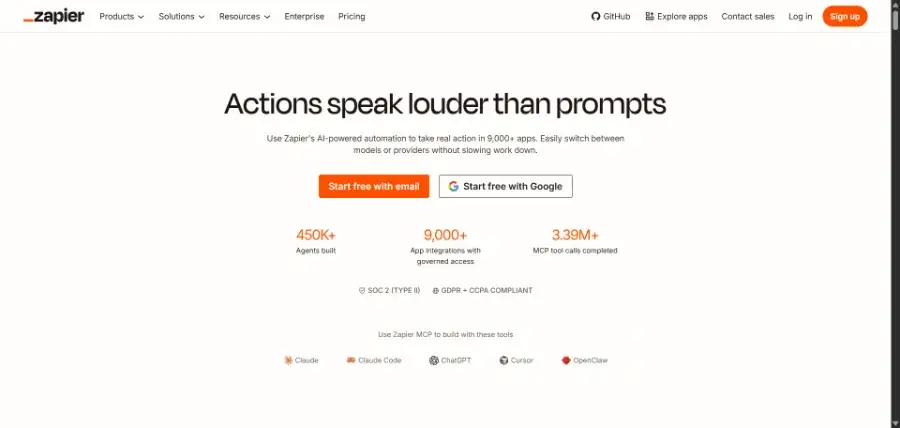
Zapier is not a marketing tool. It is the reason your marketing tools stop being separate islands. A form submission creates a CRM contact, adds a row to a sheet, posts to Slack and starts an email sequence — in about ten minutes of setup, with no code. Once you have more than a couple of platforms, this is usually the highest-leverage $20 a month in the entire stack.
The free plan allows unlimited two-step Zaps and 100 tasks a month, which is enough to prove the concept. Professional at $19.99 a month unlocks multi-step workflows, premium apps and webhooks — and multi-step is where the real value is. Team is $69 a month and adds 25 users with shared connections.
Budget by tasks, not by plan name. A task is each successful action, so one Zap firing 400 times a month consumes 400 tasks. Task volume, not features, is what moves your bill.
| Best for | Automating handoffs between tools without code |
| Free | $0/mo, 100 tasks/mo, unlimited two-step Zaps |
| Professional | $19.99/mo; multi-step Zaps, premium apps, webhooks; task tiers from 750 upward |
| Team | $69/mo; 25 users, shared workflows and app connections, SAML SSO |
| Enterprise | Custom pricing, unlimited users, annual task limits |
| Annual billing | Advertised at a 33% discount |
Pros
- Connects effectively every tool in this article
- Free tier is enough to test real workflows
- Multi-step automation without any code
- Removes hours of manual copy-paste per week
Cons
- Task-based billing is easy to blow through unexpectedly
- Multi-step Zaps require the paid plan
- Debugging a broken Zap can be fiddly
- Add-ons like Agents and Chatbots are billed on top
Best Free Marketing Tools in 2026
You can assemble a working marketing stack for $0. It will have real ceilings, but it is not a toy, and it is the right way to find out which paid tool you actually need.
| Job | Free tool | The ceiling you will hit |
|---|---|---|
| CRM and forms | HubSpot Free | 2 users; workflows locked behind paid tiers |
| Design | Canva Free | Premium assets and background removal locked |
| Mailchimp Free | 250 contacts, 500 sends per month | |
| Social scheduling | Buffer Free | 3 channels, 10 queued posts each |
| Automation | Zapier Free | 100 tasks/mo, two-step Zaps only |
| SEO | Ahrefs free tier | Limited data and queries |
Run that stack for 60 days. Whichever ceiling you hit first is the tool to pay for first — and that ordering is far more reliable than any recommendation, including ours.
Best Marketing Tools for Small Business
For a business under roughly ten people with no dedicated marketing hire, the goal is coverage without complexity. A workable stack:
- Canva Pro at $144/year for everything visual
- Mailchimp Essentials from $13/mo, or stay free while your list is under 250
- Buffer Essentials at $5/mo per channel — three or four channels is $15–$20
- Ahrefs Starter at $29/mo if organic search matters to you
- HubSpot Free for the CRM and forms, at $0
That is roughly $60–$70 a month for design, email, social, SEO and a CRM. Compare it to a single Semrush SEO plan at $139 a month and the point becomes obvious: for most small businesses, breadth at the cheap end beats depth at the expensive end.
Best Marketing Tools for Agencies
Agency requirements are different in kind, not just in size: multiple clients, approval chains, white-labelled reporting and seats for people who come and go.
- Semrush from $139/mo — client audits, rank tracking and competitor reporting in one place
- Hootsuite from $99/user/mo annually — approvals and unified inbox across client accounts
- HubSpot Professional from $800/mo — only where a client’s budget carries it, and mind the $3,000 onboarding fee
- Canva Business at $250/year per person — brand kits per client keep output on-brand
- Zapier Team at $69/mo — 25 users and shared app connections across client workflows
The number that surprises agencies is Hootsuite’s. Per-user pricing at $99 a month means a five-person social team is close to $6,000 a year before any other tool. Run that maths before you sign, and check whether Buffer’s per-channel model is cheaper for your particular client mix.
Best Tools for Content and SEO
If organic search is the main channel, the stack narrows fast. Semrush and Ahrefs overlap enough that very few teams need both — and buying both is the most common avoidable expense in this category.
| Semrush | Ahrefs | |
|---|---|---|
| Entry price | $139/mo | $29/mo Starter |
| Strongest at | Keyword research, competitor gaps, PPC | Backlink data, site audit, content gap |
| Breadth | Very wide — social and ads included | Narrower, SEO-focused |
| Free access | 7-day trial | Limited free tier |
| Buy it if | SEO is someone’s full-time job | You mainly need link and audit data |
A practical rule: if the honest answer to “who owns SEO here?” is “nobody, really,” start with Ahrefs Starter at $29 and spend the $110 difference on actually publishing something.
What Marketing Tools Actually Cost in 2026
Sticker prices mislead in this category because almost none of these tools charge a flat fee. They charge for a unit that grows as you succeed — and that is the part that wrecks budgets.
| Tool | What you are billed for | What makes the bill grow |
|---|---|---|
| HubSpot | Seats plus marketing contacts | More users, and every contact you market to |
| Semrush | Plan tier, extra users cost more | Adding users and upper-tier features |
| Ahrefs | Plan tier and usage credits | Heavy research months |
| Canva | Per person per year | Team headcount on Business |
| Mailchimp | Total contacts, including inactive ones | List growth — even unengaged subscribers |
| ActiveCampaign | Contact volume | List growth; price quoted at checkout |
| Klaviyo | Active profiles; SMS metered separately | Profile count and SMS sends |
| Buffer | Connected channels | Every new social channel |
| Hootsuite | Users | Every person who needs a login |
| Zapier | Tasks executed | Automation volume, not automation count |
Three realistic monthly budgets, using the published figures above:
- Solo / side business, about $35–$50/mo: Canva Pro ($12 equivalent), Buffer on 3 channels ($15), Mailchimp Essentials ($13), HubSpot Free and Zapier Free ($0)
- Small business, about $180–$220/mo: add Ahrefs Starter ($29), Zapier Professional ($19.99), a larger Mailchimp or ActiveCampaign tier, HubSpot Starter seats
- Agency, $1,000/mo and up: Semrush ($139+), Hootsuite across several users ($99 each), Canva Business per person ($250/year), Zapier Team ($69), and HubSpot Professional where a client funds it ($800+, plus $3,000 onboarding)
The jump from the middle row to the bottom row is not gradual. It is driven almost entirely by two per-user products — Hootsuite and HubSpot Professional — so before assuming you have crossed into agency territory, check whether you actually need per-seat governance or just more capacity.
How to Choose Your Marketing Stack
Work in this order. It is boring, and it is why some businesses spend $60 a month where others spend $900 for the same outcome.
1. Name the job, not the tool. “We need to stop losing leads between the form and the follow-up” points at HubSpot or Zapier. “Our posts are inconsistent” points at Buffer. Starting from a brand name is how people end up paying for platforms.
2. Use the free tier first, properly. Every category here except ActiveCampaign has a free or trial option. Run it for a real month with real work, not a 20-minute demo.
3. Price the unit, not the plan. Ask what the bill looks like at twice your current contacts, channels or tasks. Mailchimp at 250 contacts and Mailchimp at 25,000 contacts are different purchases.
4. Count the seats honestly. Per-user pricing is where budgets break. Hootsuite at $99 per user and HubSpot Professional core seats at $45 each are fine for two people and painful for eight.
5. Buy the connector before the eleventh tool. If you are copying data between apps by hand, Zapier at $19.99 is almost always cheaper than the platform you were about to buy to consolidate them.
6. Re-check pricing before you sign. Semrush’s plan structure changed and older articles still quote $99 a month. Vendors restructure regularly — including this one, eventually.
Five Expensive Mistakes to Avoid
Buying Semrush and Ahrefs together. They overlap heavily. Unless SEO is a department, one of them is $139 a month of duplicate data.
Paying for unengaged contacts. Mailchimp, ActiveCampaign and Klaviyo all bill on list size. A list you never clean is a subscription that quietly grows every month for no return.
Upgrading HubSpot for one feature. The Starter-to-Professional step is roughly $7 per seat to $800 a month plus $3,000 onboarding. If you need exactly one workflow, a $19.99 Zapier plan may do the same job.
Choosing Hootsuite when you needed Buffer. Hootsuite’s value is approvals, inbox and governance. If one person posts to four channels, you are paying roughly $99 a month for features nobody will open.
Ignoring task counts on Zapier. Tasks are per action, not per Zap. One busy automation can consume a monthly allowance on its own — watch the counter for a month before choosing a tier.
Frequently Asked Questions
What are the best marketing tools in 2026?
There is no single winner, because these tools do different jobs. For all-in-one marketing with a CRM, HubSpot; for SEO research, Semrush or Ahrefs; for design, Canva; for ecommerce email, Klaviyo; for cheap social scheduling, Buffer; and for connecting everything, Zapier. The best stack is the smallest set that covers the jobs you actually do.
What is the best free marketing tool?
Canva’s free plan is the most useful single free tool here, because most businesses need visual content constantly and Canva’s free tier covers the majority of it. HubSpot Free is a close second for the CRM and forms at $0 for two users.
How much do marketing tools cost per month?
Using published September 2026 pricing, a solo business can run on roughly $35–$50 a month, a small business on $180–$220, and an agency stack comfortably exceeds $1,000. The spread comes from per-user pricing — Hootsuite from $99 per user per month and HubSpot Professional from $800 a month are what separate the tiers.
Is Semrush or Ahrefs better?
Semrush is broader — keyword research, PPC, social and now AI-search visibility — and starts at $139 a month. Ahrefs is stronger on backlink data and site audits and starts at $29 a month on its Starter plan. If SEO is someone’s full-time job, Semrush. If you mainly need link and audit data, Ahrefs, and keep the difference.
Do I need both Semrush and Ahrefs?
Almost certainly not. Their core datasets overlap enough that most teams use one and never miss the other. Buying both is common and rarely justified below a dedicated in-house SEO team.
Is HubSpot worth the price?
It depends entirely on which tier. HubSpot Free and Starter (from $7 per seat per month on annual terms) are strong value. Professional at $800 a month plus a one-time $3,000 onboarding fee is only worth it if you will use the workflows, reporting and CRM depth — not if you are buying it for email.
What is the cheapest social media scheduler?
Buffer. Three channels are free, and paid plans are $5 per channel per month on Essentials, or $60 per channel per year. Hootsuite, the closest team-grade alternative, starts at $99 per user per month on annual billing.
Buffer or Hootsuite — which should I choose?
Buffer if one or two people schedule posts to a handful of channels. Hootsuite once you need approval workflows, a shared inbox and reporting across many accounts. The pricing models differ too: Buffer charges per channel, Hootsuite per user.
Is Mailchimp still free?
Yes, but the limits are tight: up to 250 contacts and a maximum of 500 sends per month (250 in a day). That is roughly two campaigns to a full list. Paid Essentials starts at $13 a month at the lowest contact tier.
Mailchimp or Klaviyo for an online store?
Klaviyo, in almost every case. It is built around store data — purchase history, browsing behaviour and product catalogue — which is what makes abandoned-cart and post-purchase flows work. Mailchimp is easier to start with but shallower once revenue depends on segmentation.
How much does ActiveCampaign cost?
ActiveCampaign does not publish a flat monthly price. Its pricing page calculates cost after you select a contact volume, across Starter, Plus, Pro and Enterprise tiers. Run your own list size through the calculator — any fixed figure quoted elsewhere is an assumption about someone else’s list.
Does Klaviyo have a free plan?
Yes, Klaviyo offers a free starting tier. Beyond that it prices by active profiles, with SMS metered separately, and the pricing page works as a calculator rather than a fixed table — so check the figure for your own profile count.
Is Zapier worth paying for?
The free plan gives 100 tasks a month and two-step Zaps, which is enough to test the idea. Professional at $19.99 a month adds multi-step workflows, premium apps and webhooks, and that is where most of the value sits. Budget by task volume, since each successful action counts as a task.
Do I need a paid Canva plan?
Most small businesses do not, at least not immediately. Canva Pro at $144 a year makes sense once premium assets, background removal or brand-kit enforcement are things you reach for weekly. Business is $250 per person per year and is aimed at teams.
How many marketing tools does a small business need?
Usually four to five: something for design, something for email, something for social, something for SEO if organic search matters, and a connector. Adding a sixth tool before you have used the first five properly is the most common way small marketing budgets disappear.
How We Compared These Tools
This is a research-based comparison. We did not run a paid subscription on every platform listed, and we are not claiming to have tested every feature of every tier. Whichever email tool you land on, the sending rules are the same everywhere: the FTC’s CAN-SPAM compliance guide sets out what a commercial email has to include before you press send.
What we did do:
- Read every price directly off the vendor’s own published pricing page in September 2026, and recorded the billing terms each figure assumes
- Labelled every figure with whether it is monthly or annual, per seat, per channel or per contact
- Refused to publish a price where the vendor does not publish one — which is why ActiveCampaign and Klaviyo appear here without a monthly figure
- Removed a widely repeated “Semrush from $99/mo” claim after confirming Semrush’s current published floor is $139/mo under a restructured plan lineup
- Scored each tool on fit for a stated job, transparency of pricing, and how gracefully it scales — not on which vendor pays best
Our editorial scores reflect how well a tool serves the job we recommend it for. A tool scoring 8.2 is not worse software than one scoring 9.2 — it is a narrower fit for a narrower job. Software pricing changes frequently; confirm current figures on the vendor’s site before you buy.
Before you buy: run the free tier for 30 days, write down which ceiling you hit first, and pay for that tool only. Then check the price at twice your current contacts, channels or tasks — that second number, not today’s, is what you are really signing up for.
Browse more software guides →Building out the rest of your setup? Our other comparisons cover the best AI tools for work, the best freelancing platforms, the best website builders and the best password managers.
Editorial note: this article is general information, not a personalised recommendation. Etemora does not resell any of these platforms and has not been paid to rank them in any particular order. Every price was checked against the vendor’s own published pricing page in September 2026 and may have changed since — always confirm before purchasing.
Affiliate Disclosure: Some links on this page may be affiliate links. If you buy through them, Etemora may earn a commission at no additional cost to you. Affiliate relationships never determine our rankings. Learn more →
Related articles you may like
 SEO & MarketingEmail Marketing for Small Business: A Simple 7-Step Guide for 2026
 SEO & MarketingBest Mailchimp Alternatives in 2026: 6 Cheaper Email Tools Compared
 Tech & SoftwareWix vs Squarespace (2026): Pricing, Fees and Which to Choose
 SEO & MarketingWhat Is Email Marketing? Complete Beginner Guide 2026
 SEO & MarketingWhat Is SEO? A Simple Beginner’s Guide for 2026
 SEO & MarketingBest Local SEO Tools: 7 Proven Picks for 2026