
Most Secure Domain Registrars in 2026: 2FA, Locks and Privacy Compared
 By M. Zaid
- Updated September 28, 2026
- 11 min read
Quick answer: A secure domain registrar lets you protect your account with a hardware security key, locks domains against transfer by default, includes free WHOIS privacy, and offers extra protection for important domains. Based on each registrar’s published security features in September 2026, Cloudflare, Porkbun, Namecheap and Dynadot all support security keys and free privacy. Dynadot adds an account lock and an optional registry lock, NameSilo adds free change alerts and security questions, and Cloudflare offers registry lock for enterprise customers.
A domain is one of the few things that can take down your website, your email and your logins all at once. If someone takes over your registrar account, they can change your DNS, redirect your email and even transfer the domain away.
That is why choosing a secure domain registrar matters: the registrar’s security features are just as important as its price. This guide explains what a secure domain registrar should offer, compares seven popular registrars on the features that matter, and shows how to lock down your domain at any registrar.
What Makes a Secure Domain Registrar?
Most domain hijacks don’t break any technical system. They start with a stolen password or a convincing phishing email. A secure domain registrar makes that first step much harder and adds more checks before anything important changes.
1. Strong two-factor authentication
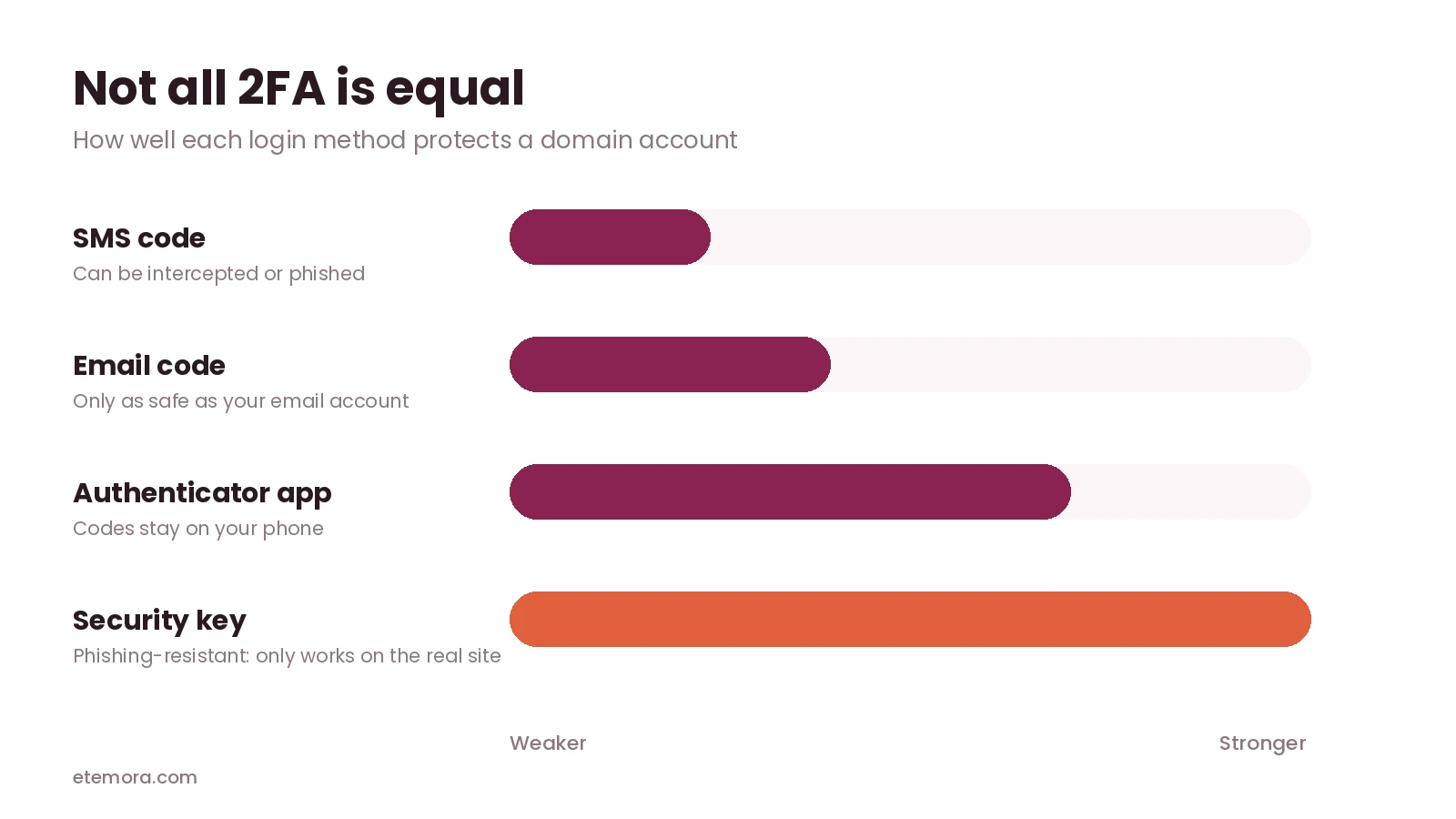
Two-factor authentication (2FA) means a password alone isn’t enough to log in. Not all 2FA is equal. Codes sent by SMS or email can be intercepted or phished. Authenticator apps are stronger. Hardware security keys are strongest, because they only work on the real website. Cloudflare describes security keys as providing “phishing-resistant” multifactor authentication.
2. Transfer lock turned on by default
A transfer lock (also called registrar lock or domain lock) stops the domain from being moved to another registrar until you switch it off. A secure domain registrar turns it on automatically.
3. Extra checks before big changes
Some registrars ask for a PIN, security questions or a one-time code before changes to nameservers, contacts or transfers, and send alerts when those changes happen. This protects you even if someone gets into your account.
4. Free WHOIS privacy
Privacy hides your name, email and address from public domain lookups. That reduces spam and makes targeted phishing and social engineering harder.
5. DNSSEC support
DNSSEC adds digital signatures to your DNS records so visitors’ resolvers can check that the answers haven’t been tampered with. It protects your DNS rather than your account, but a secure registrar should make it easy to switch on.
6. Registry lock for high-value domains
Registry lock is the strongest option. The domain is locked at the registry that runs the extension, so changes need manual verification from you, the registrar and the registry. It is usually a paid or enterprise feature.
Domain Registrar Security Features Compared
To compare each secure domain registrar fairly, the table below is based on each registrar’s own help pages and product pages, checked in September 2026. “Not stated” means we couldn’t confirm the feature on an official page, not that it definitely doesn’t exist.
| Registrar | 2FA options | Security keys | Free WHOIS privacy | Extra protection |
|---|---|---|---|---|
| Cloudflare | Security key, app, email | Yes | Yes (redaction) | Free one-click DNSSEC; registry lock on Enterprise |
| Porkbun | App, security key | Yes | Yes | Passwordless login option |
| Namecheap | App (TOTP), U2F key | Yes | Yes | Not stated |
| Dynadot | App, SMS, security key | Yes | Yes (eligible TLDs) | Account lock PIN; registry lock $100/year |
| NameSilo | App (TOTP) | Not stated | Yes | Free Domain Defender |
| Hover | App, email | Not stated | Yes (supported domains) | Not stated |
| GoDaddy | 2-step verification | Not stated | Yes (eligible domains) | Paid Domain Protection plans |
The Most Secure Domain Registrars in 2026
Cloudflare: best security for most people
Cloudflare accounts support hardware security keys, built-in authenticators like Touch ID or Windows Hello, authenticator apps and email codes. Cloudflare Registrar includes free WHOIS redaction and one-click DNSSEC, and sells domains at cost. For high-profile domains, its Enterprise-only Custom Domain Protection applies registry lock and verifies every change manually. The trade-off: your domain has to use Cloudflare’s DNS.
Porkbun: best secure domain registrar on a budget
Porkbun supports physical security keys through WebAuthn as well as authenticator apps, and offers a passwordless login option. WHOIS privacy is free, and its .com price stays the same at renewal. According to Porkbun’s knowledge base, you can use a physical security key as a 2FA option for logging in.
Namecheap: strong 2FA at a mainstream registrar
Namecheap supports both authenticator-app codes (TOTP) and U2F hardware keys, and its 2FA page doesn’t list SMS as an option. WHOIS privacy is free for life. It’s a good choice if you want strong login security with a large, well-known registrar.
Dynadot: most layers of account protection
Dynadot combines 2FA (authenticator app, SMS or YubiKey) with an Account Lock that asks for a security PIN before important changes, and a Domain Lock against transfers. For .com, .net and .cc it also sells registry lock for $100 a year, according to Dynadot’s security page. If you choose SMS, switch to an app or a key for better protection.
NameSilo: free change alerts and security questions
NameSilo supports app-based 2FA and offers Domain Defender, a free feature that asks up to five security questions before domain changes and can alert you by email or text about around 15 types of changes. That’s useful protection if your account password is ever stolen.
Hover: simple and private
Hover supports authenticator-app 2FA and falls back to email codes if you turn the app method off. Privacy is included on supported domains, and its pricing has very few upsells. We couldn’t confirm security key support on its help pages.
GoDaddy: paid protection tiers
GoDaddy adds free domain privacy to eligible domains automatically. Its paid Domain Protection plans add change alerts, blocks on unauthorized transfers, and a one-time password or 2-step verification before high-impact changes. You pay extra for protection that some registrars include for free.
Comparing registrars on price as well as security?
See the Best Domain Registrars →How to Choose a Secure Domain Registrar
Before you register or move a domain, ask these five questions. A secure domain registrar should be able to answer yes to most of them on its own help pages:
- Can I log in with a security key or an authenticator app? SMS-only 2FA is a warning sign.
- Is the transfer lock on by default? You shouldn’t have to remember to switch it on.
- Will I get alerts or extra checks before DNS, contact or transfer changes?
- Is WHOIS privacy free? Paying extra for privacy is no longer normal.
- Is registry lock available if I need it later? Most people won’t, but it’s useful to know it exists.
Price and security are separate questions. Some of the cheapest registrars in our comparison, like Porkbun and Dynadot, also offer some of the strongest account protection, so a secure domain registrar doesn’t have to cost more.
Registry Lock: When Do You Need It?
Even a secure domain registrar can only protect what happens inside its own systems, which is where registry lock comes in.
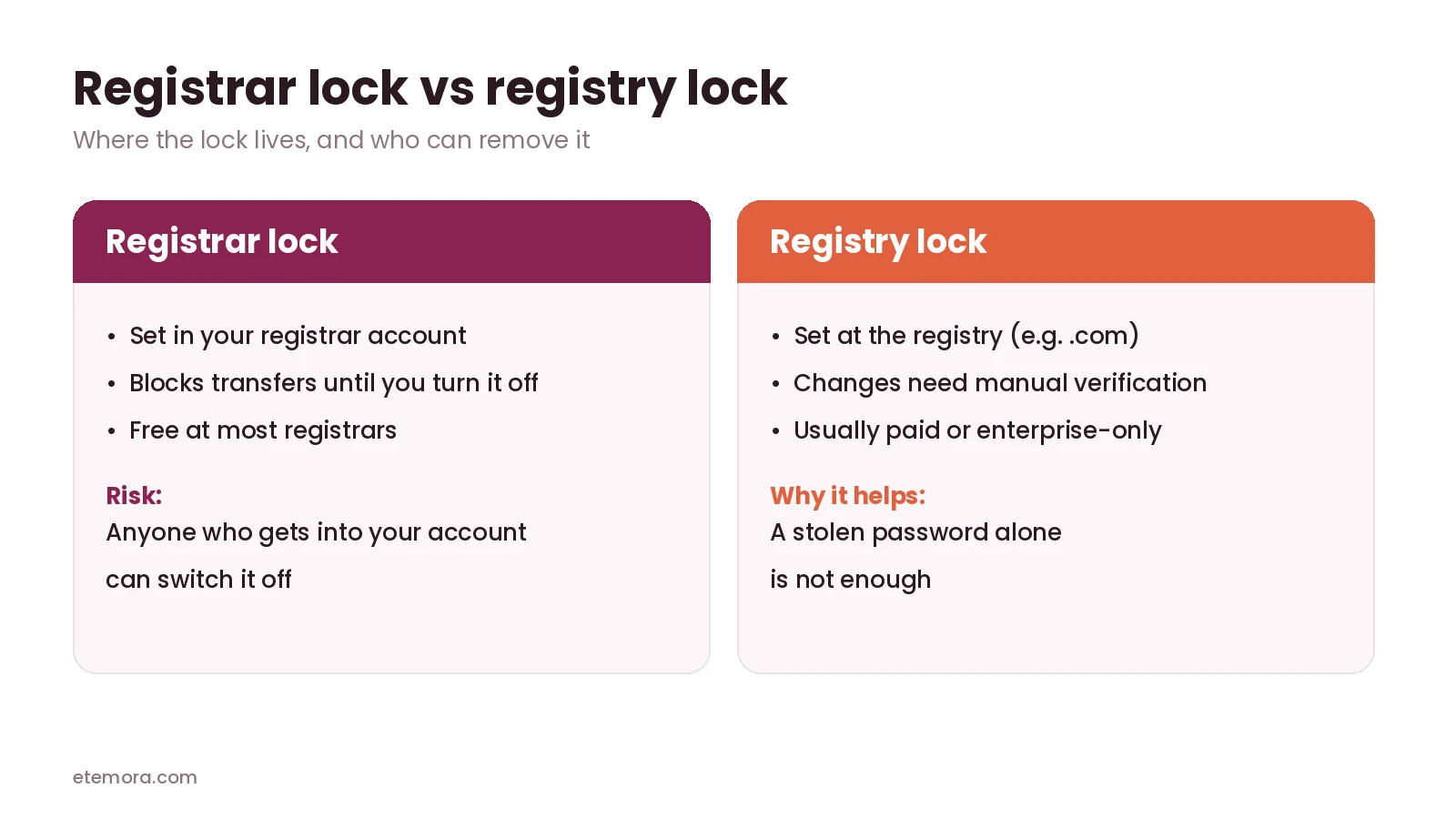
A normal transfer lock is controlled from your registrar account. If an attacker gets into that account, they can switch it off. Registry lock works one level higher: the registry itself blocks changes until the registrar confirms them through a separate, usually manual, process.
For a personal blog or small business site, strong 2FA and a transfer lock at a secure domain registrar are usually enough. Registry lock makes sense when downtime would be very costly: large online stores, banks, SaaS products or well-known brands. Expect to pay for it, as with Dynadot’s $100 a year option, or to need an enterprise plan, as with Cloudflare.
How to Secure Your Domain at Any Registrar
Even the most secure domain registrar can’t protect an account with a weak password. Take these steps wherever your domains are registered:
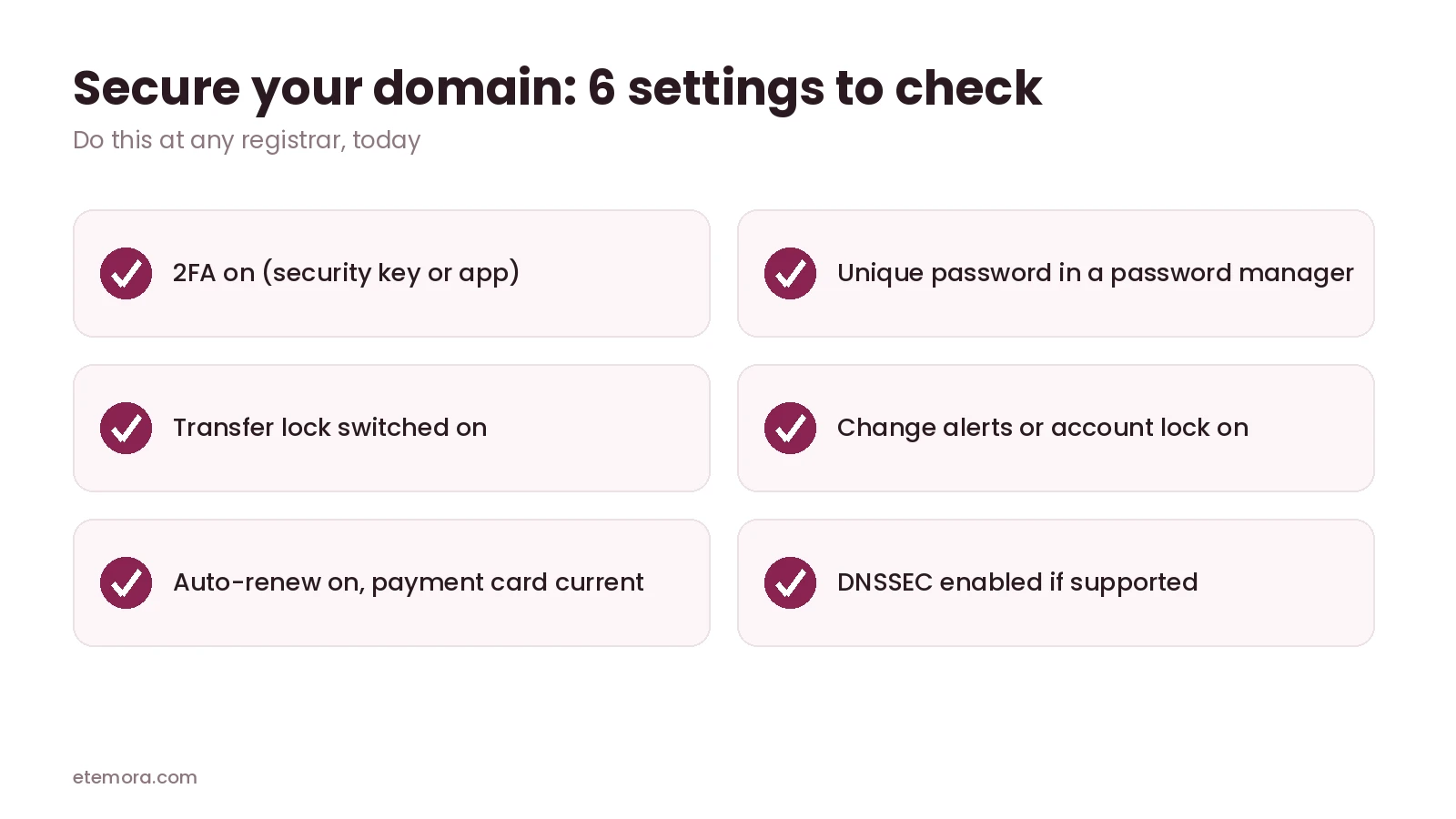
- Turn on 2FA and use a security key or authenticator app instead of SMS where possible.
- Use a unique, long password stored in a password manager. Our guide to the best password managers can help you choose one.
- Keep the transfer lock on and only switch it off when you are actually moving a domain.
- Turn on change alerts or account locks if your registrar offers them.
- Use an email address you control for the account, ideally not one on the same domain, so you can still recover access if the domain has problems.
- Turn on auto-renew and keep your payment details current, so the domain can’t expire by accident.
- Enable DNSSEC if your registrar and DNS provider support it.
What to Do If Your Domain Is Hijacked
Even at a secure domain registrar, speed matters once something goes wrong. Act on these steps right away:
- Contact your registrar’s support immediately and explain that the account or domain was taken over.
- Secure your email account first, since registrar password resets usually go there.
- Change passwords and 2FA on the registrar account as soon as you regain access.
- Check DNS, nameservers and contact details for changes, and restore the correct values.
- If the domain was moved to another registrar, ask your registrar to start a dispute or reversal process as quickly as possible.
Frequently Asked Questions
What is the most secure domain registrar?
For most people, Cloudflare is the strongest all-round choice: security key 2FA, free WHOIS redaction and one-click DNSSEC. Porkbun, Namecheap and Dynadot also support security keys, and Dynadot adds an account lock and optional registry lock.
Which domain registrars support security keys?
Based on their official help pages in September 2026, Cloudflare, Porkbun, Namecheap and Dynadot all support hardware security keys for account login.
Is SMS two-factor authentication safe for a domain account?
It’s better than no 2FA, but SMS codes can be intercepted or phished. An authenticator app or a hardware security key gives much stronger protection.
What is the difference between registrar lock and registry lock?
Registrar lock is set in your registrar account and blocks transfers until you turn it off. Registry lock is applied at the registry, and changes need manual verification from the registrar and registry, so a stolen password alone isn’t enough.
Is a cheap domain registrar less secure?
Not necessarily. Porkbun and Dynadot are among the cheapest .com registrars in our comparison and both support security keys. A secure domain registrar is defined by its account protection, not its price.
Do I need to pay for domain privacy?
Usually not. Cloudflare, Porkbun, Namecheap, Dynadot, NameSilo, Hover and GoDaddy all include free privacy on eligible domains.
Does DNSSEC stop domain hijacking?
Not on its own. DNSSEC protects DNS answers from being tampered with in transit, but it won’t stop someone who logs into your registrar account. You still need strong 2FA and a transfer lock.
Is GoDaddy Domain Protection worth it?
It adds change alerts, transfer protection and extra verification for changes. If you want those features without paying extra, some other registrars include similar protection, such as NameSilo’s free Domain Defender.
Should I move my domain to a more secure domain registrar?
If your current registrar doesn’t support app-based 2FA or a transfer lock, moving can be worth it. Our guide on how to transfer a domain explains the process.
The Bottom Line
The most secure domain registrar is one that makes account takeover hard: security key 2FA, transfer lock by default, free privacy and extra checks before big changes.
If price matters too, compare long-term costs in our best domain registrars guide and our explainer on why domain renewal prices go up.
How we put this together: this guide is research-based. We did not run penetration tests or hands-on security audits. Security features were checked on each registrar’s official help and product pages in September 2026 and are linked where they appear. Features change, so confirm them in your account settings.
Disclosure: Some links on this page may be affiliate links. If you purchase through an eligible link, Etemora may earn a commission at no additional cost to you. Our editorial recommendations are not determined solely by commission. Learn more →
Related articles you may like
 Web HostingHostinger vs WordPress.com: 2026 Honest Comparison
 Web HostingHow to Buy a Domain Name in 2026: 8 Simple Steps
 Web HostingLargest Domain Registrars in 2026 (Ranked by .com Domains)
 Web HostingHow to Transfer a Domain to Another Registrar (Step by Step)
 Web HostingWhy Domain Renewal Prices Go Up (and 7 Ways to Pay Less)
 Web HostingHostinger vs Bluehost: Full Comparison in 2026