
How to Transfer a Domain to Another Registrar (Step by Step)
 By M. Zaid
- Updated September 26, 2026
- 10 min read
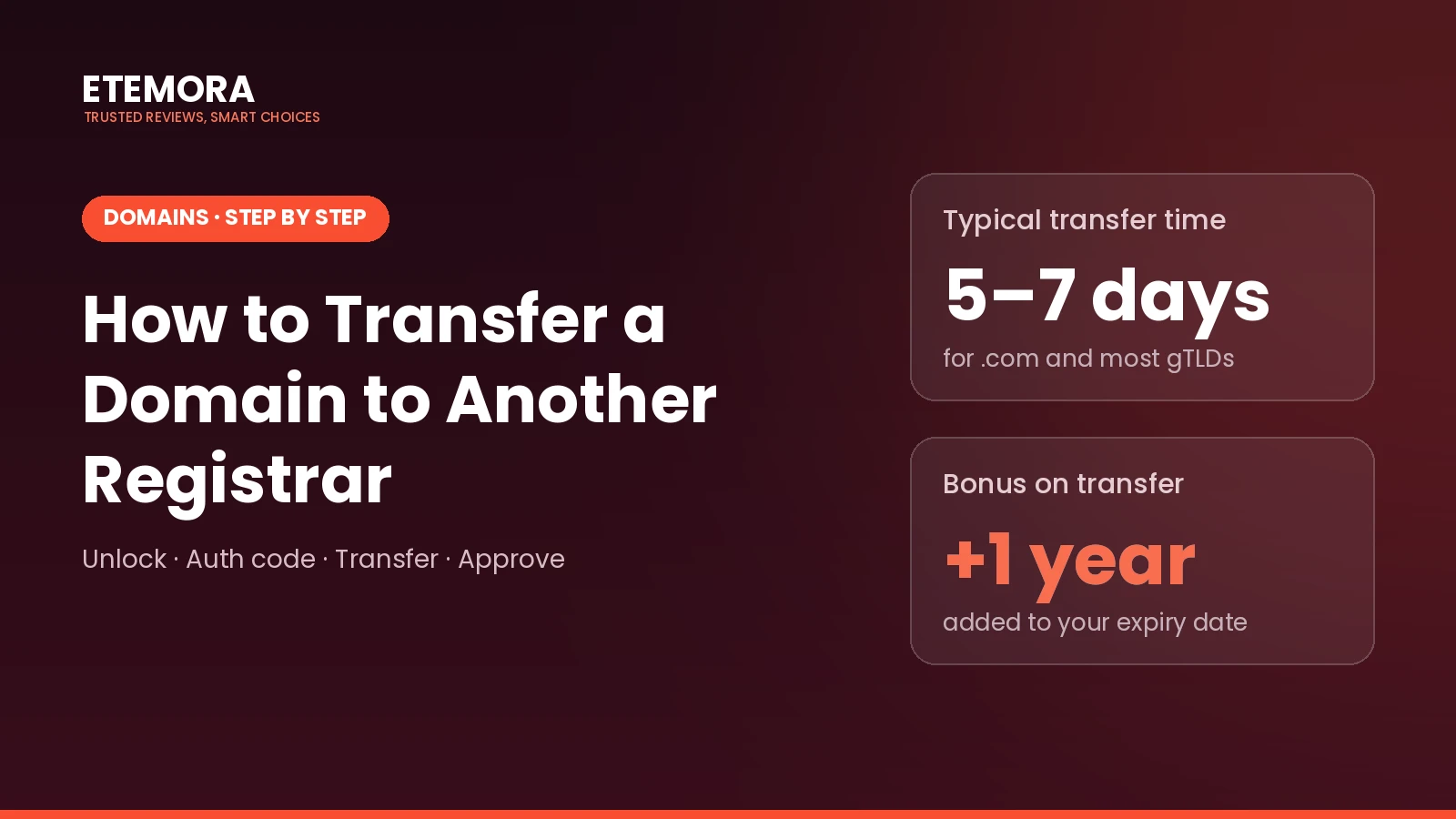
Quick answer: To transfer a domain to another registrar, unlock it at your current registrar, request the transfer authorization code (also called an EPP or auth code), start the transfer at the new registrar, enter the code, pay for the transfer, and approve any confirmation email. For .com and most generic extensions, the transfer usually completes within about 5 to 7 days and adds one year to your registration. To transfer a domain, it must generally be at least 60 days old and not transferred in the last 60 days.
Moving a domain sounds technical, but it is mostly a checklist. The registrar you are leaving has to release the domain, the new one has to request it, and a code proves you are the owner.
This guide shows how to transfer a domain step by step, what to check before you start so the transfer doesn’t fail, how to keep your website and email online during the move, and which registrars are easiest to move to.
Before You Transfer a Domain: 6 Checks
Most failed transfers come from something that could have been checked in advance. Go through this list before you transfer a domain.
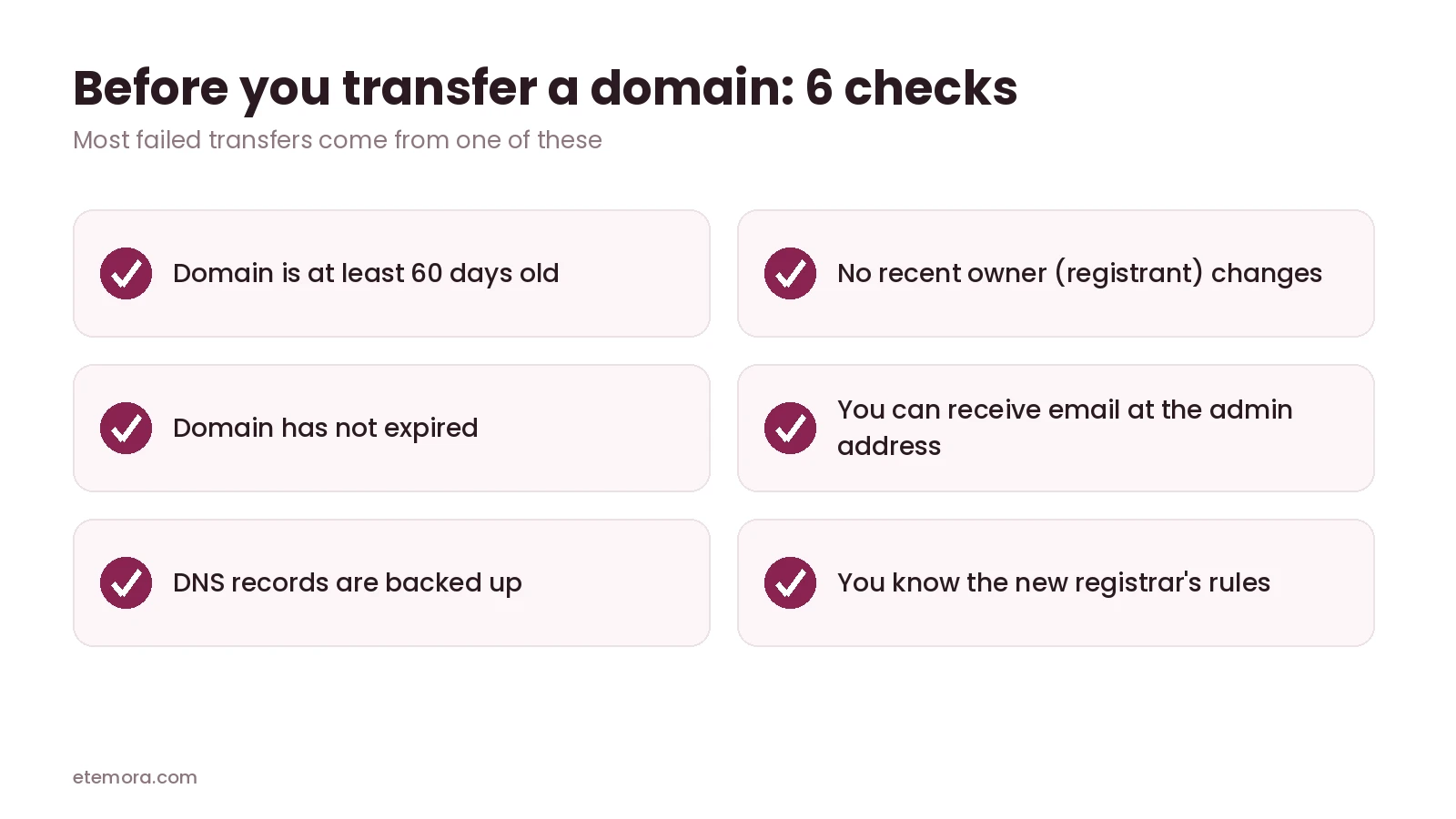
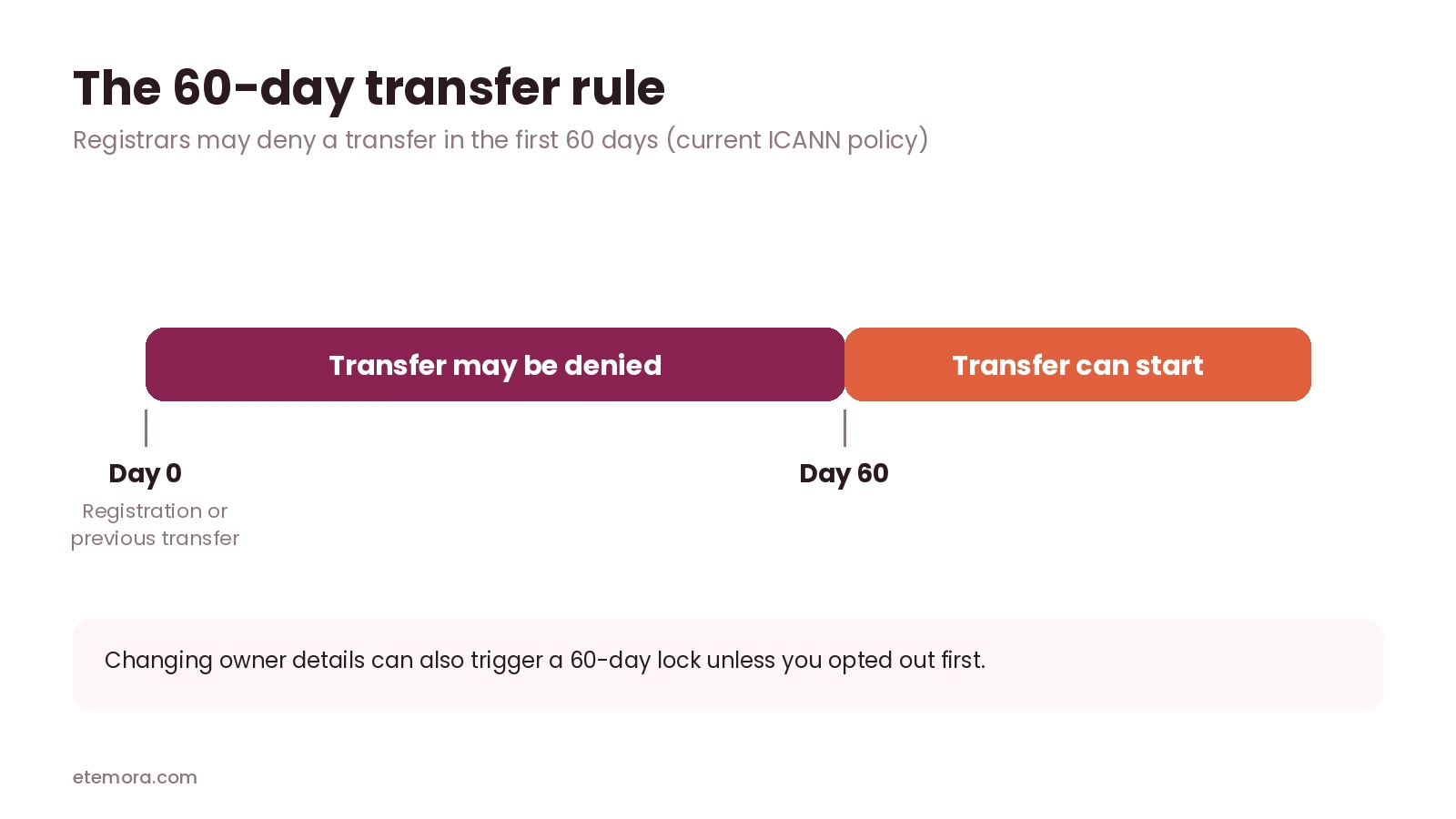
- The domain is at least 60 days old. Under ICANN’s Transfer Policy, registrars may deny a transfer within 60 days of the initial registration or a previous transfer.
- You haven’t recently changed the owner details. Changing the registrant’s name, organization or email can trigger a 60-day transfer lock unless you opted out before making the change.
- The domain hasn’t expired. Renew it first if it has. An active domain transfers far more smoothly.
- You can receive email at the admin address. Some registrars send the auth code or an approval link there.
- You have a copy of your DNS records. Save your A, CNAME, MX and TXT records so your website and email keep working after the move.
- You know the new registrar’s rules. For example, Cloudflare requires your domain to use Cloudflare’s DNS before and after the transfer.
How to Transfer a Domain in 7 Steps
Step 1: Choose your new registrar
Before you transfer a domain, pick the registrar you want to move to. Do this before touching anything at your current one. Look at the renewal price, not just the transfer price, since that is what you will pay every year afterwards. Our best domain registrars guide compares ten options on long-term cost.
Step 2: Back up your DNS settings
Log in to your current registrar and copy every DNS record, or export the zone file if the option exists. If your domain already uses nameservers from your hosting company or a DNS service like Cloudflare, those usually keep working during the transfer.
Step 3: Unlock the domain
Registrars lock domains by default to prevent unauthorized transfers. Find the “domain lock” or “transfer lock” setting in your domain’s dashboard and switch it off.
Step 4: Get the authorization code
Request the transfer authorization code, often called an EPP code or auth code. Many registrars show it in the dashboard. Under ICANN’s Transfer Policy, a registrar that doesn’t let you generate the code yourself must provide it within five calendar days of your request.
Step 5: Start the transfer at the new registrar
At the new registrar, choose “Transfer” rather than “Register”, enter your domain name, then paste the authorization code. Add the domain to your cart and pay. For .com and most generic extensions, the fee usually includes one extra year of registration.
Step 6: Approve the transfer
Watch your inbox for confirmation emails from either registrar and approve them. Some registrars let you approve the outgoing transfer from your dashboard to speed things up.
Step 7: Check everything after the transfer completes
Once the domain appears in your new account, confirm the DNS records and nameservers are correct, switch the domain lock back on, turn on auto-renew, and check that your website and email work.
How Long Does It Take to Transfer a Domain?
For .com and most generic extensions, a transfer typically completes in about 5 to 7 days. If the registrar you are leaving doesn’t respond, the transfer generally goes through automatically after the waiting period. Approving the outgoing transfer at your old registrar can shorten this to a day or two at some registrars.
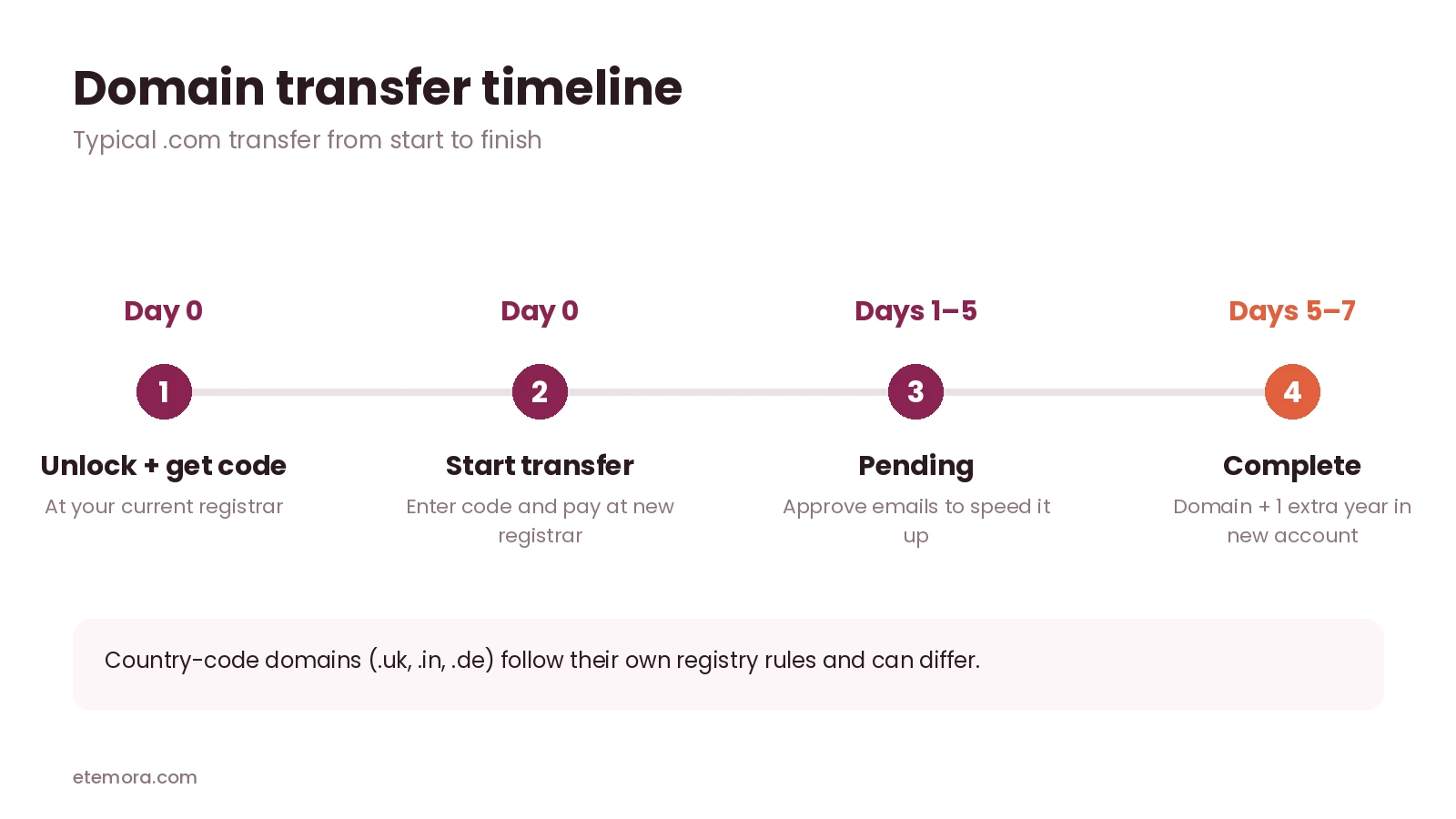
Country-code extensions such as .uk, .in or .de follow their own registry rules. Some transfer faster, and some don’t add a year. Cloudflare notes, for example, that .uk transfers include no extra year and no transfer fee.
How Much Does It Cost to Transfer a Domain?
For generic extensions like .com, the transfer fee usually equals one year’s renewal, and that year is added to your existing expiry date. You don’t lose the time you already paid for.
| Registrar | .com transfer | What happens after |
|---|---|---|
| Cloudflare | At cost (no markup) | Renews at cost |
| Porkbun | $11.08 | Renews at $11.08 |
| Hover | $18.99 | Renews at $18.99 |
Prices were read from each registrar’s official pricing page in September 2026 and include one year of registration. The .com wholesale price rises on November 1, 2026, so expect small increases after that date. Our guide to why domain renewal prices go up explains the change.
Which Registrar Is Easiest to Transfer To?
The easiest registrars to move to have three things in common: the transfer page is simple, the renewal price is the same as the transfer price, and they don’t try to sell you add-ons during checkout.
- Porkbun: flat pricing, with the same price for transfer and renewal, and WHOIS privacy included.
- Cloudflare: the lowest long-term cost because it charges at cost, but only if you are happy to use Cloudflare’s DNS.
- Hover: higher price, but the same price for registration, renewal and transfer, and very few upsells.
To compare more options side by side, use our domain registrar comparison tool.
Not sure where to move your domain?
Compare the Best Domain Registrars →How to Keep Your Website and Email Online During a Transfer
When you transfer a domain, you change who manages the registration. It doesn’t have to change where your website or email is hosted. Downtime usually happens only when DNS records get lost along the way.
- If you use your host’s or Cloudflare’s nameservers, leave them as they are. The transfer normally doesn’t touch them.
- If your registrar hosts your DNS, recreate every record at the new registrar before or immediately after the transfer, using the backup from Step 2.
- If your email comes from the old registrar, set up email elsewhere first. Registrar email plans usually don’t move with the domain.
If you are also moving your website, our guide to the best web hosting services can help you pick a host first.
Transferring a Domain vs Changing Nameservers
People often mix these up. They are different jobs, and you may not need a transfer at all.
- Changing nameservers points your domain at a different DNS provider, usually your web host or a service like Cloudflare. It takes a few minutes to set, costs nothing, and the domain stays at the same registrar.
- Transferring a domain moves the registration itself to another registrar. You pay for a year at the new registrar, and from then on you renew and manage the domain there.
If you only want your domain to show a website hosted somewhere else, changing nameservers or DNS records is enough. Transfer a domain when you want lower renewals, a better dashboard, or all your domains in one account.
Why Domain Transfers Fail
Most failed attempts to transfer a domain come down to one of these five problems:
- The domain is still locked at the old registrar.
- The authorization code is wrong or expired. Request a fresh one and paste it without extra spaces.
- The domain is under 60 days old, or was transferred or had its owner details changed in the last 60 days.
- The domain has expired or is in a redemption period.
- The approval email went unanswered, often because the admin email address is outdated.
ICANN Transfer Rule Changes to Watch
ICANN is updating its Transfer Policy. In March 2025, the GNSO Council approved recommendations that include replacing the 60-day lock after registration or transfer with a shorter 30-day lock, and removing the 60-day lock triggered by a change of registrant. These changes still need to be implemented, so until your registrar says otherwise, plan around the current 60-day rules described above when you transfer a domain.
Frequently Asked Questions
How do I transfer a domain to another registrar?
Unlock the domain at your current registrar, get the authorization code, start a transfer at the new registrar, enter the code, pay, and approve any confirmation emails. The transfer usually completes within about 5 to 7 days.
Can I transfer a domain I just registered?
Usually not right away. Registrars may deny transfers within 60 days of the initial registration or a previous transfer.
Will my website go down when I transfer a domain?
It shouldn’t, as long as your DNS records or nameservers stay the same. Back up your DNS before you start and recreate it at the new registrar if needed.
Do I lose the time left on my domain when I transfer it?
No. For .com and most generic extensions, the transfer adds one year on top of your current expiry date.
What is an EPP or auth code?
It’s a password-like code that proves you are allowed to move the domain. You get it from the registrar you are leaving and enter it at the new registrar.
How much does a domain transfer cost?
For .com, it’s usually the same as one year’s renewal at the new registrar, for example $11.08 at Porkbun or at-cost pricing at Cloudflare in September 2026.
Can I transfer an expired domain?
It’s much harder. Renew the domain at your current registrar first, then start the transfer.
Which registrar is best to transfer a domain to?
It depends on your priority. Cloudflare has the lowest long-term cost if you use its DNS, Porkbun offers flat pricing with privacy included, and Hover has very few upsells.
The Bottom Line
To transfer a domain, you only need a short checklist: unlock, get the code, start the transfer, approve it, and check your DNS afterwards.
If you are moving because renewals got expensive, our domain renewal cost calculator shows how much you save over 5 or 10 years.
How we put this together: this guide is research-based. Transfer rules come from ICANN’s published Transfer Policy and registrar documentation such as Cloudflare’s transfer guide. Prices come from our September 2026 registrar comparison, read from each registrar’s official pricing page. Rules and prices change, so check your registrar’s current terms before you start.
Disclosure: Some links on this page may be affiliate links. If you purchase through an eligible link, Etemora may earn a commission at no additional cost to you. Our editorial recommendations are not determined solely by commission. Learn more →
Related articles you may like
 Web HostingHostinger vs WordPress.com: 2026 Honest Comparison
 Web HostingHow to Buy a Domain Name in 2026: 8 Simple Steps
 Web HostingLargest Domain Registrars in 2026 (Ranked by .com Domains)
 SecurityMost Secure Domain Registrars in 2026: 2FA, Locks and Privacy Compared
 Web HostingWhy Domain Renewal Prices Go Up (and 7 Ways to Pay Less)
 Web HostingHostinger vs Bluehost: Full Comparison in 2026