
What Is Generative AI? How It Works, Examples & Uses
 By M. Zaid
- Updated September 28, 2026
- 15 min read
- Generative AI vs Traditional AI
- How Generative AI Works
- What Generative AI Can Create
- Generative AI Models
- What Generative AI Is Used For
- Popular Generative AI Tools
- ChatGPT vs Generative AI
- Generative AI vs Machine Learning
- Benefits of Generative AI
- Limitations of Generative AI
- Is Generative AI Safe to Use?
- Generative AI and Privacy
- Everyday Work Use Cases
- How to Choose a Generative AI Tool
- Cost of Generative AI
- Will AI Replace Humans?
- Future of Generative AI
- Generative AI vs AI Agents
- Should You Start Using It?
- FAQs
Quick answer: What is generative AI? Generative AI (GenAI) is a type of artificial intelligence that creates new content — text, images, code, audio or video — instead of just analyzing or classifying existing data. It works by training large models on huge datasets, then generating new output in response to a prompt. Tools like ChatGPT, Claude, Gemini and Midjourney are all examples of generative AI in everyday use.
Generative AI is the branch of AI behind tools like ChatGPT, Gemini, Claude and Midjourney — systems that can write an email, draft code, generate an image or summarize a document from a simple text prompt. It’s the reason “AI” went from a background technology to something hundreds of millions of people use directly every week.
If you’re deciding which of these assistants to use day to day, our comparison of the best AI chatbots in 2026 breaks down ChatGPT, Claude, Gemini, Perplexity and more by use case.
This guide explains what generative AI actually is, how it works, what it can create, where it’s used, its real benefits and limitations, and how it’s different from traditional AI, machine learning and AI agents.
Generative AI vs Traditional AI
A key part of what is generative AI is what it is not: not all AI is generative. Traditional (or “discriminative”) AI is built to analyze, classify, predict or recommend based on existing data — it doesn’t create new content. Generative AI is built to produce new content that didn’t exist before.
| Aspect | Traditional AI | Generative AI |
|---|---|---|
| Main job | Analyze, classify, predict | Create new content |
| Typical output | A label, score or recommendation | Text, images, audio, video or code |
| Example | Spam filter, fraud detection, product recommendations | ChatGPT, Midjourney, GitHub Copilot |
| How it’s used | Runs quietly in the background of an app | Interacted with directly through prompts |
| Underlying approach | Rules-based systems or predictive machine learning | Deep learning on large training datasets |
In practice, generative AI is a subset of AI, and it’s usually built using machine learning and deep learning techniques — it isn’t a separate technology stack, just a different goal (creating content instead of only predicting or classifying).
How Generative AI Works
If you are asking what is generative AI doing behind the scenes, the answer comes in three stages: it’s trained on data, it receives a prompt, and it generates output based on patterns learned during training.
1. Training on Data
Generative AI models are trained on massive datasets — text, images, code or audio collected from the web, books, licensed sources and other content. During training, the model learns statistical patterns: how words tend to follow each other, how pixels form recognizable shapes, or how code syntax is structured. According to IBM’s explanation of generative AI, these models use neural networks to identify the patterns and structures within existing data to generate new content.
2. Receiving a Prompt
Once trained, the model is ready to respond to prompts — instructions typed (or spoken) by a user, such as “write a product description for a running shoe” or “generate an image of a mountain at sunset.” The prompt tells the model what kind of output to produce.
3. Generating Output
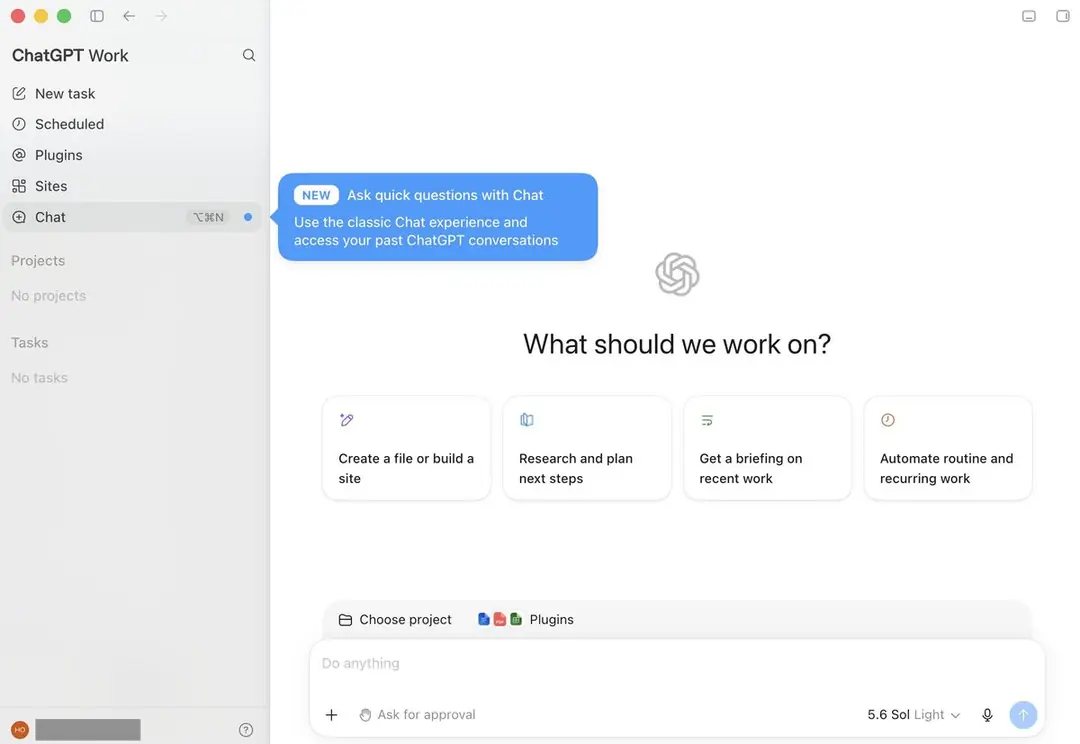
The model then predicts the most likely next piece of content — the next word, pixel or sound — step by step, based on everything it learned during training and the context of the prompt. It doesn’t look up a pre-written answer; it generates a new sequence each time, which is why the same prompt can produce slightly different results on separate runs.
What Generative AI Can Create
Generative AI isn’t limited to text. Depending on the tool and the model behind it, generative AI can create:
Text
Emails, articles, summaries, product descriptions, scripts and conversational replies — tools like ChatGPT, Claude and Gemini specialize in this. We compare ten of them side by side in our best AI writing tools guide.
Images
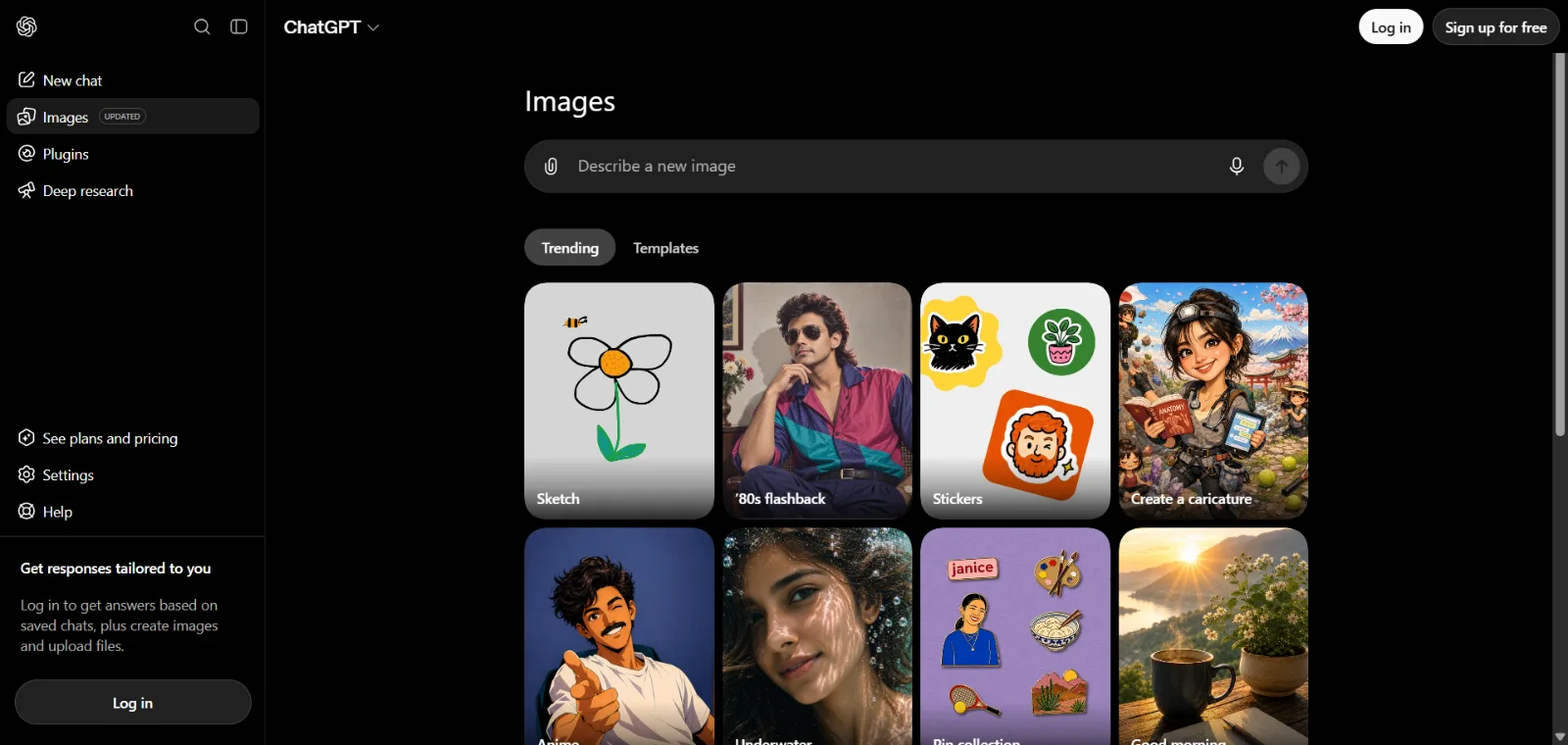
Original images generated from a text description, using tools like Midjourney, Adobe Firefly, DALL-E (inside ChatGPT) and Google’s Gemini image tools. For a full comparison, see our best AI image generators guide.
Code
Functions, full scripts, bug fixes and code explanations, generated from natural-language instructions — used inside tools like GitHub Copilot, ChatGPT and Claude.
Audio
Synthetic voices, music and sound effects, generated from text prompts or short audio samples.
Video
Short video clips generated from text prompts or a single reference image, using newer generative video tools. Our best AI video generators guide covers the main options.
Generative AI Models
Another way to answer what is generative AI is to look at the models underneath. Generative AI tools are built on top of different types of underlying models:
Foundation Models
Large, general-purpose models trained on broad datasets that can be adapted to many different tasks, rather than being built for one narrow job.
Large Language Models (LLMs)
Foundation models trained specifically on text, designed to understand and generate human language — GPT, Gemini and Claude’s underlying models are all LLMs. Per Google Cloud’s overview of large language models, an LLM is a deep learning model trained on massive amounts of text data that can recognize, translate, predict and generate text.
Multimodal Models
Models trained to understand and generate more than one type of content — for example, a model that can take a text prompt and generate an image, or accept an image and describe it in text.
What Generative AI Is Used For
Generative AI has moved from research labs into everyday work. Common use cases include:
- Content Creation: Drafting blog posts, marketing copy, social captions and video scripts.
- Research: Summarizing long documents, explaining complex topics and comparing sources quickly.
- Marketing: Generating ad copy, email campaigns, product descriptions and campaign ideas.
- Software Development: Writing and debugging code, generating tests and explaining unfamiliar codebases.
- Education: Explaining concepts, generating practice questions and tutoring on demand.
- Business Automation: Drafting replies, summarizing meetings and generating reports from raw data.
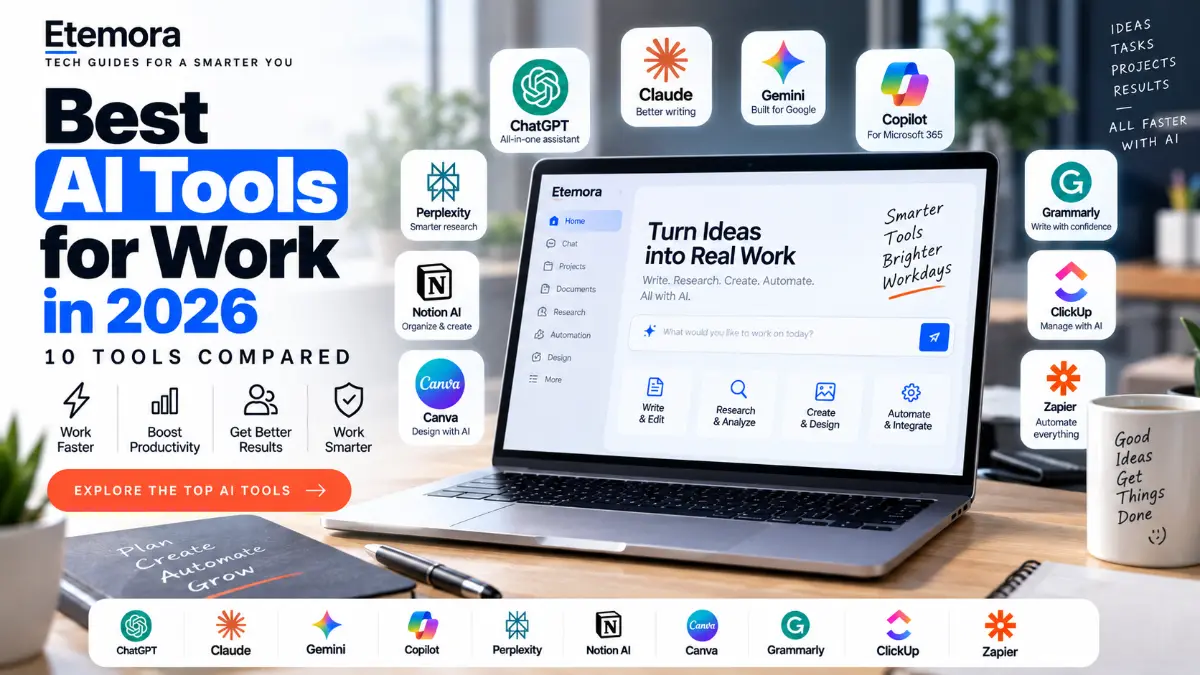
Want to see which AI tools handle these tasks best?
Compare the Best AI Tools for Work →Popular Generative AI Tools
If you have ever wondered what is generative AI in everyday life, some of the most widely used generative AI tools today include ChatGPT (OpenAI), Gemini (Google), Claude (Anthropic), Microsoft Copilot, Perplexity, Midjourney and Adobe Firefly. Each has different strengths — some focus on conversational writing and research, others on image or code generation.
Not sure which one fits your workflow?
See the Full AI Tools Comparison →ChatGPT vs Generative AI
When people ask what is generative AI, they often mean ChatGPT, but ChatGPT is a generative AI tool — not the entire category. Generative AI is the broader technology; ChatGPT is one product built on top of an LLM (OpenAI’s GPT models) that applies generative AI to conversational text. Other generative AI tools use the same underlying idea for images, code, audio or video.
Generative AI vs Machine Learning
To place what is generative AI next to machine learning: machine learning is the broader field of teaching computers to learn patterns from data. Generative AI is a specific application of machine learning (usually deep learning) focused on generating new content rather than just predicting, classifying or scoring.
In other words: all generative AI relies on machine learning, but not all machine learning is generative — a lot of it is used for prediction and classification instead (like the traditional AI examples earlier in this guide).
Benefits of Generative AI
- Speed: Drafts, summaries and first versions can be produced in seconds.
- Accessibility: No coding or design skill required to get useful output from a simple prompt.
- Idea generation: Useful for brainstorming and exploring different angles quickly.
- Personalization: Output can be tailored to a specific tone, audience or format on request.
- Cost savings: Reduces time spent on repetitive drafting, research and first-pass work.
Limitations of Generative AI
Generative AI is genuinely useful, but it isn’t infallible, and treating its output as automatically correct is a real risk. Key limitations to keep in mind:
- It can produce incorrect information. Generative AI models can generate confident-sounding but factually wrong answers (often called “hallucinations”), especially on niche topics, recent events or specific numbers.
- It reflects bias in its training data. If the data a model was trained on contains bias, the model’s output can reflect that bias, even unintentionally.
- It still needs human judgment. Generated content should be reviewed, fact-checked and edited before it’s published, sent or acted on — particularly for anything factual, legal, medical or financial.
- It can be inconsistent. The same prompt can produce different results at different times.
- It doesn’t truly “understand” content the way a person does — it generates statistically likely output, not verified truth.
None of this means generative AI isn’t worth using — it means it works best as an assistant that speeds up a first draft, not a final authority you skip checking.
Is Generative AI Safe to Use?
Generative AI is safe to use for most everyday tasks — drafting, brainstorming, summarizing — as long as you avoid two things: relying on it as a sole source of truth for important decisions, and entering sensitive personal or company information into tools you don’t fully trust or control.
Generative AI and Privacy
Many generative AI tools process what you type through cloud servers, and depending on the tool’s settings, your prompts and uploads may be stored or used to improve future models. Per Google’s help documentation on Gemini and data, users can review and manage how their activity and conversations are used. Good habits include reviewing a tool’s data-retention settings, avoiding pasting sensitive personal, financial or client data into a public AI tool, and using a strong, unique password (managed through a password manager) for every AI account you create.

Using multiple AI accounts and tools?
Compare the Best Password Managers →If you’re accessing AI tools on public Wi-Fi, or want an extra layer of privacy while browsing and using cloud-based AI services, a VPN can help keep your connection encrypted.

Want to browse and use AI tools more privately?
Compare the Best VPN Services →Everyday Work Use Cases
Beyond the broad categories above, the everyday answer to what is generative AI is simple: people use it day-to-day for things like: turning meeting notes into a summary, rewriting an email in a different tone, generating a first draft of a report, creating social media captions from a few bullet points, and explaining an unfamiliar spreadsheet formula or piece of code.
How to Choose a Generative AI Tool
When comparing generative AI tools, consider: what type of content you need (text, image, code, audio or video), whether it integrates with tools you already use, its free-plan limits, its data-privacy policy, and how accurate its output has been in your own testing.
Ready to compare tools side by side?
See the Best AI Tools for Work →Cost of Generative AI
Most generative AI tools offer a free tier with usage limits, alongside paid plans (commonly $10–$30/month for individuals) that unlock higher usage caps, faster response times, more advanced models and extra features like larger file uploads or priority access.
Will AI Replace Humans?
Generative AI is more likely to change how work gets done than to fully replace people in most roles. It’s well suited to speeding up repetitive, draft-heavy tasks, but it still needs a person to direct it, check its output and make final judgment calls — especially in roles requiring nuance, accountability or original judgment.
Future of Generative AI
What is generative AI likely to become next? Expect it to keep improving in accuracy, get better at handling multiple types of content in a single conversation (multimodal), and become more deeply integrated into everyday software rather than living only in a standalone chat window. AI agents that can carry out multi-step tasks on your behalf are one of the most active areas of current development.
Generative AI vs AI Agents
What is generative AI compared with an AI agent? Generative AI creates content in response to a prompt. AI agents go a step further — they can plan and carry out multi-step tasks, sometimes using tools, apps or the web, with limited ongoing human input.
| Aspect | Generative AI | AI Agents |
|---|---|---|
| What it does | Generates content from a prompt | Plans and executes multi-step tasks |
| Interaction | One prompt, one response | Can take a series of actions toward a goal |
| Example | Writing an email draft | Researching, drafting and scheduling that email autonomously |
| Human involvement | Reviews and edits each output | Sets the goal, then reviews the end result |
Should You Start Using It?
If you regularly write, research, code or create content, generative AI is worth trying — most tools have a usable free tier, so there’s little downside to testing one on a real task this week. Start with something low-risk (a draft, a summary, a first pass) rather than anything you’d publish or send without checking it yourself.
If you’re not sure where to begin, our best AI chatbots guide is the easiest starting point, and best AI tools for work covers tools built for specific jobs.
How we put this together: this explainer is research-based. It draws on official documentation from AI providers and on explainers from sources like IBM and Google Cloud, which are linked where they are used. Tool features and free tiers change quickly, so check the provider’s own page before relying on a specific detail.
Frequently Asked Questions
What is generative AI in simple words?
Generative AI is technology that creates new content — text, images, code, audio or video — based on patterns it learned from training data, in response to a prompt.
What is generative artificial intelligence used for?
It’s used for content creation, research, marketing, software development, education and business automation, among other tasks.
How does generative AI work?
It’s trained on large datasets to learn patterns, then generates new content step by step in response to a prompt, based on what it learned during training.
What are some examples of generative AI?
ChatGPT, Gemini, Claude, Microsoft Copilot, Midjourney and GitHub Copilot are all widely used examples of generative AI tools.
What is the difference between generative AI and traditional AI?
Traditional AI analyzes, classifies or predicts based on existing data. Generative AI creates new content that didn’t exist before.
What is the difference between generative AI and machine learning?
Machine learning is the broader field of teaching computers to learn from data. Generative AI is a specific application of machine learning focused on generating new content.
What can generative AI do that regular software can’t?
It can produce original text, images, code, audio or video from a simple prompt, without being explicitly programmed for that exact output in advance.
Is ChatGPT the same thing as generative AI?
No. ChatGPT is one generative AI product built on an underlying language model. Generative AI is the broader technology behind many different tools.
Is generative AI safe to use for work?
Generally yes for drafting and brainstorming, as long as you avoid entering sensitive data into tools you don’t trust and review important output before acting on it.
Final Thoughts: What Is Generative AI?
So, what is generative AI? It is the technology behind tools that can write, design, code and answer questions on demand — built by training large models on huge datasets, then generating new content in response to a prompt. It’s genuinely useful for drafting, research and everyday work, but it still needs human review, especially where accuracy matters. The best way to understand it is simply to try it on a real task and see where it actually saves you time.
Ready to put generative AI to work?
Compare the Best AI Tools for Work →Disclosure: Some links on this page may be affiliate links. If you purchase through an eligible link, Etemora may earn a commission at no additional cost to you. Our editorial recommendations are not determined solely by commission. Learn more →
Related articles you may like
 AI ToolsChatGPT vs Claude: 2026 Honest AI Comparison
 AI ToolsHow to Use AI for Work: 10 Proven Examples in 2026
 AI ToolsBest AI Chatbots in 2026: 10 AI Chatbots Compared
 AI ToolsBest AI Video Generators in 2026: 10 Tools Compared
 AI ToolsBest AI Writing Tools in 2026: 10 Tools Compared
 AI ToolsWhat Is Artificial Intelligence and How Does It Work?